24
This allows you to set the power state after an unexpected AC/power loss. If [Power Off] is
selected, the AC/power remains off when the power recovers. If [Power On] is selected, the
AC/power resumes and the system starts to boot up when the power recovers. If [LAST STATE]
is
selected, the AC/power restores to the last power state when the power recovers.
Active LVDS
Use this to enable or disable the LVDS. The default value is [Enabled].
Primary IGFX Boot Display
Use this to select primary internal graphics boot display. The default value is [VBIOS Default].
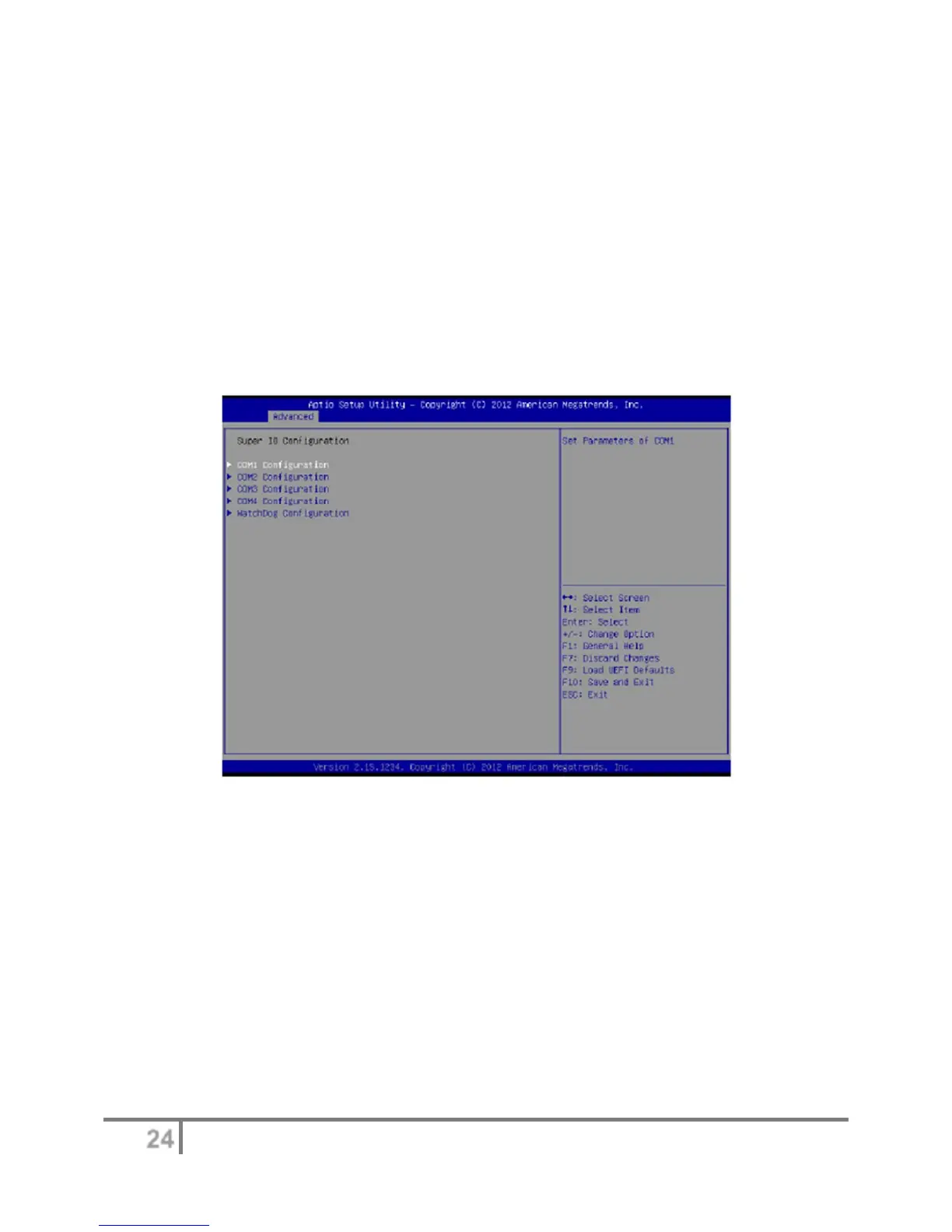
Super IO configuration
COM1 configuration
Use this to set parameters of COM1. Select COM1 port type: [RS232], [RS422] or [RS485].
COM2 configuration
Use this to set parameters of COM2. Select COM2 port type: [RS232], [RS422] or [RS485].
COM3 configuration
Use this to set parameters of COM3.
COM4 configuration
Use this to set parameters of COM4.
WDT Timeout Reset
This allows users to enable/disable the Watch Dog Timer timeout to reset system. The default
value is [Disabled].


 To Next Page