
 Need help?
Do you have a question about the CyberOptics SE500ULTRA and is the answer not in the manual?
Basic computer and Windows experience required.
Lists manuals for the SE500ULTRA system.
Process for submitting suggestions or reporting inaccuracies.
Contact details for global support.
Contact details for North American support.
Contact details for Asia-Pacific support.
Contact details for European support.
Contact details for China support.
Main contact details for CyberOptics Corporation.
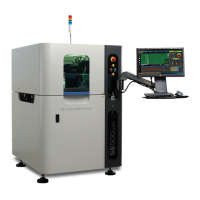
Overview of the SE500ULTRA system.
Describes the external controls and indicators of the unit.
Details components located on the rear of the machine.
Describes internal components of the SE500ULTRA system.
Lists and describes components of the main electrical panel.
Details conveyor operation and components.
Specifications related to panel size and thickness.
Details on conveyor speed and inspection area.
Information on processor, RAM, and video card.
Operating and storage humidity requirements.
Operating and storage temperature ranges.
Maximum operating altitude.
Installation category for overvoltage.
Electrical power input requirements.
Maximum current draw specifications.
Requirements for compressed air supply.
Information on internal circuit breaker fuses.
Minimum requirements for the Teach application host computer.
Diagram showing front view dimensions.
Instructions for packing the system for shipment.
Steps for connecting the system to AC power.
Instructions for unpacking the system from its crate.
Guidelines for selecting an installation site.
Steps to turn on the system power.
General steps for system installation.
Procedure for installing the signal-light pole.
Procedure for connecting compressed air.
How to position and level the system.
How to connect SMEMA cables for board handling.
Steps to connect the system to a network.
Procedure for connecting external devices via I/O.
Information on the Wago PLC assembly.
How to manually adjust conveyor width.
Steps to configure the pressure gauge settings.
Procedures for configuring system security features.
How to add users to the system's security.
How to assign access rights to secure areas.
Procedures to verify system measurement accuracy.
Steps to properly shut down the system.
Instructions for safely moving the system.
How to engage the system's bypass mode.
Schedule for routine maintenance tasks.
Procedures for maintaining the main electrical panel.
Instructions for replacing electrical cables.
How to replace the AC main circuit breaker.
Procedure for replacing system fuses.
Steps to replace the air regulator.
How to replace the system's cooling fans.
Procedure for cleaning the system's rear fans.
How to clean the inside of the system enclosure.
Procedure for cleaning the main electronics panel.
Steps to clean the air regulator filters.
How to test the system's E-Stop button.
Procedures for replacing processor components.
Procedure to replace circuit cards in the processor.
Instructions for upgrading or reinstalling system software.
How to restore the system disk using Acronis software.
How to back up system data to a disk.
How to clean dust from inside the processor unit.
Procedure for cleaning the processor's air filter.
Procedures for replacing conveyor parts.
How to replace conveyor edge strip guides.
Procedure to replace the conveyor clamp blade.
How to replace conveyor clamp air fittings.
Procedure to replace the clamp cylinder Hall effect switch.
How to replace the conveyor clamp cylinder.
Procedure to replace conveyor motors.
How to replace conveyor belts.
Procedure to replace auto width and manual width drive belts.
How to replace idler pulleys on the railsets.
Procedure to replace the pulley drive from the railsets.
How to replace the conveyor board sensors.
Procedure to replace panel lifter cylinder and inductive sensor.
How to clean the conveyor's panel sensors.
How to change the position of the mechanical board stop.
Procedures for replacing gantry components.
Procedure to replace the gantry forcer.
How to replace the gantry stator.
Procedure to replace the X-Axis on the gantry.
How to replace the encoder.
How to clean the encoder strips on the gantry.
Procedure to adjust the encoder read head.
How to lubricate gantry and Z-stage.
Procedure to adjust X-axis parallelism.
Procedure to adjust Y-axis parallelism.
Procedure to adjust X-axis and Y-axis orthogonality.
Steps to replace the SE500ULTRA sensor unit.
Procedure to replace the safety interlock switch.
How to replace the system's leveling feet.
 General
| Brand | CyberOptics |
|---|---|
| Model | SE500ULTRA |
| Category | Security Sensors |
| Language | English |

 To Next Page