EasyManua.ls Logo

CyberPower BPL48V75ART2U - User Manual

CyberPower BPL48V75ART2U
11 pages
Print Icon
To Next Page IconTo Next Page
Loading...
Users Manual
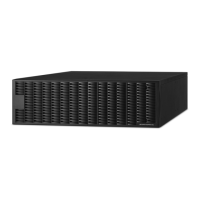
BATTERY PACK (BPL48V75ART2U)
CyberPower Systems (USA), Inc.
4241 12th Avenue East Suite 400 Shakopee, MN 55379
Phone: (952) 403-9500
Toll-free: (877) 297-6937
www.CPSww.com
K01-0000152-01

Questions and Answers

  • J
    jonathansmithAug 11, 2025
    What to do if my CyberPower Battery Pack does not work?
    • T
      terri34Aug 11, 2025
      If your CyberPower Battery Pack isn't working, there are several possible causes. First, ensure the batteries are fully charged by allowing the pack to charge for 24 hours. Remember that full runtime isn't expected during this initial charge. Also, check the circuit breaker and switch it on if it's off. If a fuse has blown, contact CyberPower Systems. You can also open the rear panel cover and replace the fuse.
  • S
    smithmelissaAug 18, 2025
    How to set up the CyberPower Battery Pack numbers to perform expected runtime?
    • H
      Holly KochAug 18, 2025
      If the CyberPower Battery Pack's LCD isn't showing the expected runtime, it might be because the UPS isn't set to recognize the battery pack. To fix this, press the display toggle to select functions and then set up the correct number of battery packs. The default setting is 0.
  • T
    taylorkatherineAug 25, 2025
    Why is my CyberPower BPL48V75ART2U Camera Accessories UPS not performing the expected runtime?
    • R
      Robert GarciaAug 26, 2025
      If your CyberPower Camera Accessories UPS isn't running as long as expected, there could be a couple of reasons. First, the UPS might not be recognizing the correct number of Extended Battery Modules. To fix this, adjust the Extended Battery Module Quantity setting on your UPS using the UPS LCD module, PowerPanel® Business Edition software, or the RMCARD interface (if installed) to reflect the correct number. Another possibility is that the batteries are degraded. In that case, you should contact CyberPower about replacement batteries.
  • U
    ugonzalezSep 1, 2025
    What to do if CyberPower BPL48V75ART2U Camera Accessories Extended Battery Module does not work?
    • S
      Sarah MclaughlinSep 2, 2025
      If your CyberPower Camera Accessories Extended Battery Module isn't working, there are a few potential causes. It could be that the batteries aren't fully charged. Try allowing the Extended Battery Module to charge for at least 12 hours. Alternatively, the batteries might be degraded, in which case you should contact CyberPower about replacement batteries. Finally, it's possible that the fuse blew, and you should contact CyberPower for repair.

CyberPower BPL48V75ART2U Specifications

General IconGeneral
Voltage48V
Capacity75Ah
ModelBPL48V75ART2U
ManufacturerCyberPower
MountingRackmount

Related product manuals