3. Press OK BUTTON again to stop recording.
6.3.3 Loop Recording
To perform loop recording:
1. Press OK BUTTON or touch icon in STANDBY Mode to start recording. The Blue Indicator Light
blinks.
2. When the Video has been recording for the selected time (3 minute/5 minutes/10minutes), camera saves
the footage automatically and begins a new recording.
3. When TF card is full, camera overwrites the first footage by time sequence and continues recording.
4. Press OK BUTTON again or touch icon to stop recording.
6.4 Picture Mode
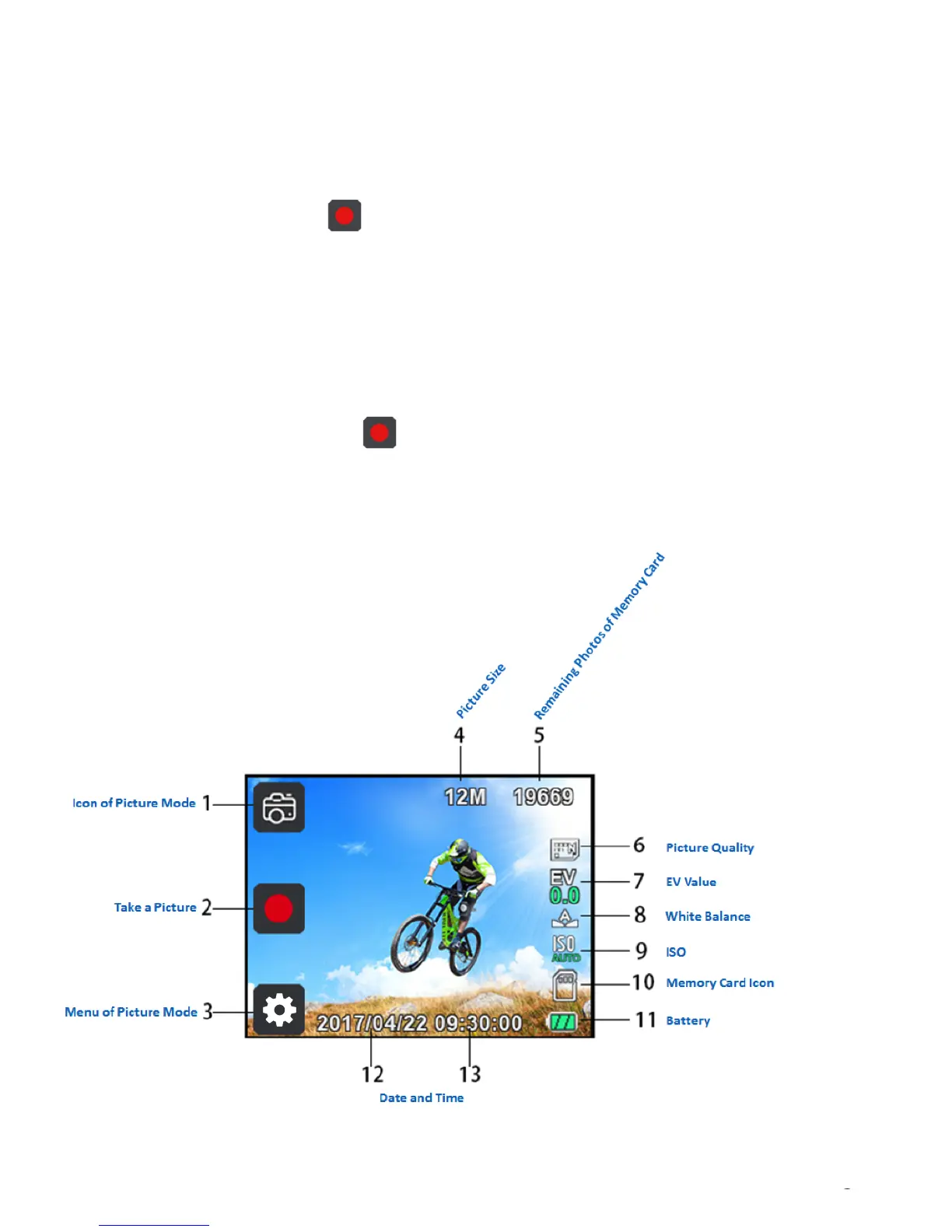
6.4.1 Picture Interface
Figure 3: Picture Mode
To perform Mode selection:


 To Next Page
 Loading...