6.2 Battery Charging
To charge the battery:
1. Connect the camera with power charger through USB cable.
a. The Charging Status Light (red light) remains ON while the battery is charging.
b. The Charging Status Light turns OFF while the battery is fully charged.
Note:
TURN OFF the Camera while charging for faster battery charging.
6.3 Video Mode
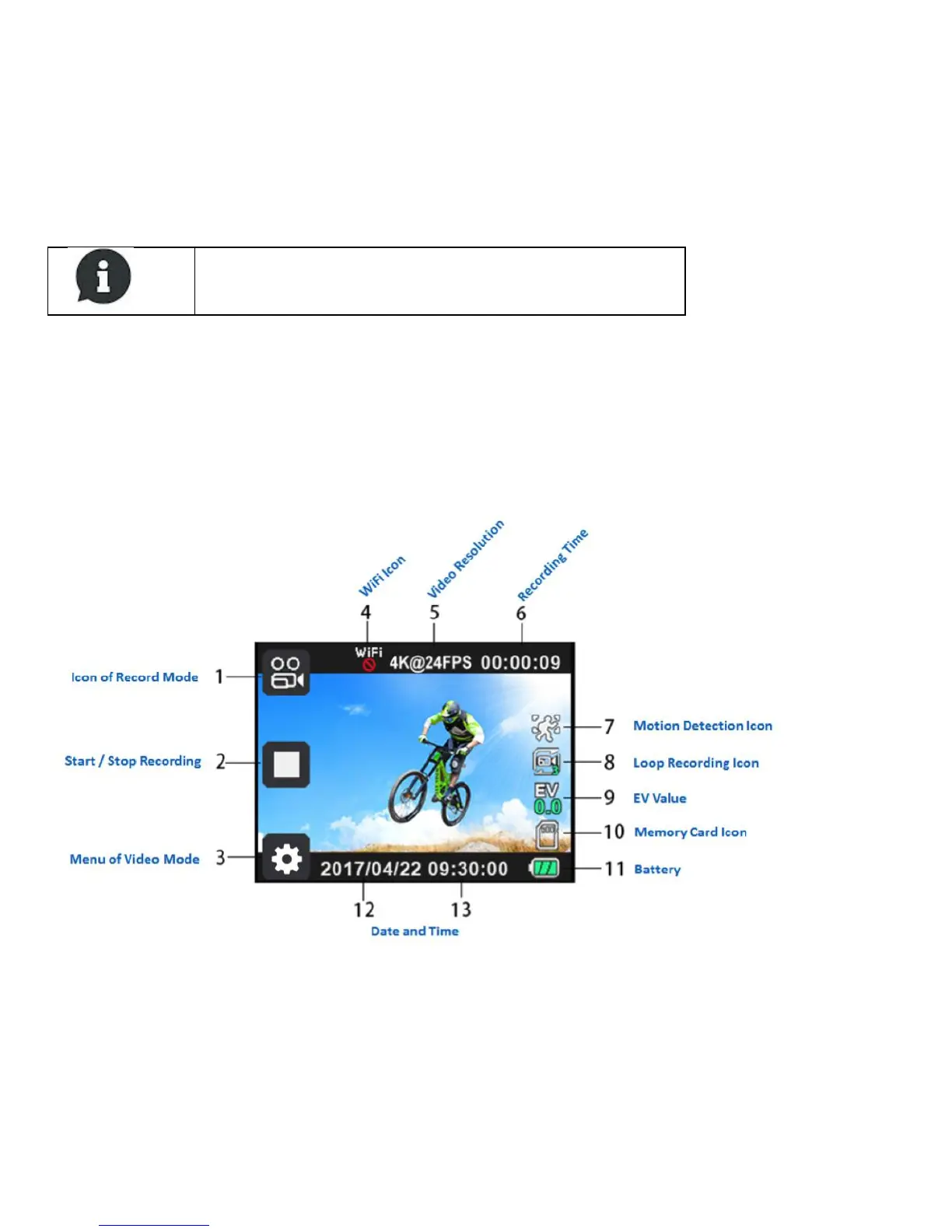
6.3.1 Video Interface
Figure 2: Video Interface
6.3.2 Normal Recording
To perform normal recording:
1. Set Loop Recording to Off in the Video Mode Menu.
2. Press OK BUTTON. The camera starts recording until card is full.


 To Next Page