Need help?
Do you have a question about the cymatic audio uTrack 24 and is the answer not in the manual?
Safety guidelines for power adapter, operating environment, and physical handling of the device.
Safety instructions for connecting cables and warnings against unit alterations.
Warnings against using loud volumes and potential impact of modifications.
Advice on avoiding interference and proper cleaning methods for the device.
Information regarding the product's warranty terms and conditions.
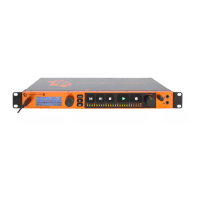
Overview of the uTrack24's capabilities and features.
Information on updating the uTrack24's firmware for new features.
Comprehensive list of all features for the uTrack24 recorder, player, and interface.
Information on what's included in the box and how to use the user's manual.
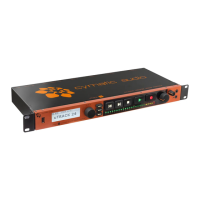
Description of the USB port, display screen, encoder wheel, and navigation buttons.
Details on the RECORD button, LED meters, and volume adjustments.
Information on headphone output and footswitch input.
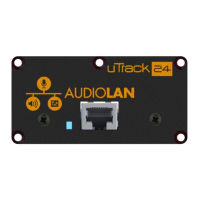
Description of the option card slot and analog input/output ports.
Explanation of Word Clock, MIDI, and USB ports.
Description of the RJ45 network and power input connectors.
Step-by-step guide to formatting USB drives and comparison of drive types.
Procedure for initiating audio recording and understanding pre-recording.
How to play back audio, monitor levels, and add markers.
Features for gapless recording and auto-playlist playback.
Setting in/out points for creating playback loops and MIDI file playback.
Explanation of the device's multichannel WAV file structure and 2GB chunking.
Explains Multitrack and Stereo playback modes.
Description of the persistent status bar elements on the uTrack24 display.
Detailed display elements and information shown during recording.
Overview and controls for the built-in stereo monitor mixer.
Procedure for browsing and loading multitrack and stereo audio files.
Information displayed and navigation options during audio playback.
Displays parameters specific to playlist playback workflow.
How to navigate menus and configure the clock source.
Configuring footswitch functions and recording parameters.
Configuring playback options and selecting input sources.
Configuring MADI settings and accessing utilities.
Formatting USB drives and viewing system information.
Loading and saving device configuration settings.
System requirements and driver installation for using as a Windows audio interface.
Using the PC control panel for mixer adjustments and monitoring.
Configuring sync source and buffer depth for optimal performance.
Customizing input and output channel names for DAW recognition.
System requirements and connecting the uTrack24 with macOS.
System requirements and connecting the uTrack24 with an iPad.
Utilizing main outputs and headphone jacks for monitoring.
Step-by-step guide for updating firmware via USB connection.
Procedure for updating firmware using a network connection.
 General
| Audio Channels | 24 |
|---|---|
| Type | Multitrack Recorder |
| Bit Depth | 24-bit |
| Simultaneous Rec Tracks | 24 |
| Simultaneous Play Tracks | 24 |
| Headphones | 1 x 1/4" |
| MIDI I/O | In/Out |
| USB | USB 2.0 |
| Form Factor | Rackmount |
| Phantom Power | Yes |
| Compatibility | Mac, PC |
| Inputs | 24 |
| Outputs | 24 |
| USB Interface | USB |
| File Format | WAV |
| Display | LCD |
| Dimensions | 19" x 1.75" |
| Weight | 3 kg |
| Connectivity | USB |

 To Next Page