Need help?
Do you have a question about the CYP PRO-H2-3GSDI and is the answer not in the manual?
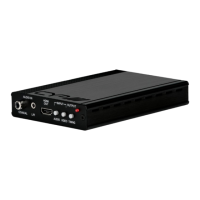
The PRO-H2-3GSDI is an HDMI to 3G-SDI Dual Output Converter designed to facilitate the display of HDMI signals on two SDI displays. This device ensures high-resolution signal transmission without loss, operating at bit rates of up to 2.970 Gbit/s. It is particularly useful for professionals who need to convert high-definition HDMI signals with audio to SDI for long-distance transmission and simultaneous display on two SDI monitors.
A key feature of this converter is its ability to accept a 2-channel L/R audio input, allowing DVI signals with 2-channel audio to be converted to SDI for display on SDI monitors. This is achieved by connecting a DVI source via a DVI to HDMI adapter cable and utilizing the external analog stereo audio input. The device also incorporates a built-in default EDID and a recordable EDID, which are crucial for ensuring image display compatibility with various source equipment.
The primary function of the PRO-H2-3GSDI is to convert HDMI input signals into SDI output signals, which can then be simultaneously displayed on two SDI monitors or cascaded to multiple displays or devices via an SDI to HDMI converter. It supports various SDI interface bitrates, including 2.970 Gbit/s, 2.970/1.001 Gbit/s, 1.485 Gbit/s, 1.485/1.001 Gbit/s, and 270 Mb/s.
The converter handles different HDMI input timings and converts them to corresponding SDI formats:
The device supports a wide range of HDMI input timings, including 480i@59.94, 576i, 720p@50/59.94/60, 1080i@50/59.94/60, and 1080p@23.98/24/25/29.97/30/50/59.94/60.
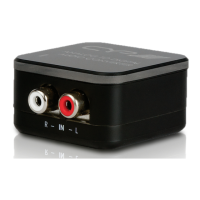
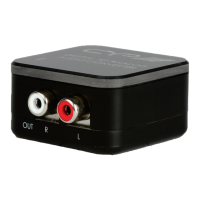
Audio embedding is a significant capability of this converter. It can embed up to 8 channels of PCM 48 kHz audio from the HDMI input. Alternatively, for DVI inputs, it supports 2 channels of external L/R audio, which can be provided via the analog stereo input jacks.
The converter is designed for long-distance SDI signal transmission, supporting output distances of up to 100 meters for 3G-SDI, 200 meters for HD-SDI, and 300 meters for SD-SDI, when tested with Belden 1694A Cable. It's important to note that operating distances may vary with different cable specifications.
A crucial limitation of the PRO-H2-3GSDI is that it does not process HDCP encrypted input signals. If the input signal contains HDCP encrypted content, there will be no video output.
The PRO-H2-3GSDI offers several user-friendly features for flexible operation and troubleshooting:
Front Panel Controls and Indicators:
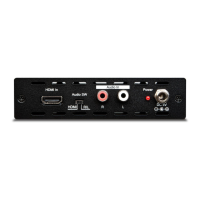
Rear Panel Controls and Connectors:
EDID Update Procedure: A detailed procedure is provided for updating the EDID settings, which is essential for resolving image display issues. This involves connecting an HDMI monitor or TV to the converter's input, setting the EDID switch to 'EDID update', and pressing and holding the EDID update button until the Video Lock LED illuminates. This process allows the converter to adopt the EDID settings of the connected monitor/TV. It is recommended to set the source device's output timing to "Automatic" to ensure it receives the native EDID settings from the display.
The PRO-H2-3GSDI is designed with safety and longevity in mind, incorporating several maintenance-related considerations:
Safety Precautions: The manual emphasizes reading all instructions before operation and adhering to basic safety precautions to prevent fire, electrical shock, and injury.
Troubleshooting with LED Signal Chart: A comprehensive LED signal chart is provided to assist in diagnosing operational status and potential issues. This chart details the meaning of various LED states (On, Off, Flashing) in relation to the EDID switch position, input signal type (3G, HD, SD), and whether the input is HDMI or DVI. It also indicates conditions like "Input timing no support," "No input signal or No connect," and "Input with HDCP Encryption." This chart is invaluable for quickly identifying the cause of display problems.
EDID Update Confirmation Status: A separate chart details the EDID update confirmation status, indicating whether the EDID update was successful (e.g., "3G Native, HDMI mode, Read OK") or if there was an "EDID format error" or "No connection or connection error." This helps users verify the success of the EDID update process.
HDCP Handling: The device explicitly states that it does not process HDCP encrypted input signals. When an HDCP encrypted signal is detected, both the EDID Update and Video Lock LEDs will flash, other LEDs will not illuminate, and no image will be displayed. This serves as a clear indicator of HDCP-related issues.
Input Resolution Compatibility: The device supports specific SD resolutions (480i@59.94 and 576i@50) for SDI. If an incompatible resolution is sent by the input source, it may lead to image problems or no image display. Users are advised to ensure the source device is set to output a compatible resolution.
In summary, the PRO-H2-3GSDI is a versatile and robust converter designed for professional video applications, offering reliable HDMI to SDI conversion with dual outputs, flexible audio input options, and comprehensive diagnostic tools for ease of use and maintenance.
 General
| SDI Standard Support | SMPTE 424M, SMPTE 292M, SMPTE 259M |
|---|---|
| Audio Support | Embedded audio |
| Input Ports | 3G-SDI |
| Output Ports | HDMI |
| SDI Input Resolution Support | 1080p, 1080i, 720p, 576i, 480i |
| HDMI Output Resolution Support | 1080p, 1080i, 720p, 576i, 480i |
| Supported Resolutions | 480i, 576i, 720p, 1080i, 1080p |
| Power Supply | 5V DC, 2A |

 To Next Page