EasyManua.ls Logo

Cypress Envirosystems WPT Series - User Manual

Cypress Envirosystems WPT Series
21 pages
Print Icon
To Next Page IconTo Next Page
Loading...
WPT Quick Start Guide
Document No. 910-00028-01, Rev 03
Wireless Pneumatic Thermostat- WPT Series
Page 1 of 21
1 Overview
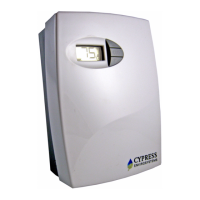
The Cypress Envirosystems Wireless Pneumatic Thermostat (WPT) retrofits an
existing pneumatic thermostat to provide Direct Digital Control (DDC) like zone control
functionality at a fraction of the time and cost without disturbing occupants.
The WPT enables remote monitoring of zone temperature, branch pressure, remote
control of setpoints, and programmable setback or setup of the pneumatic HVAC
systems. It also enables integration with utility Demand Response programs.
The WPT can be integrated with an existing Building Management System via
BACnet/IP. As a result, the WPT helps a building owner and tenants save energy by
implementing indoor temperature policies, improve comfort, and reduce the
maintenance cost of the legacy pneumatic HVAC systems.
1.1 Components
The WPT Series kit includes the following components:
WPT
Universal Wall Bracket
Mounting screws, #6 x 1” self-tapping (x2)
Wall Anchors
Tadiran TL-5920 lithium battery
1.2 Prerequisites for Installation
The WPT relies on a wireless network for communication. Before installing the WPT,
the wireless network must be set up. The following tasks must be completed before
proceeding to WPT installation:
Installation of WPT Green Box Server and Blue Box Gateway
Assignment of a unique node ID for each WPT (to be programmed during
installation)
LoRa gateway must be configured with for each WPT. (Please refer to the LoRa
WPT Gateway and Server Installation Manual, Document number 910-00031-
01).
1.3 Tools Required for Installation
# 1 Philips-head screwdriver
1/16” hex Allen wrench
3/16” Drill (for setting Wall Anchor, if required)
2 WPT Installation
The overall WPT installation procedure includes:
Mounting the WPT on the wall
Configuring the WPT
Calibrating the WPT

Other manuals for Cypress Envirosystems WPT Series

Questions and Answers

Summary

Overview

1.1 Components

Lists the components included in the WPT Series kit.

1.2 Prerequisites for Installation

Details network setup, node ID assignment, and gateway configuration.

1.3 Tools Required for Installation

Lists the necessary tools for installing the WPT.

WPT Installation

2.1 Mounting the WPT

Covers removing the existing thermostat, mounting the WPT unit, and ESD precautions.

2.1.3 Installing;Replacing Battery

Provides instructions for installing and replacing the WPT battery.

2.2 Configuring the WPT

Guides through setting frequency sub-band, node ID, and display units.

2.3 Calibrating the WPT

Details steps for calibrating the thermostat lever and pressure control.

Operation

3.1 Adjusting the Setpoint Temperature

Explains how to adjust the setpoint temperature using the WPT buttons.

3.2 Turning ON;OFF the Occupancy Override

Describes how to activate or deactivate the occupancy override feature.

3.3 Measuring the Branch Line Pressure

Outlines the procedure to measure the branch line pressure.

3.4 Checking the Control Pressure

Provides steps to verify the control pressure of the WPT.

3.5 Locking and Unlocking WPT Controls

Details how to lock or unlock WPT controls to prevent setpoint overrides.

LoRa Over-The-Air Activation (OTAA)

Troubleshooting

Additional Troubleshooting

Repair

Technical Specification

Overview

The Cypress Envirosystems Wireless Pneumatic Thermostat (WPT) is a device designed to retrofit existing pneumatic thermostats, providing Direct Digital Control (DDC)-like zone control. It aims to offer advanced control functionality at a reduced time and cost, minimizing disruption to occupants.

Function Description:

The WPT enables remote monitoring of zone temperature and branch pressure. It allows for remote control of setpoints and programmable setback or setup of pneumatic HVAC systems. A key feature is its ability to integrate with utility Demand Response programs. The device can also be integrated with existing Building Management Systems via BACnet/IP. This integration helps building owners and tenants save energy by implementing indoor temperature policies, improve comfort, and reduce maintenance costs associated with legacy pneumatic HVAC systems.

Important Technical Specifications:

  • Action: Direct / Reverse Acting
  • Number of pipes: Dual pipe
  • Setpoint Temperature Range: 55°F to 85°F (13°C to 29°C)
  • Air connections: 3/32 in (2.5 mm) ID tube fittings
  • Maximum Operating Pipe Pressure: 25 psi (170 kPa)
  • Airflow Usage: 0.011 scfm (5.2 mL/s)
  • Sensitivity: Factory Adjusted to 2.0 – 2.5 PSI/F
  • Operating Frequency Band: 915 MHz LoRa Network Band
  • Battery Life: More than 2 years (with four setpoint changes per day)
  • Operating Conditions: 32 to 122°F (0 to 50°C), 95%RH Max, Noncondensing
  • Storage Conditions: -40 to 122°F (-40 to 50°C), 95%RH Max, Noncondensing
  • Dimensions:
    • Length: 5.6 in (141 mm)
    • Width: 4.1 in (104 mm)
    • Depth: 2.1 in (53 mm)

Usage Features:

The WPT Series kit includes the WPT unit, a universal wall bracket, mounting screws, wall anchors, and a Tadiran TL-5920 lithium battery.

Installation Prerequisites:

Before installation, a wireless network must be set up. This involves installing the WPT Green Box Server and Blue Box Gateway, assigning a unique node ID for each WPT, and configuring the LoRa gateway.

Tools Required for Installation:

  • #1 Philips-head screwdriver
  • 1/16" hex Allen wrench
  • 3/16" Drill (for setting Wall Anchor, if required)

Installation Procedure:

The installation involves mounting the WPT on the wall, configuring it, and calibrating it.

  1. Removing the Existing Thermostat: Remove the external cover, mounting screws, and carefully detach the old thermostat from the air tubes, noting the positions of branch and main tubes in a 2-pipe system.
  2. Installing the WPT: The WPT is installed in the existing thermostat location using the Universal Wall Bracket. The bracket should be adjusted to align with existing screw holes and the air tube opening. Air tubes are pulled through the central opening, and the bracket is affixed to the wall. Branch and main tubes are connected to the B and M ports on the rear of the WPT. The WPT is then attached to the bracket using captive screws.
  3. ESD Handling Precautions: The WPT contains ESD sensitive circuit cards and components. Users are warned to observe precautions, avoid touching circuit boards with fingers, and handle the unit by its external bottom plastic cover.
  4. Thermostat Lever Handling Precautions: Great care is required when calibrating. The thermostat lever should be handled as little as possible, and extreme caution used to prevent sideways rotation while adjusting the setscrew, as damage to the bi-metallic spring can occur.
  5. Battery Installation/Replacement: The WPT features a battery icon on the LCD indicating the battery state. Batteries must be replaced when fewer than 4 bars are displayed. When batteries are too low, the WPT enters a fail-safe mode, shutting down all functions except temperature control at a setpoint of 72°F. To reset the battery gauge when replacing, press and hold the center button while plugging in the new battery connector. After replacement, users must power on the WPT, perform an OTAA bind, confirm or perform manual calibration, and optionally resend temperature setpoints and auto calibration values from the WPT Green Box Controller.
  6. Battery Handling Precautions: Only the approved Tadiran TL-5920 lithium metal battery (UL-1642 listed) should be used to avoid fire or explosion risks. Batteries should be kept away from children, not recharged, disassembled, heated above 100°C (212°F), incinerated, or exposed to water. Used batteries must be disposed of promptly according to local regulations. Batteries should not be inserted with reversed polarities or short-circuited, and each battery should be wrapped when disposing or storing to avoid short circuits. If liquid leaks into eyes, wash with clean water and consult a physician. Avoid strong pressure or rough handling, and do not use or leave the battery in direct sunlight or high-temperature areas.

Configuring the WPT:

The WPT is configured using its LCD display and three front buttons.

  1. Programming Mode Password: A password is required to enter Programming Mode, accessed by pressing all three buttons simultaneously.
  2. Configuring Frequency Sub-band and Node ID: The WPT requires a valid frequency sub-band (1-9) and a four-digit node ID. Sub-bands 1-8 select specific LoRa channel sets, while sub-band 9 allows broadcasting on all channels. The node ID is displayed in two-digit groups. After connecting the battery and pressing any button, the system initializes. During initialization, "dy" is displayed, and the motor calibrates the cam position. After initialization, the LCD shows the current temperature or an error code. To configure, press all three buttons simultaneously, enter the password, and then use the up/down buttons to change the frequency sub-band and node ID digits, confirming each with the OVR button. The °F icon indicates frequency sub-band programming, and the °C icon indicates node ID programming. Battery indicator bars flash during node ID configuration.
  3. Selecting Celsius or Fahrenheit Display: From the home screen, press all three buttons simultaneously, enter the password, and press the OVR button five times to reach the Celsius/Fahrenheit screen. Use the up/down buttons to toggle between C and F, and press OVR to accept.

Calibrating the WPT:

  1. Remove the front cover and allow the WPT to acclimatize to ambient temperature (5-10 minutes). Avoid body heat to minimize error.
  2. The black throttling range adjuster is factory set and must not be moved.
  3. To enter Calibration Mode, press the down button and OVR button together for two seconds until 'dt' appears.
  4. Press OVR four times. The LCD displays branch pressure in PSI with a PRESSURE indicator. If the motor is in motion, "--" is displayed.
  5. Press all buttons simultaneously to enter Calibration Mode, indicated by a rapidly flashing "C" icon.
  6. Use a 1/16" hex Allen wrench to carefully turn the calibration set screw on the thermostat lever until the branch pressure equals the desired control point. Extreme caution is needed to prevent sideways rotation of the lever, which can damage the bi-metallic spring.
  7. Ensure at least one thread of the calibration screw adjustment is visible above the top surface of the Friction Clip or below the bottom surface of the Control Lever.
  8. Each battery segment on the LCD represents 0.25 PSI resolution, which is critical for precise matching of the control point.
  9. Once the desired control pressure is achieved, press the OVR button to exit and save the value. A confirmation screen will flash the stored pressure for 3 seconds. If OVR is not pressed within 3 minutes, the WPT will exit Calibration Mode without saving the control pressure.
  10. Replace the WPT front cover.

Operation:

The LCD display shows set point, degree Fahrenheit/Celsius, battery level, pressure, and occupancy override indicators.

  1. Adjusting Setpoint Temperature: Use the up/down buttons to view and change the setpoint, then press OVR to accept or wait 5 seconds.
  2. Turning ON/OFF Occupancy Override: This feature works only in "Unoccupied" mode. Press OVR to activate, use up/down buttons to set duration, then press OVR to accept or wait 5 seconds. The LCD displays the OVR indicator during override.
  3. Measuring Branch Line Pressure: Press the down button and OVR button together for two seconds ('dt' appears). Press OVR four times. The LCD displays branch pressure in PSI. If the motor is in motion, "--" is displayed. Press OVR to exit.
  4. Checking Control Pressure: Follow the same steps as measuring branch line pressure. After displaying branch pressure, press the down button. The LCD will flash the stored control pressure for 3 seconds and return to the home screen.
  5. Locking and Unlocking WPT Controls: Press the up and down buttons simultaneously to lock ("LC") or unlock ("UL") the unit, preventing occupants from overriding setpoints.

LoRa Over-The-Air Activation (OTAA):

The WPT uses LoRa OTAA to establish a connection link to the network. Force discovery before binding will cause an error. The LoRa gateway must be configured for each WPT prior to binding.

Maintenance Features:

Troubleshooting: The WPT has diagnostic functions to detect and diagnose faults, displaying various codes (dy, dt, Fd, UL, LC, E0, E1, E2, E4) with corresponding solutions, such as performing force discovery, verifying frequency sub-band configuration, or contacting the distributor for replacement if errors persist.

Additional Troubleshooting:

  • WPT does not build branch pressure: Check rubber cap, verify main and branch line connections, remove WPT from bracket, check for air from main line, reconnect main line, cover branch port, adjust setpoint, check branch pressure, check for leaks, or swap WPT unit.
  • WPT does not control correctly or makes hissing sound: Check rubber cap, verify main and branch line connections, reattach lines if needed, swap WPT unit, or check for damaged lines if swapped.
  • Incorrect/suspect behavior after battery replacement: Disconnect battery, press and hold OVR until LCD segments disappear, let thermostat sit for 30-45 minutes to fully discharge components (resetting to factory defaults), then reconnect battery and follow battery replacement steps.

Repair:

Except for batteries, the WPT has no field-replaceable or repairable parts. For repair or warranty service, contact the original distributor. During installation, care should be taken to keep the unit dust-free. The WPT is designed for reliable operation with a clean, dry-compressed air supply at the required pressure.

Cypress Envirosystems WPT Series Specifications

General IconGeneral
BrandCypress Envirosystems
ModelWPT Series
CategoryThermostat
LanguageEnglish