4. Basic functions
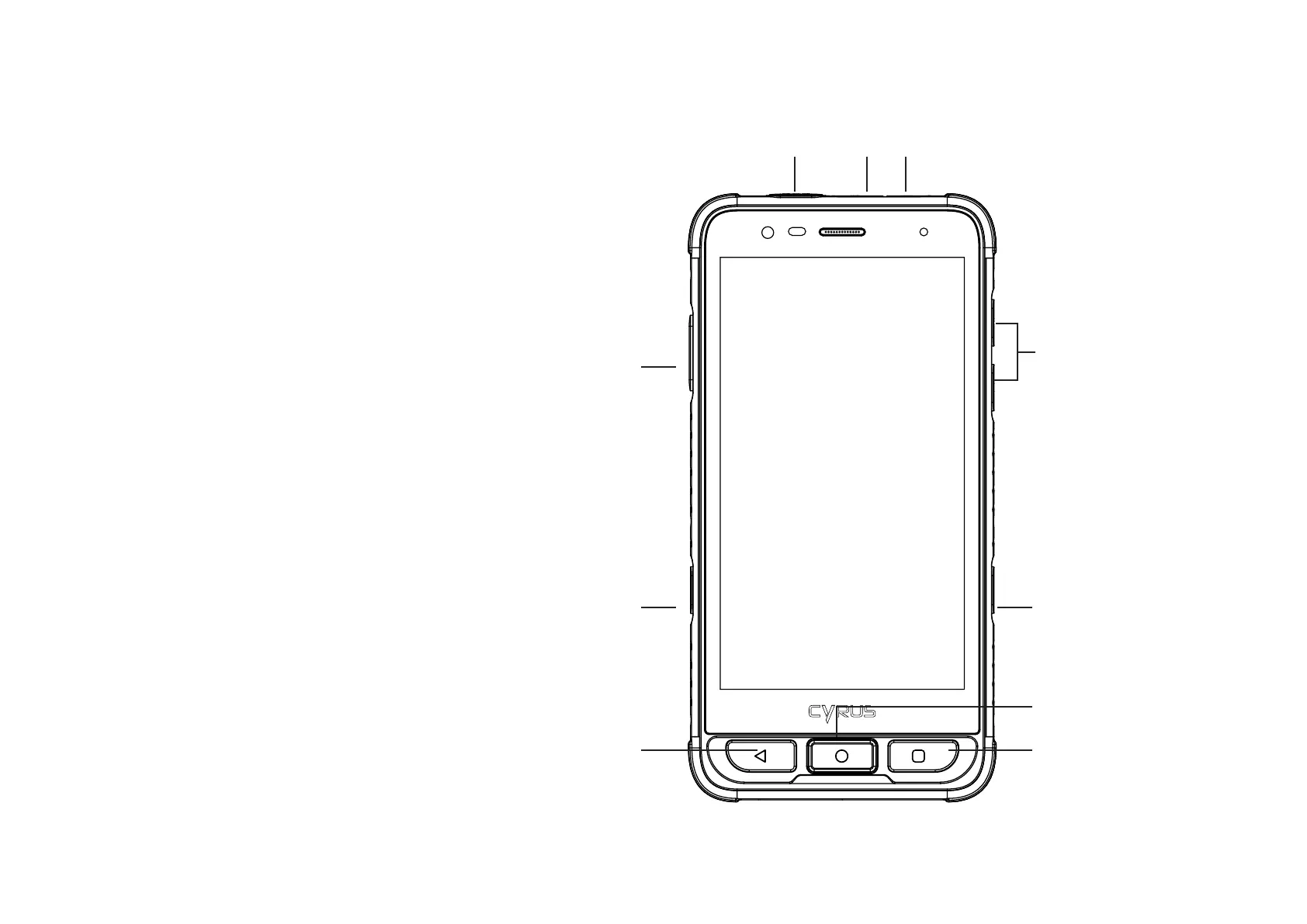
4.6 Main buttons
Button » Description
HOME button » Return to the home screen,
Activate the screen
Task-Manager » Key opens the last used apps, activates
and unlocks the screen.
Back button » Return to the previous page, activate
the screen
Power button » Switching on/off, sleep mode, device
wake up from sleep mode; long press
(2 seconds) for restart / switch off
or make screenshot; long press (8
seconds) forces the device to restart
Volume buttons » Adjusts the volume
PTT- button and » You can assign various functions
programmable or applications to the PTT button
button and the programmable button
1. Tap on programmable keys on the
„settings“-screen
3. Deactivate PTT mode and/or
Programmable mode.
4. Now you can assign functions to the
corresponding button.
5. Select the function to be assigned to
the button and conrm with OK.
SOS-Taste » 1. Tap on programmable keys on the
„settings“-screen
2. Activate the SOS button.
3. Briey press the SOS-APP symbol or
briey press the SOS button.
4. Now tap on Help to learn more
about setting up the emergency call
numbers.
8
SOS-Button USB Headphones
Volume +/-
Programmable
Button
Task-Manager
Homescreen
PTT Button
Power ON/OFF
Back-Key


 To Next Page