Charge
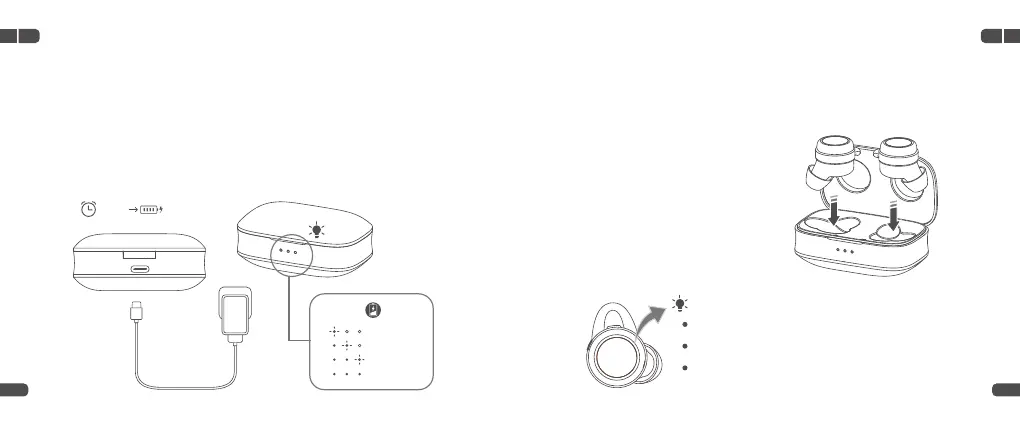
Fully charge the Charging Case and earbuds before your first use.
Charging Case
Connect the Charging Case to a compatible adapter (not included) with
the Type-C Cable, then plug the adapter into a socket.
Earbuds
3
4
Charging: pulse blue
Fully Charged: solid blue for 5 seconds, then be off
Low Battery: flash blue twice for every 3 seconds
5V/1A
EN EN
03 04
1.5-2H 100%
0%-32%
33%-65%
66%-99%
100%
Option 2
Put the Charging Case on the wireless charger (not included) and it will
be charged.
Align the Charging Pins on the
earbuds with those in the case,
then place the earbuds into the
case until it magnetically snaps
into the Charging Slot.
Option 1


 To Next Page