FAILURE TO READ AND FOLLOW ALL INSTRUCTIONS MAY RESULT IN SERIOUS INJURY
17
4. RIDING YOUR DRAGONFLY
Before riding, please check your local laws and regulations. It is your responsibility
to adhere to any applicable laws when riding. D-Fly Group Ltd cannot be held liable for
your breach of the laws.
4.1 Unlocking your Dragony
4.1.1 Alarm
The motion sensing alarm has two stages: If your alarmed Dragony is moved there
will be an audible sound to indicate an activated alarm. Should movement continue the
alarm volume will increase.
4.2 Getting on your Dragony
Keep your Dragony switched off while you familiarize yourself with it.
1. Getting on and standing
First put a foot on the deck and get a feel for it. Once you
are comfortable, place your second foot on the deck.
Practice getting on and off several times.
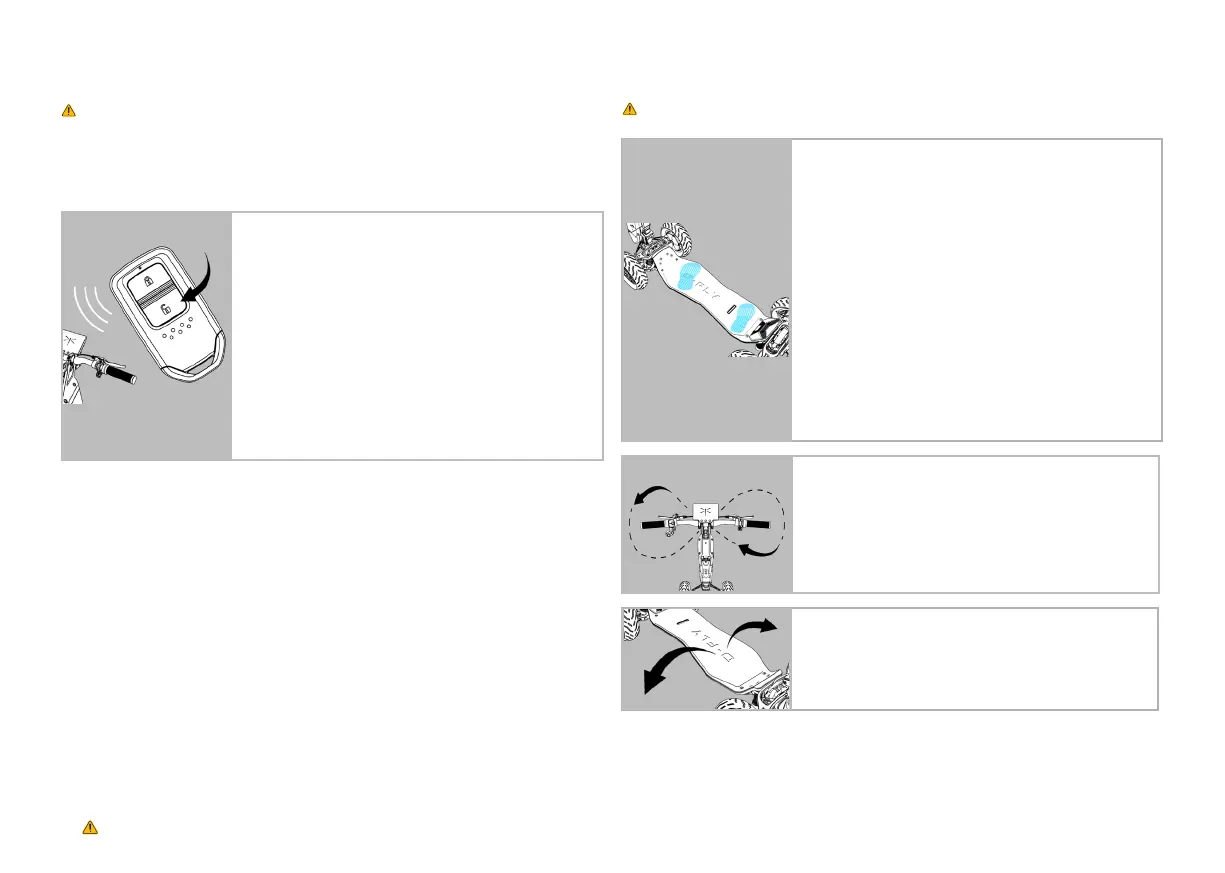
2. Finding your stance
Grab the handlebars. Pick a stance based on which
foot you are most comfortable placing forward. Place
your opposite foot to the rear of the deck at an angle
which enables you to stay balanced, in control and safe.
Familiarize yourself with your weight distribution on the
deck, shifting all your weight to your front foot and then
to your rear foot, feeling the weight on your front foot roll
from your heel to your toes. Become familiar with the deck
movement underneath your feet until you are totally at
ease and comfortable with it.
3. Leaning the tiller
Start to engage the tiller, tilting left and right, twisting the
handlebars and feeling the motions of steering. You will
notice the possibility to draw a gure 8 with the handlebars
and tiller, and that will guide the natural ow of your body
movement when steering. Get familiar with the turning
angles of the front wheels as you turn the handlebars.
To unlock your Dragony, simply press the unlock button on
your fob and your Dragony will come to life.
Note: The 10m activation range can be affected by other
electrical interference.
To switch off and lock:
1 x Press Lock / Off = Switches Dragony off but still allows
movement of the vehicle.
2 x Press Lock / Off = The double click activates the alarm,
locking the front wheels
4. Tilting the deck
Your Dragony deck tilts left and right which enables you
to turn in your chosen direction. Practise tilting the deck
left and right while stationary and observe how the deck
tilting also changes the direction of the back wheels.


 To Next Page
 Loading...