
EasyManua.ls Logo

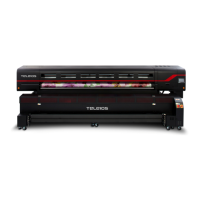
d.gen TELEIOS GRANDE H6 - User Manual

d.gen TELEIOS GRANDE H6
64 pages
Print Icon
To Next Page IconTo Next Page
Loading...
OPERATOR MANUAL

Questions and Answers

Summary

Important Safety Instructions

Notes on Usage and Storage

Presenting the Printer

Turning ON and OFF the Printer

Turning ON the Printer

Step-by-step guide to powering on the d-gen printer, including sequence of switch operations.

Turning OFF the Printer

Procedure for safely shutting down the printer, reversing the power-on sequence.

Loading Ink

Loading the Media

Printer Control Panels for Media Loading

Overview of rear and front control panels used for media loading and feeding adjustments.

Nozzle Check Test Print

Purge and Auto-cleaning

Auto-cleaning Procedure

Performing automatic print head cleaning using the touch panel's CLEANING button.

Long Purge Procedure

Executing a long purge by pressing PURGE and controlling solenoid valves for continuous ink flow.

Global Bidirectional Adjustment

Feed Adjustment

Adjusting for Light Bands Between Passes

Reducing feeding compensation to eliminate gaps between print passes.

Adjusting for Dark Bands Between Passes

Increasing feeding compensation to eliminate overlap between print passes.

FEEDING COMPENSATION Field Settings

Ensuring the PASSES field matches RIP software settings for effective compensation.

Using the Front Dryer

Using the Fixation Unit

Fixation Unit Control Panel Overview

Description of the fixation unit's control panel buttons, keys, and LCD screen.

Fixation Unit Modes and Settings

Using AUTO vs. MANUAL Mode

Guidance on selecting and using AUTO/MANUAL modes for the fixation unit.

Fixation Unit Parameters Explained

Heater and Suction Parameters

Explanation of heater settings (SV, PV, OV) and suction control for the fixation unit.

Take-up, Direction, and Roller Controls

Details on regulating torque, RPM, direction, and roller positions for the fixation unit.

Using the Fume Buster

Exchanging the Media

Removing the Take-up Roll

Problem Solver

Troubleshooting Missing Nozzles

Diagnosing and resolving issues related to missing or intermittent print nozzles.

Troubleshooting Banding Issues

Identifying and correcting banding effects caused by feeding or alignment problems.

Troubleshooting Ink Drops and Stains

Addressing print defects like ink drops and head striking stains.

Troubleshooting Blurry Images and Sharpness

Resolving issues causing blurry images and poor sharpness, related to alignment and tension.

Appendix

Printing Area and Margins

Details on printable area, media dimensions, and conditions affecting print quality.

Contacting Technical Support

Information on how to contact d-gen support for assistance, including email and phone details.

d.gen TELEIOS GRANDE H6 Specifications

General IconGeneral
Print resolutionUp to 1200 dpi
Printing TechnologyPiezoelectric inkjet
Power SupplyAC 200-240V, 50/60 Hz
ConnectivityEthernet
Weight1, 200 kg

Related product manuals