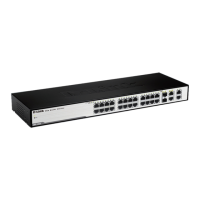
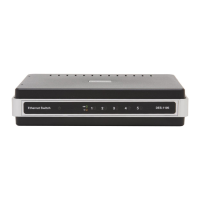
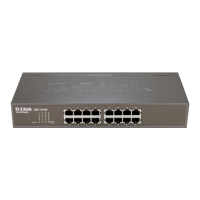
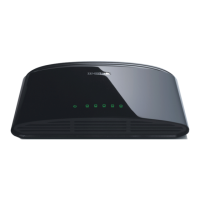
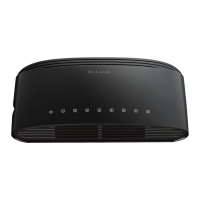
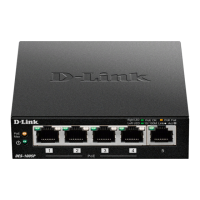
The D-Link DES-F1010P-E is a 10-Port Fast Ethernet 250m Long Reach PoE+ Switch, designed to provide power and data connectivity for various network devices. This unmanaged PoE switch simplifies network setup by offering Power over Ethernet (PoE) capabilities, eliminating the need for separate power outlets for connected devices.
Function Description:
The primary function of the DES-F1010P-E is to act as a central hub for network connectivity, specifically leveraging PoE technology. It features eight 10/100Mbps PoE RJ45 ports (Port 1 – Port 8) that support the IEEE 802.3af/at standard, allowing it to deliver both data and power to compatible Powered Devices (PDs) such as IP cameras, Wi-Fi access points, and IP phones. This capability is particularly useful for deploying devices in locations where power outlets are scarce or inconvenient.
In addition to the PoE ports, the switch includes two 10/100Mbps RJ45 Uplink ports (Port 9 – Port 10). These non-PoE ports are designed for connecting to Network Video Recorders (NVRs), personal computers (PCs), or aggregation switches, facilitating integration into a larger network infrastructure.
The switch supports a "Long Reach" feature, enabling PoE delivery up to 250 meters, which is significantly longer than the standard 100-meter Ethernet cable limit. This extended reach is beneficial for installations requiring devices to be placed further away from the central switch, reducing the need for additional network extenders or power sources. For optimal performance with this feature, Cat 5 or better cabling is recommended.
The DES-F1010P-E also incorporates several switch modes to enhance network performance and security:
- VLAN (Virtual Local Area Network): This mode isolates ports from each other, improving security by preventing unauthorized access between segments and enhancing network performance by constraining broadcast traffic.
- QoS (Quality of Service): QoS introduces application prioritization, ensuring that traffic with higher priority, such as Voice over IP (VoIP), is forwarded ahead of other data, thereby maintaining call quality.
- PoE (Power over Ethernet): This mode includes an automatic restart feature for remote devices. If the switch detects that a remote device has locked up (i.e., no incoming traffic), it can disable and re-enable PoE on that specific port, effectively rebooting the device without manual intervention. This feature is crucial for maintaining uptime and reducing maintenance efforts for remote PoE devices.
- Extend: As mentioned, this mode enables the long-reach PoE delivery up to 250m.
Important Technical Specifications:
- Network Ports:
- 8 x 10/100Mbps PoE RJ45 ports (Port 1 – Port 8)
- 2 x 10/100Mbps RJ45 Uplink ports (Port 9 – Port 10)
- Transfer Rate: 100Mbps full Duplex, 10 or 100Mbps Half Duplex.
- Network Protocol Standards: IEEE 802.3i, IEEE 802.3u, IEEE 802.3x, IEEE 802.3af, IEEE 802.3at.
- Bandwidth: 2Gbps (non-blocking).
- Network Delay (100 to 100Mbps): Maximum 20 µs (using 64-byte packet).
- Frame Filtering and Transmission Rate:
- 10M port maximum 14,800pps
- 100M port maximum 148,800pps
- PoE Pins: 1, 2 (+) and 3, 6 (-).
- Max Power for Single Port: 30W.
- Total PoE Budget: 96W.
- DC Power Input: Supports 48-56V. The device requires an external power adapter, and users are advised to use the adapter supplied with the switch.
- Dimensions (L x W x H): 184mm x 94mm x 27mm.
- Weight: 0.95kg.
- Operating Temperature: 0°C - 40°C.
- Operating Humidity: 10% - 90%, Non-condensing.
- Safety Certifications: CE/ROHS/FCC.
Usage Features:
The DES-F1010P-E is designed for ease of use as an unmanaged switch. This means it requires minimal configuration, making it suitable for users who need a straightforward plug-and-play solution.
- Plug-and-Play: Simply connect the power adapter and network cables, and the switch will automatically detect and configure connected devices.
- LED Indicators: The switch features LED indicators for Power, RESV (Reserve), and LINK/ACT (Link/Activity) for each port. These LEDs provide visual feedback on the status of the switch and individual port connections, aiding in quick troubleshooting.
- Flexible Deployment: The 250m long-reach PoE capability allows for greater flexibility in device placement, reducing infrastructure costs and complexity.
- Power Efficiency: With a total PoE budget of 96W and a maximum of 30W per port, the switch can power a variety of PoE devices efficiently.
Maintenance Features:
While an unmanaged switch typically requires less maintenance than a managed one, the DES-F1010P-E includes features that contribute to its reliability and ease of upkeep:
- Automatic PoE Restart: The PoE mode's ability to automatically restart locked-up remote devices significantly reduces the need for manual intervention, especially for devices deployed in hard-to-reach locations. This proactive feature helps maintain network uptime.
- Robust Design: The switch is built to operate within a standard temperature and humidity range, ensuring stable performance in typical office or light industrial environments.
- Safety Guidelines: The manual emphasizes important safety guidelines, such as disconnecting the power adapter during installation, wearing an anti-static wristband, and ensuring proper power adapter voltage. These guidelines are crucial for preventing damage to the equipment and ensuring user safety, thereby contributing to the longevity of the device.
- Power Adapter Compatibility: The instruction to use only the supplied power adapter helps ensure the correct voltage and current are delivered to the switch, preventing potential damage from incompatible power sources.
- Extension Cable and Power Strip Ratings: Adhering to the recommended ampere ratings for extension cables and power strips prevents overloading, which can lead to equipment failure or safety hazards.
Overall, the D-Link DES-F1010P-E is a robust and user-friendly unmanaged PoE switch, ideal for small to medium-sized networks requiring reliable power and data delivery over extended distances, with added benefits of network segmentation and traffic prioritization.

 Need help?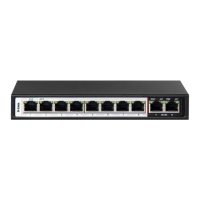

 To Next Page
 General