12D-Link DIR-1760 User Manual
Section 3 - Installation
4 3 2 1 INTERNETRR ESET WPS
12V... 2A
DCIN
POWER
4 3 2 1 INTERNETRR ESET WPS
12V... 2A
DCIN
POWER
4 3 2 1 INTERNETRR ESET WPS
12V... 2A
DCIN
POWER
DIR-1760
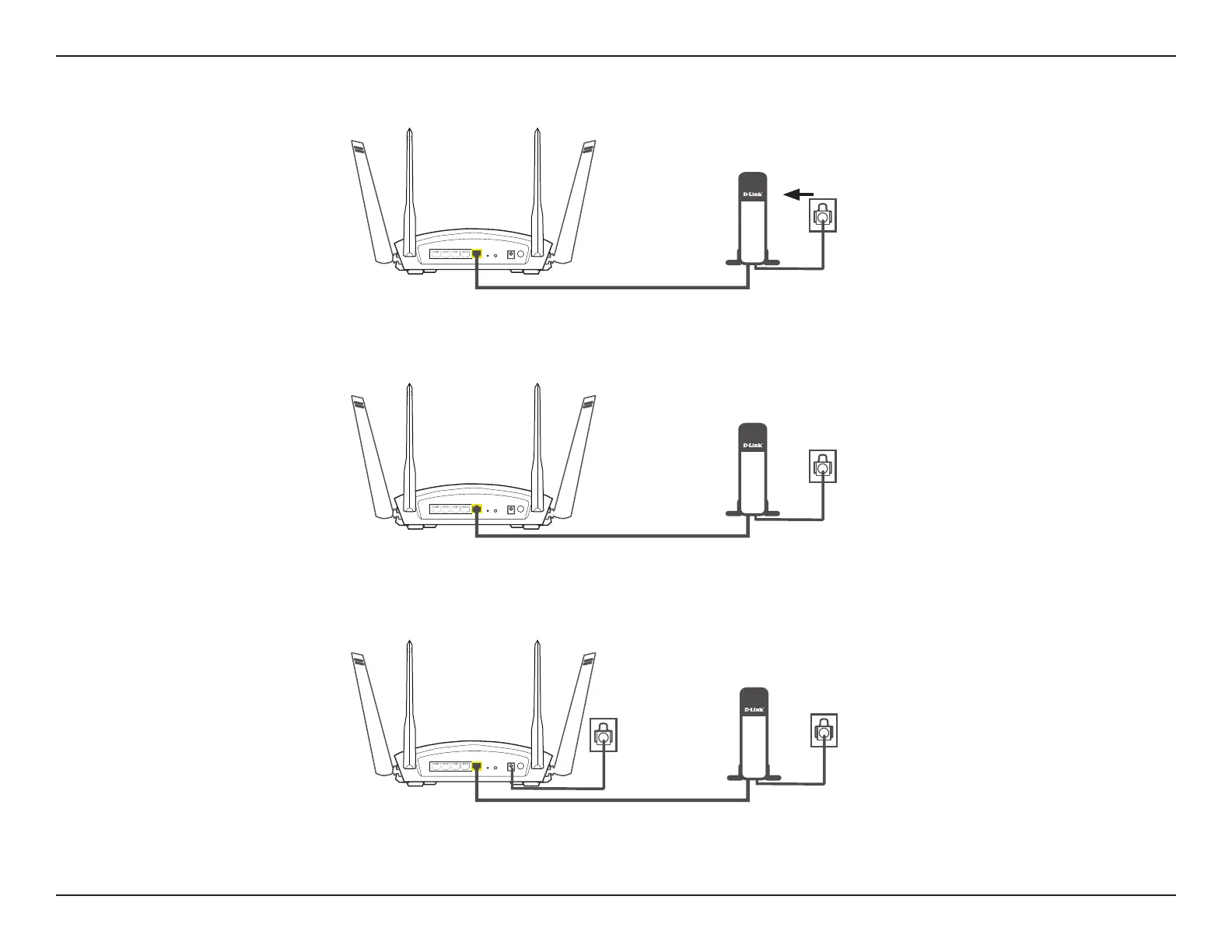
5. Turn on or plug your modem back in and wait approximately one minute before proceeding onward.
6. Connect the supplied power adapter to the router and a power outlet, press the power button, and wait approximately
one minute until the LED indicator on the front of the device changes from orange to solid white.
Modem
4. Use the included Ethernet cable to connect your modem to the yellow port labeled INTERNET on the router.
Modem
Note: This unit is to be used with power supply model S36B52-120A250-04.
Modem
DIR-1760
DIR-1760










 To Next Page