-13-
FAQ : How to configure Wireless MAC Filtering
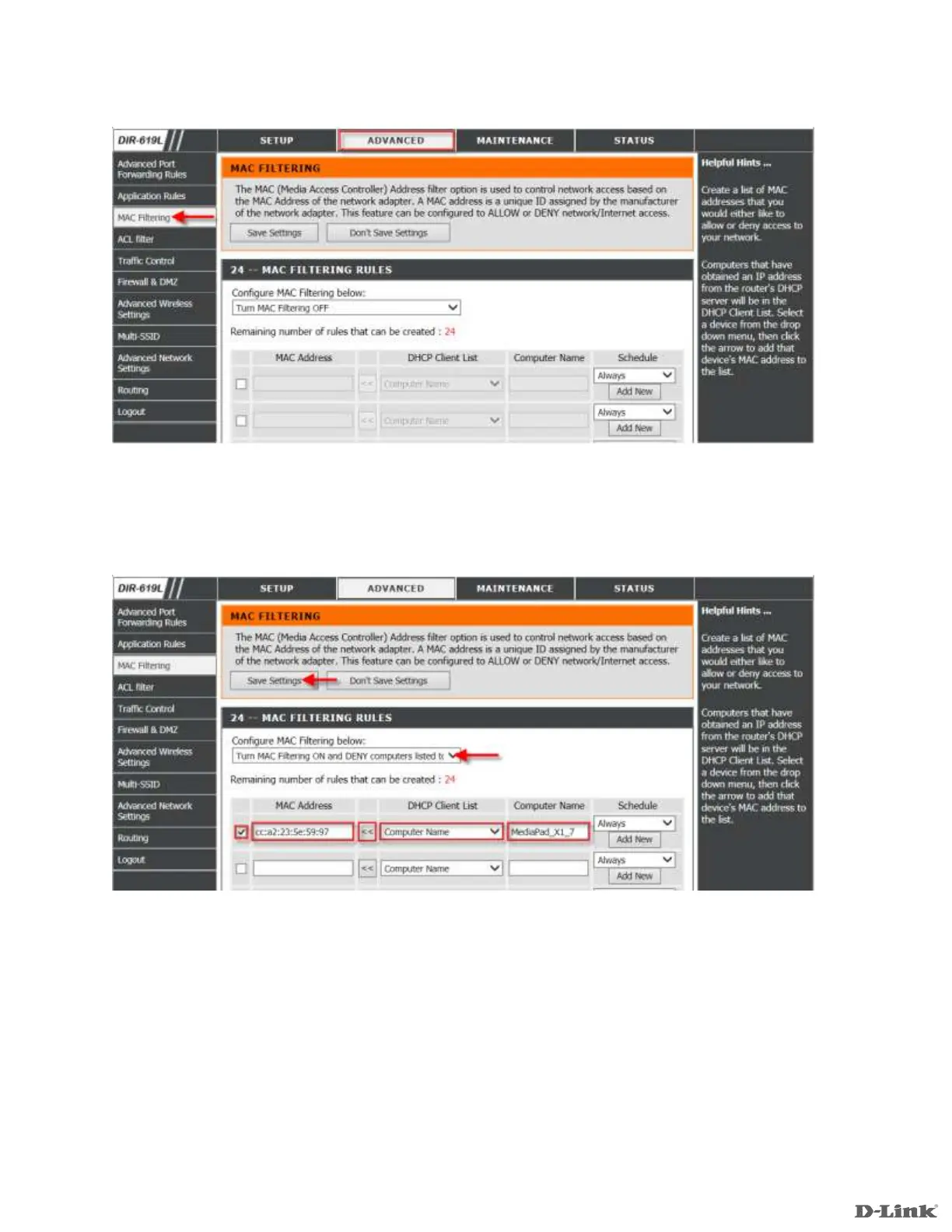
Step 3: Click on the Advanced Tab at the top and then click Advanced MAC Filtering on the left side as shown.
Step 4: Select Turn MAC Filtering ON and DENY computers listed to access the network from Configure
MAC Filtering drop down list. Check Enable MAC Filtering rule. Ensure desired Computer Name is selected
from DHCP Client List and click <<. The corresponding device MAC Address and Computer Name will be
displayed accordingly.
Click Save Settings.













 To Next Page