DIR-830M Quick Installation Guide
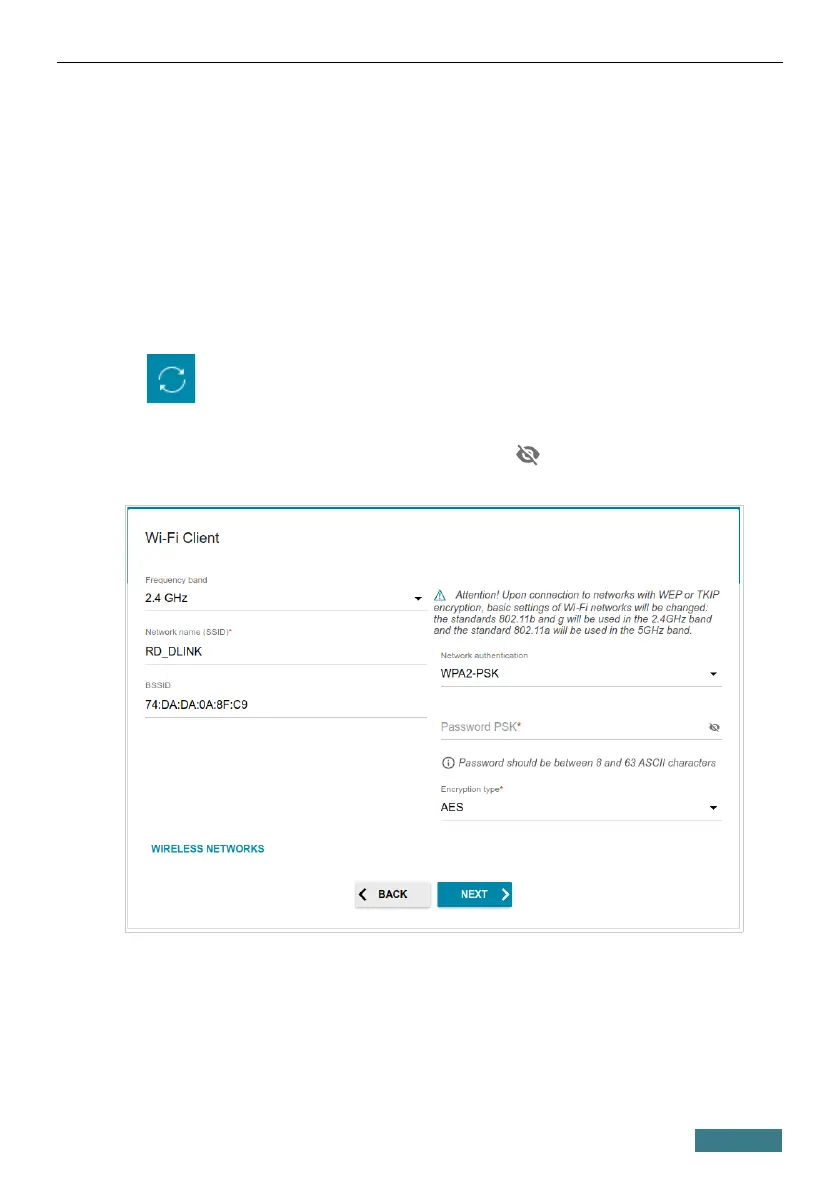
Wi-Fi Client
This configuration step is available for the WISP Repeater, Repeater, and
Client modes.
1. On the Wi-Fi Сlient page, click the WIRELESS NETWORKS button
and select the network to which you want to connect in the opened
window. When you select a network, the Network name (SSID) and
BSSID fields are filled in automatically.
If you cannot find the needed network in the list, click the UPDATE LIST
icon ( ).
2. If a password is needed to connect to the selected network, fill in the
relevant field. Click the Show icon ( ) to display the entered
password.
30


 To Next Page