27D-Link DIR-X3260 User Manual
Section 3 - Conguration
Internet - IPv4
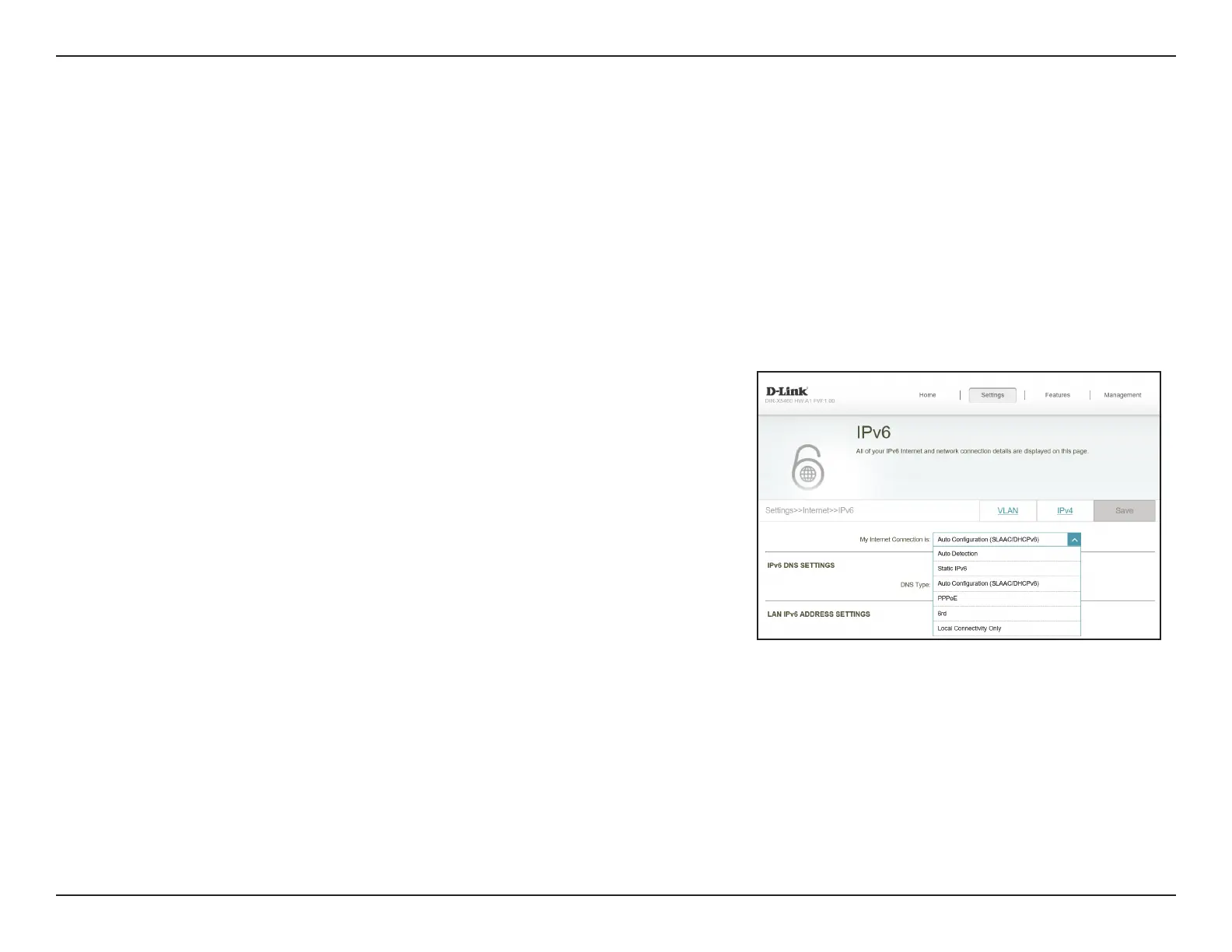
In the Settings menu on the bar at the top of the page, click Internet to see the Internet conguration options for the IPv4
connection details.
To congure the IPv6 Internet and network connection details, click the IPv6 link. Refer to Internet - IPv6 on page 37
To congure the VLAN connection details, click the VLAN link. Refer to Internet - VLAN on page 52
Click Save at any time to save the changes you have made on this page.
For IPv4 - Dynamic IP (DHCP) refer to page 28
For IPv4 - Static IP refer to page 29
For IPv4 - PPPoE refer to page 30
For IPv4 - PPTP refer to page 32
For IPv4 - L2TP refer to page 34
For IPv4 - DS-Lite refer to page 36
My Internet
Connection is
Choose your Internet connection type from the drop-down menu.
You will be presented with the appropriate options for your
connection type.










 To Next Page