Need help?
Do you have a question about the D-Link DUB-1310 and is the answer not in the manual?
Details revisions made to the manual.
Lists trademarks and registered trademarks.
Lists the items included in the product package.
Lists the necessary hardware and software for the product.
Highlights the key capabilities and benefits of the product.
Identifies and describes the physical components of the product.
Provides step-by-step instructions for installing the product.
Details the technical parameters, dimensions, and certifications.
Provides contact information and procedures for technical assistance.
Outlines the terms and conditions of the product's limited warranty.
Defines the warranty coverage for the product's software component.
Specifies conditions under which the warranty is not applicable.
Explains the process for submitting a warranty claim in the USA.
Details the procedure for filing a warranty claim in Canada.
Lists exclusions and items not protected by the limited warranty.
Disclaims all other warranties beyond the specified limited warranty.
Sets limits on D-Link's liability regarding product use and warranty.
Specifies the jurisdiction and laws governing the warranty.
Mentions D-Link trademarks and those of other companies.
States copyright information and reproduction restrictions.
Provides a warning related to the CE mark and potential radio interference.
Details FCC compliance for digital devices and interference.
Warns against unauthorized modifications to the device.
States FCC requirements for installation and operation regarding radiation exposure.
Compliance statement for Industry Canada regulations.
Specifies IC radiation exposure limits and antenna requirements.
Instructions for registering the product online.
This document describes the D-Link DUB-1310 2-Port USB 3.0 PCI Express Card, a device designed to expand the connectivity of your personal computer by adding two high-speed USB 3.0 ports. This card is a simple yet effective solution for users looking to upgrade their existing systems to take advantage of the latest USB technology, offering significantly faster data transfer rates compared to older USB standards. The DUB-1310 is designed for easy integration into a desktop PC, making it accessible for a wide range of users, from casual home users to those with more demanding data transfer needs.
The primary function of the DUB-1310 is to provide USB 3.0 connectivity to a desktop computer that may not natively support this standard or requires additional USB 3.0 ports. USB 3.0, also known as SuperSpeed USB, offers a theoretical maximum data transfer rate of 5 Gigabits per second (Gbps), which is up to ten times faster than USB 2.0. This speed enhancement is particularly beneficial for tasks involving large files, such as backing up high-definition movies, extensive photo libraries, or large music collections to external storage devices. By installing this card, users can significantly reduce the time it takes to transfer data between their computer and compatible USB 3.0 peripherals, thereby improving overall workflow efficiency and user experience.
One of the key usage features of the DUB-1310 is its plug-and-play connectivity. Once the necessary drivers are installed and the card is physically inserted into an available PCI Express slot on your computer's motherboard, the operating system will automatically detect the new hardware and complete the installation process. This straightforward installation minimizes the technical expertise required, allowing users to quickly and easily upgrade their systems without extensive troubleshooting. The card is compatible with various PCI Express slot types, including x1, x4, x8, or x16, offering flexibility in terms of where it can be installed within a computer chassis. This broad compatibility ensures that most modern desktop PCs with an available expansion slot can accommodate the DUB-1310.
Another important aspect of the DUB-1310's usage is its backward compatibility with older USB standards. While it provides the benefits of USB 3.0, it can also connect to and operate with USB 2.0 and USB 1.1 devices. This means that users do not need to replace their existing USB peripherals when installing the DUB-1310. Any USB device, whether it's a mouse, keyboard, printer, external hard drive, or flash drive, can be plugged into the DUB-1310's ports and function as expected, albeit at the speed supported by the device itself. This ensures that the DUB-1310 is a versatile addition to any PC, enhancing its capabilities without rendering older accessories obsolete. Furthermore, if more USB ports are needed beyond the two provided by the card, users can connect additional USB hubs to the DUB-1310, allowing for the support of up to 127 devices in total. This expandability makes the DUB-1310 a scalable solution for users with numerous USB peripherals.
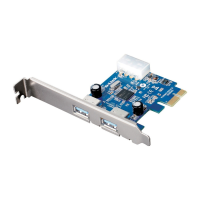
The hardware overview of the DUB-1310 highlights its simple and functional design. The card features two USB 3.0 ports, which are the primary interface for connecting USB devices. These ports are easily accessible once the card is installed in the computer's chassis and exposed through an available expansion slot opening. The card also includes a PCIe interface, which is the connector that slots into the motherboard's PCI Express slot, establishing the necessary data pathway between the card and the rest of the computer system. A crucial component for the card's operation is the 4-pin 5V peripheral power connector. This connector requires a direct power feed from the computer's power supply, ensuring that the USB 3.0 ports can deliver sufficient power to connected devices, especially those with higher power requirements. This external power connection is vital for maintaining stable operation and optimal performance of USB 3.0 devices, which can draw more power than their USB 2.0 counterparts.
Regarding maintenance features, the DUB-1310 is designed to be a low-maintenance component once installed. As an internal expansion card, it typically does not require ongoing user interaction or specific maintenance routines. The primary "maintenance" involves the initial installation and ensuring that the drivers are up to date. The installation process itself is a one-time setup that involves opening the computer case, inserting the card, connecting the power cable, and installing the drivers from the provided CD-ROM. D-Link recommends installing the drivers before physically installing the card to ensure a smoother detection process by the operating system. After the initial setup, the card operates passively within the system, providing its functionality without further intervention.
Users should be aware of the system requirements to ensure compatibility and optimal performance. The DUB-1310 requires a computer running Windows® 7, Vista, or XP SP3 or higher. It also necessitates an available PCI Express slot (x1, x4, x8, or x16) and an available 4-pin 12V peripheral power connector from the computer's power supply. A CD-ROM drive is also needed for installing the drivers from the included disc. Adhering to these requirements ensures that the card can be properly installed and function as intended.
In summary, the D-Link DUB-1310 2-Port USB 3.0 PCI Express Card is a practical and efficient solution for upgrading a desktop computer's USB connectivity. Its ability to deliver blazing USB 3.0 speeds, combined with plug-and-play ease of use and backward compatibility, makes it a valuable addition for anyone looking to enhance their PC's peripheral support and data transfer capabilities. The straightforward installation and minimal ongoing maintenance requirements further contribute to its user-friendly design, making advanced connectivity accessible to a broad audience.
 Operating Environment
| operating temperature | 0 to 40 °C |
|---|---|
| storage temperature | -20 to 60 °C |
| operating humidity | 0% to 80% (non-condensing) |
Data Transfer Rates| SuperSpeed data rate | 4.8 Gbps |
|---|---|
| High Speed data rate | 480 Mbps |
| Full Speed data rate | 12 Mbps |
 Power
Power| supplied power per port | 900 mA |
|---|
 Weight and Dimensions
| dimensions | 75.8 x 61.5 x 18.3 mm |
|---|---|
| weight | 43 grams |

 To Next Page