DWL-700AP User’s Manual
30D-Link Systems, Inc.
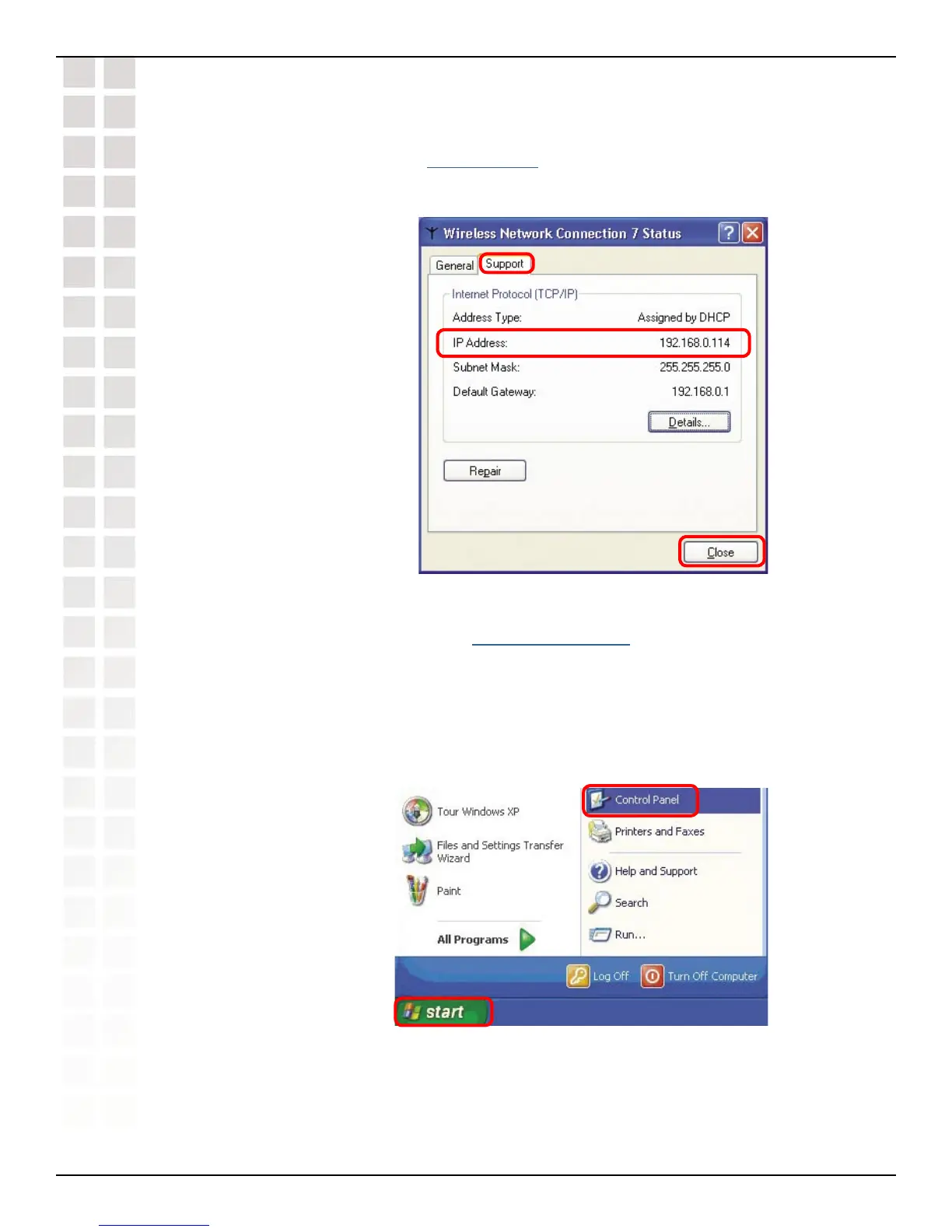
Checking the IP Address in Windows XP
Assigning a Static IP Address in Windows XP/2000
Note: Some gateways/broadband routers will automatically assign IP addresses
to the computers on the network, using DHCP (Dynamic Host Configuration
Protocol) technology. If you are using a DHCP-capable gateway/router you will
not need to assign static IP addresses.
If you are not using a DHCP capable gateway/router, or you need to assign a static IP
address, please follow these instructions:
Go to Start.
Double-click on
Control Panel.
This window will appear.
Click the
Support tab.
Click Close.
Networking Basics (continued)
Networking Basics












 To Next Page