DWL-700AP User’s Manual
38D-Link Systems, Inc.
4. Resetting the DWL-700AP to Factory Default Settings
After you have tried other methods for troubleshooting your network, you may
choose to reset the DWL-700AP to the factory default settings. Remember that
D-Link Air products network together, out of the box, at the factory default settings.
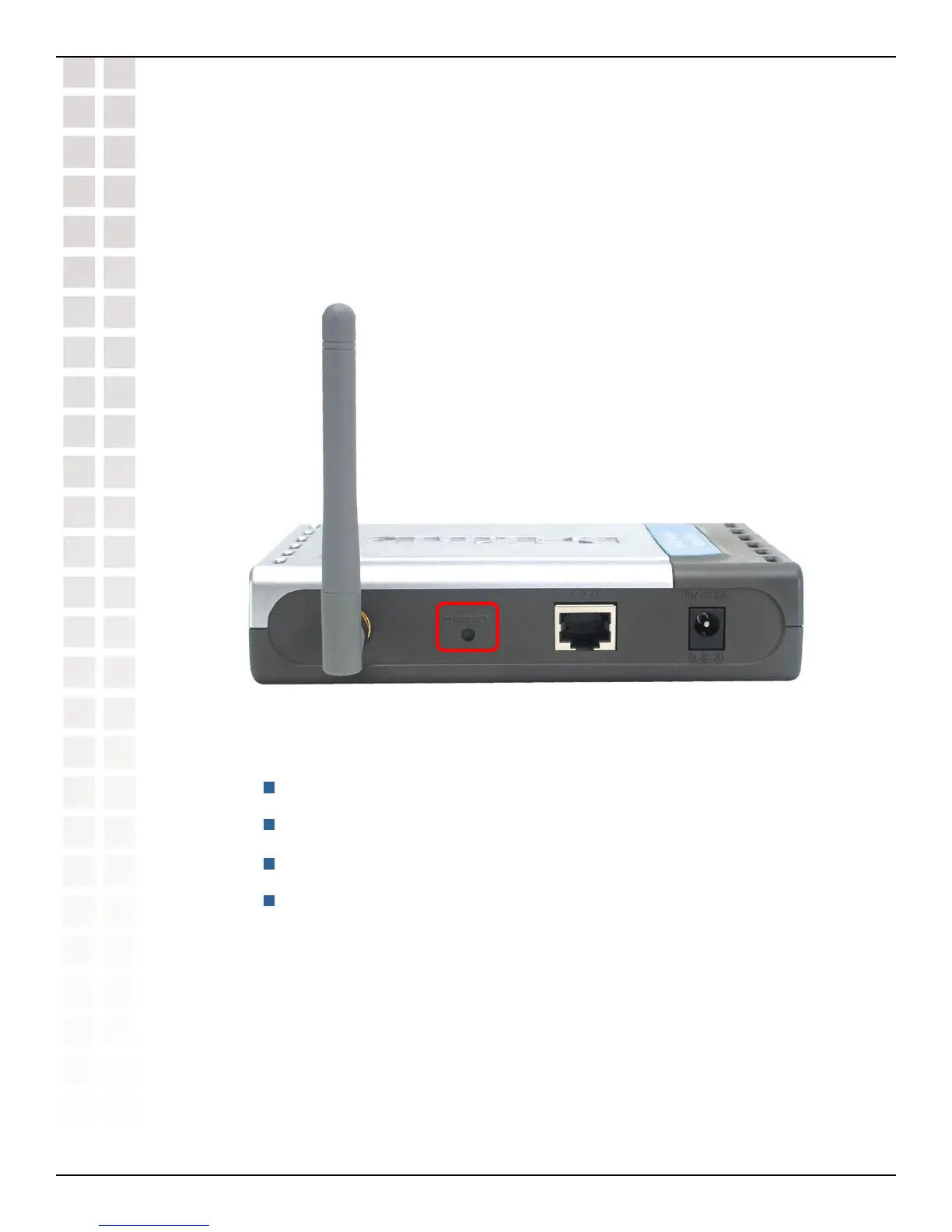
To hard-reset the D-Link Air DWL-700AP to the factory default settings, please do
the following:
Locate the reset button on the back of the DWL-700AP
Use a paper clip to press the reset button
Hold for about 5 seconds and then release
After the DWL-700AP reboots (this may take a few minutes) it will be reset
to the factory default settings.
Troubleshooting (continued)
Troubleshooting












 To Next Page