10D-Link DNS-323 Quick Install Guide
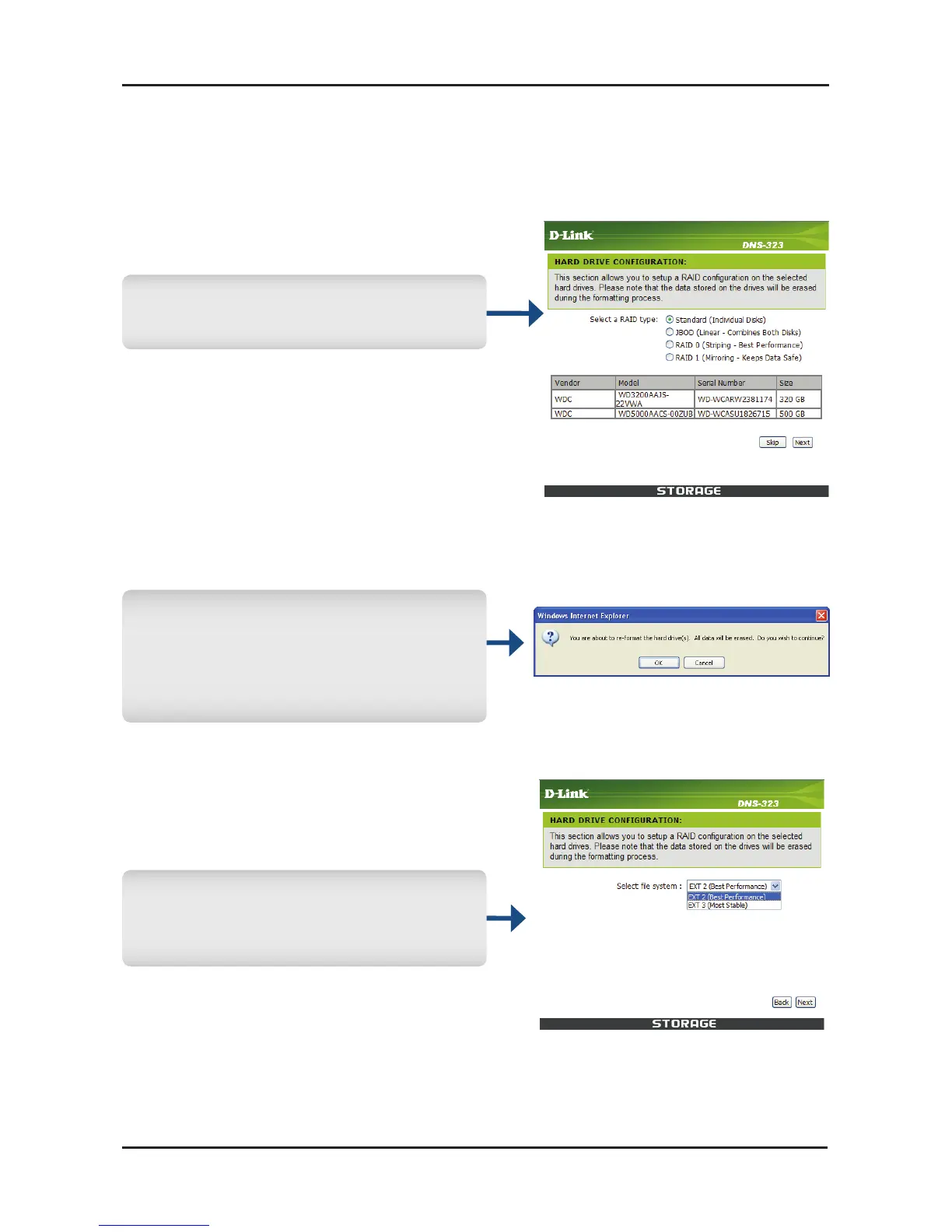
Amessagewill appear warning
that all data will be erased
during formatting. Click OK to
continue.
Select the EXT2 or EXT3 file
systemonDNS-323.ClickNext
tocontinue.
Select a conguration type for
yourharddriveandclickNext.
WhenloggingintotheDNS-323forthersttime,youwillbeasked
tochooseadrive’scongurationtypeandformatthedrives.There
arefouravailablecongurationoptions,Standard,JBOD,RAID0
andRAID1.



 To Next Page
 Loading...










