10
MOTION OSD (On/Off): select whether motion area appears or not.
TEXT ALARM (On/Off): select whether motion text appears or not.
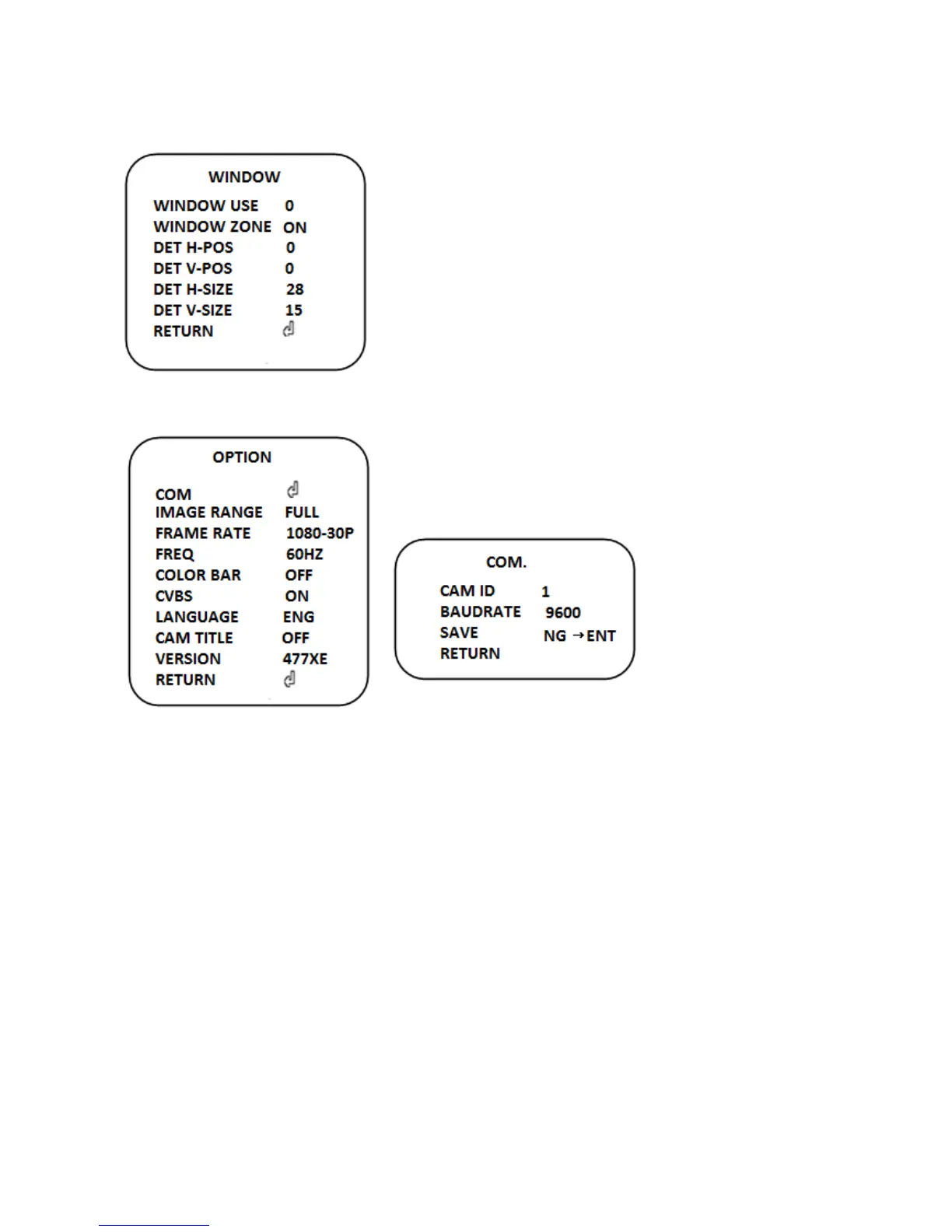
WINDOW USE (0~3): Select motion areas you desire to
set.
WINDOW ZONE: Select On or Off
DET H-POS(0~60): H position
DET V-POS(0~34): V position
DET H-SIZE(0~60): H size
DET V-SIZE(0~34): V size
10. OPTION
COM
Set camera ID and BAUDRATE for remote control.
This camera supports D-max and Pelco protocol.
In case of box camera can be used this function only.
IMAGE RANGE (Full, Comp, User)
Digital output data scale
FRAME RATE (1080-30p, 720-60p, 720-30p)
Set the frame rate
FREQ
Select input frequency.
COLOR BAR
Select color bar to on or off
CVBS
Select on or off
LANGUAGE
The function is used to select preferred one from the supported languages.
(English/Japanese//Chinese/Korea)


 To Next Page
 Loading...