9
-In case of box type
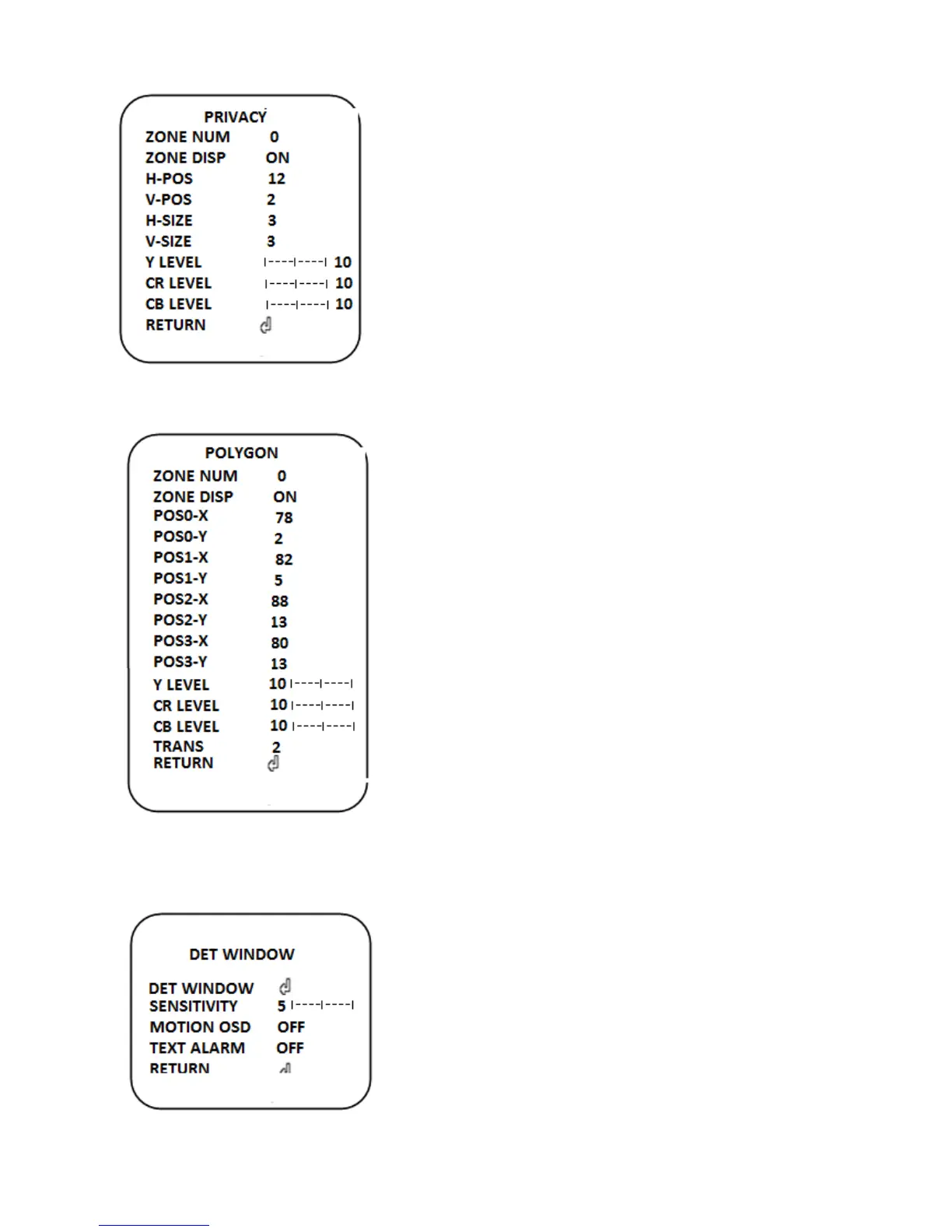
ZONE NO (0~15): Select 16 areas using left or right
button.
ZONE DISP (ON/OFF): Show up PRIVACY AREA
function on the screen.
H-POS (0~60): H position.
V-POS (0~34): V position.
H-SIZE (0~40): H size.
V-SIZE (0~34): V size.
Y LEVEL(0~20): Adjust the Y LEVEL of the Privacy zone
area
CR LEVEL(0~20): Adjust the B GAIN of the Privacy zone area
CB LEVEL(0~20): Adjust the R GAIN of the Privacy zone area
-In case of polygon type
ZONE NO (0~7): Select 8 areas using left or right button.
ZONE DISP (ON/OFF): Show up PRIVACY AREA
function on the screen.
POS0-X (0~120): H position.
POS0-Y (0~68): V position.
POS1-X(0~120): H size.
POS1-Y(0~68): V size.
POS2-X( 0~120):H position
POS2-Y (0~68):V position.
POS3-X (0~120):H position
POS3-Y (0~68):V position.
Y LEVEL(0~20): Adjust the Y LEVEL of the Privacy
zone area
CR LEVEL(0~20): Adjust the B GAIN of the Privacy
zone area
CB LEVEL(0~20): Adjust the R GAIN of the Privacy zone area
TRANS (0~4): Set the transparency of a color
9. MOTION
The function is used to configure the Motion Detection
operation and Alarm function which sense the
movement of the scene.
DET WINDOW: Press this menu for detail setting.
SENSITIVITY (0~10): Set the motion detection
sensitivity.


 To Next Page
 Loading...