5
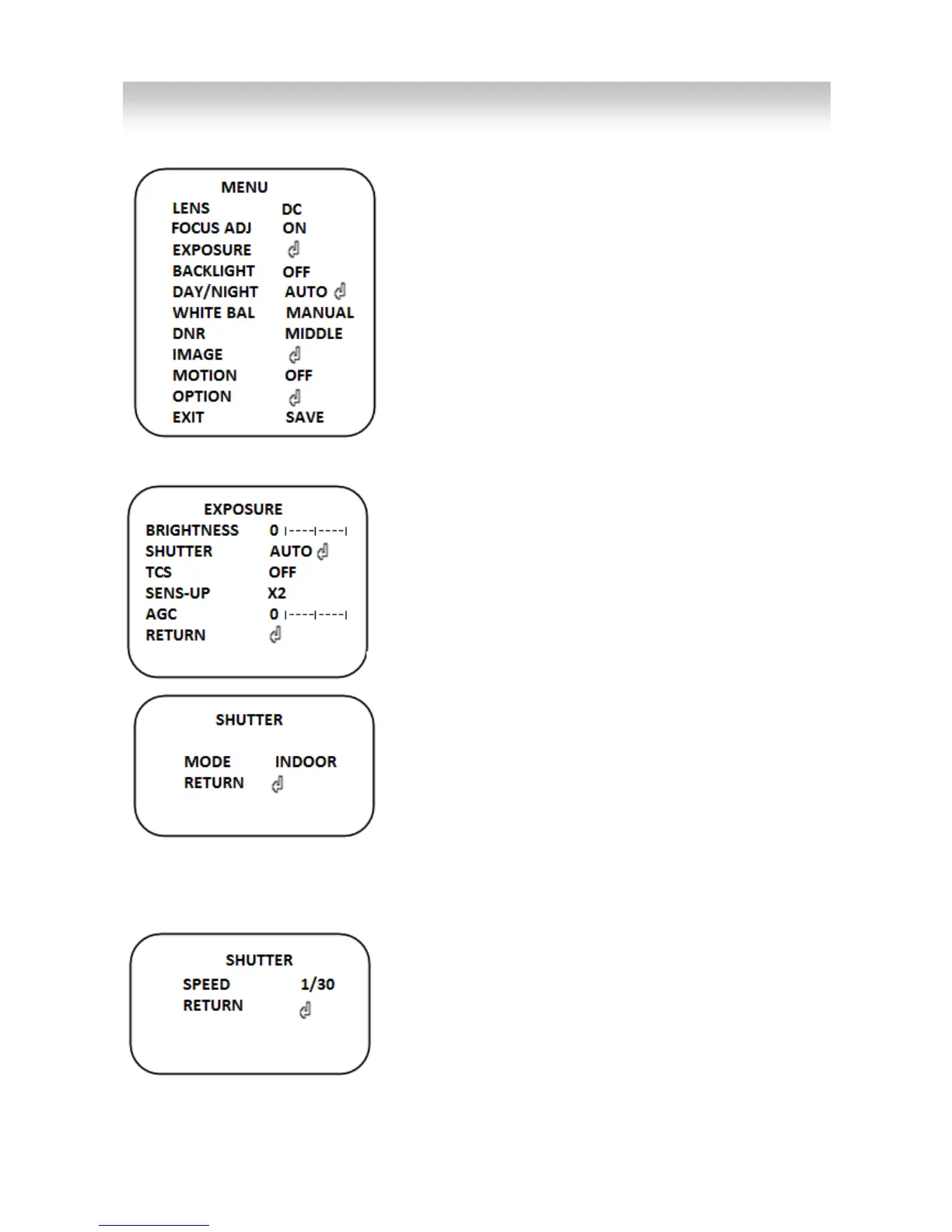
All functions would be set by OSD menu.
The menu consists of the main menu and sub menu.
Sub menu is displayed when user press set key on
each menu, at which you see arrow.
Please hold the “SET” key for a while to enter OSD
menu.
1. LENS
Select lens type.
▶DC/MANUAL
2. FOCUS ADJ
Adjust focus status through this menu.
If this menu is on, bars will be displayed on the monitor and adjust bar height as higher.
3. EXPOSURE
This function can adjust the intensity of radiation
incoming to the camera.
Use the "▲" "▼""◀" "▶" "ⓔ" switch or Joystick to
select a menu item.
1) BRIGHTNESS (0~20)
Sets the screen brightness
2) SHUTTER
Select shutter mode.
▶AUTO/INDOOR/FLICKER
- AUTO
The shutter speed will be operated automatically.
▶INDOOR/OUTDOOR/DEBLUR
INDOOR: Iris
OUTDOOR: Iris + Shutter
DEBLUR: SHUTTER: 1/240+AGC
- MANUAL
Select shutter speed from 1/30 to 1/30K
▶1/30(NT:1/30,PAL:1/25),1/60(NT:1/60,PAL:1/50),
1/120(NT:1/120,PAL:1/100),1/250, 1/700, 1/1.6K, 1/2.5K,
1/5K, 1/7K, 1/10K, 1/30K
-FLICKER
This will prevent possible screen distortion to a mismatch between the vertical sync


 To Next Page
 Loading...