

EasyManua.ls Logo

DAB RADIO SY-8800 - User Manual

DAB RADIO SY-8800
2 pages
Print Icon
To Next Page IconTo Next Page
Loading...
DAB RADIO INSTRUCTIONS
Dab/Dab+ digital radio:
Compable with Fm and DAB digital signals, Bluetooth player funcon,
alarm clock funcon, and mer.
Buon introducon
1) POWER” buon
Long press to turn ON/OFF;
Short press to switch Standby (Display me)/Working
2) PR/MO” buon:
Working state, short press to switch "FM-Bluetooth-DAB"“Fm
state, long pressSL/SC ” to recall or store the staon, use “, ” to
select the locaon to recall or store.
Short press the SL/SC key to call up playback, long press the “SL/
SC” to store
3) "VOL +/-"buon:
Short press to adjust the voice.A total of 16 levels of Volume
4) ”or “” buons:
a) In the FM state, short press the step to select a radio staon,
long press to automacally search for the staon
down/up, and stop playing when the staon is found.
b) In the DAB state, select the channel downwards, and long press to
quickly select the radio staon down/up.
c) The previous/next song in Bluetooth
d) Set the me, year, month and day to adjust the number
downward. Long press can quickly adjust up and down.
POWER
PR/MO
3
VOL +/-
”or “
4
6
7
8
9
Headphone plug
Charging funcon
charging
indicator
DAB+/DAB/FM BLUETOOTH RADIO
5) "SL/SC" button:
a) The function setting is to confirm the function.
b) Long press FM to automatically search for radio stations and save
them.You can see the saved stations in the "Station List"
SY-8800 User Manuel
Question and Answer IconNeed help?

Do you have a question about the DAB RADIO SY-8800 and is the answer not in the manual?

Summary

Button Introduction

POWER Button Operation

Long press to turn ON/OFF; Short press to switch Standby (Display time)/Working.

PR;MO Button Functionality

Switches FM-Bluetooth-DAB states; recalls or stores stations using SL/SC and navigation buttons.

Volume Control (+;- Buttons)

Short press to adjust the voice volume across 16 levels.

Tuning and Navigation (←;→ Buttons)

Steps through stations, auto-searches, controls Bluetooth tracks, and adjusts time/date.

SL;SC Button for Settings and Storage

Confirms functions and long-press FM to auto-search and save stations.

M;I Button Functions

Menu and Back Navigation

Serves as a menu access and back navigation button.

FM State Information Display

Displays radio text, PTY, signal strength, time, and date in FM state.

System Settings Access

Long press to access Audio Setting, Station list, and System settings.

Time and Alarm Configuration

Sets clock, date, auto-update, 12/24 hours, and up to two alarms.

Sleep Timer and Language Settings

Configures sleep timer (15-90 min) and selects from 10 available languages.

Backlight and Factory Reset

Adjusts backlight timeout/brightness and performs a factory reset.

DAB and Bluetooth Operation

DAB Station Scan and System

Allows selection between Station Scan and System modes in DAB state.

Preset Station Storage

Enables storing up to 20 DAB and 20 FM stations in preset memories.

Station Scanning Methods

Offers 'Full scan' and 'Manual tune' for scanning stations via SL/SC button.

Bluetooth Connectivity

Connects to Bluetooth devices using the name 'SY-8800'.

Technical Specifications and Package Contents

Antenna and Signal Stability

Extending the antenna improves FM/DAB signal stability for clear reception.

Battery and Bluetooth Features

Features a 1200mAh battery with protection and JL Bluetooth 5.0 for fast, clear audio.

Language Options

Supports 10 menu languages including English, French, German, and Italian.

Device Specifications

Details model SY-8800, frequency ranges, power input, battery, audio socket, and dimensions.

Included Accessories

Box contains DAB Radio, USB charging cable, and User manual.

WEEE and Recycling Information

Advises on responsible disposal of electronic devices as per European laws.

Overview

The SY-8800 is a versatile portable radio that supports DAB+/DAB and FM digital signals, along with Bluetooth player functionality. It also includes an alarm clock and timer.
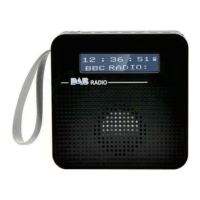
Function Description:

  • Radio Modes:
    • DAB+/DAB: Compatible with digital audio broadcasting, offering access to a wide range of digital radio stations. Users can perform a "Full scan" or "Manual tune" to find stations. The radio can store up to 20 DAB stations in its preset memories.
    • FM: Supports FM radio reception from 87.5-108MHz. Users can step through frequencies, automatically search for stations (long press "←" or "→"), and save up to 20 FM stations in presets.
  • Bluetooth Player: Allows wireless audio streaming from compatible devices. The Bluetooth name for connection is "SY-8800". It features high-grade JL Bluetooth 5.0 for fast connection, noise cancellation, and crystal clear bass sound.
  • Alarm Clock: Supports setting up to two alarms simultaneously.
  • Timer: Includes a sleep timer function with options for off, 15, 30, 45, 60, or 90 minutes.
  • Display: Shows time, date, signal strength, and radio text (if available).
  • Audio Settings: Users can set the stereo mode (allowed or force mono).
  • System Settings: Includes options for time setup (set clock, set date, auto update, 12/24 hours), alarms, sleep timer, language selection, backlight settings, and factory reset.
  • Language Support: Offers 10 languages for the menu, including English, French, German, Italian, Polskie, Svenska, Norsk, Suomi, and Dansk.
  • Backlight: Configurable backlight timeout (On, 10, 20, 30, 45, 60, 90, 120, 180 seconds) and brightness levels (high, medium, low).

Important Technical Specifications:

  • Model: SY-8800
  • DAB Frequency Range: 170 MHz (5A) - 240MHz (13F), supporting DAB and DAB+.
  • FM Frequency Range: 87.5-108MHz.
  • Power Input: 5V 1A.
  • Battery Power: Lithium battery 1200mAH. This A-grade battery includes overcharge, over-discharge, over-temperature, and short-circuit protection.
  • Audio Socket: 3.5mm earphone jack.
  • Unit Dimension: 92mm (L) x 92mm (D) x 33mm (H).
  • Bluetooth Version: JL Bluetooth 5.0.

Usage Features:

  • Power Button: Long press to turn ON/OFF. Short press to switch between Standby (displaying time) and Working mode.
  • PR/MO Button: In working state, short press to switch between "FM-Bluetooth-DAB" modes. Long press "SL/SC" to recall or store stations, using "←" or "→" to select the location.
  • VOL +/- Buttons: Short press to adjust volume (16 levels available).
  • ← / → Buttons:
    • FM State: Short press to step through frequencies; long press to automatically search for stations up/down.
    • DAB State: Select channels downwards; long press to quickly select stations up/down.
    • Bluetooth Mode: Previous/next song control.
    • Settings: Adjust numbers downward (e.g., time, year, month, day); long press for rapid adjustment.
  • SL/SC Button:
    • Function Setting: Confirms the selected function.
    • FM Mode: Long press to automatically search for and save radio stations. Saved stations can be viewed in the "Station List".
    • DAB Mode: Used to enter "Station scan" or "System" settings.
  • M/I Button:
    • General: Menu/Back function.
    • FM State: Short press to display "No Radio Text", "No PTY", signal strength, time, and date.
    • Long Press: Enters Audio Setting, Station list, or System menus.
  • Antenna: An extendable antenna improves FM/DAB signal stability for clearer reception.
  • Headphone Plug: A 3.5mm jack is provided for private listening.
  • Charging: The device features a USB charging function, indicated by a charging indicator light.

Maintenance Features:

  • Factory Reset: Available in the system settings to restore the initial settings of the device.
  • Battery Protection: The 1200mAH lithium battery includes built-in protection against overcharge, over-discharge, over-temperature, and short-circuits, contributing to battery longevity and safety.
  • WEEE and Recycling: The product complies with European laws regarding the disposal of old or defective electronic devices. Users are instructed to return the product to a municipal collection point for recycling, ensuring environmentally responsible disposal and the recovery of valuable raw materials.
  • Included Accessories: The product comes with a DAB Radio unit, a USB charging cable, and a user manual.

DAB RADIO SY-8800 Specifications

General IconGeneral
BrandDAB RADIO
ModelSY-8800
CategoryRadio
LanguageEnglish