Need help?
Do you have a question about the DAB ESC plus 10T and is the answer not in the manual?
Explains symbols indicating potential risks and important notes in the manual.
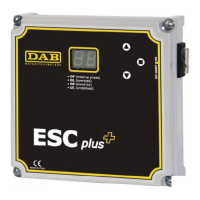
Details the available sizes and specifications of the ESC plus control panels.
Outlines the main functions and features of the ESC plus control panel.
Describes how the ESC plus operates and indicates various system states.
Lists and explains the various operating states indicated by the ESC plus display.
Provides recommendations for safe handling and proper storage of the unit.
Provides essential guidance for correctly installing the ESC plus control panel.
Essential guidance for making safe and correct electrical connections to the ESC plus panel.
Details on setting parameters using manual and automatic modes, including rated current and Cosφ.
Instructions on how to restore the ESC plus to its factory default settings.
Troubleshooting steps for when the motor fails to start and frequency is displayed.
Addresses issues where the motor only powers for a fraction of a second.
Explains the cause and remedy for the SB blinking display state.
Provides troubleshooting for the UL display indicating a final lack of water.
Details issues related to the flashing OL display indicating overload in progress.
Covers the permanent OL display indicating a persistent overload alarm.
Addresses the OF display, likely indicating a missing phase or connection issue.
Troubleshooting for situations where the ESC plus unit is not activated.


 To Next Page
 General