Need help?
Do you have a question about the Dacia MEDIA NAV LIVE and is the answer not in the manual?
Safety guidelines for system operation, emphasizing road conditions.
Driver responsibility and road regulations take precedence over navigation.
Avoid system modification; use correct accessories and proper cleaning.
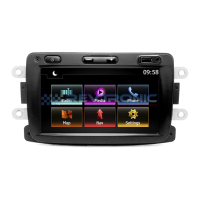
Overview of the multimedia screen layout and indicators.
Description of controls located on the multimedia screen.
Explanation of controls on the steering wheel for system operation.
Guided setup for system configuration and user profiles.
Details on data handling, privacy, and user rights.
Description of the multimedia screen interface and its use.
How to navigate through the system menus.
How to access and manage system notifications.
Guidelines for cleaning the multimedia screen and its components.
How to enter and use the safe mode for troubleshooting.
Steps to restart the multimedia system.
Steps to select and place widgets on the home screen.
Steps to activate voice recognition using Bluetooth.
How to activate voice recognition with smartphone replication.
Using the built-in navigation application.
Using navigation via smartphone replication.
Using streaming apps for audio playback.
Listening to the radio.
Playing music from a USB drive.
Description of the radio interface.
How to save and access favorite radio stations.
How to select music sources.
Controls for playing audio tracks.
Adjusting ambiance and pre-defined equalizers.
Adjusting sound settings like balance, tone, volume.
Steps for pairing and removing phones.
How to pair a Bluetooth phone with the system.
Steps for making a phone call.
How calls are displayed and managed when received.
Actions and options available during an active call.
Accessing and managing phone contacts.
How to use voice commands to dial numbers.
How new SMS messages are displayed and managed.
Accessing the phone settings menu.
Location and use of the wireless charging area.
Steps for charging a phone wirelessly.
How to mirror smartphone apps on the system screen.
Using voice commands for smartphone functions.
Accessing installed applications and managing them.
Settings related to installed applications.
Steps to create a My Dacia user account.
How to link the My Dacia app to the vehicle.
How to remove personal data from the system.
How to restore the system to factory settings.
Accessing the driving assistance features.
Safety-related driving aids like blind spot warning.
Accessing and configuring parking assistance features.
Adjusting camera display settings like brightness and contrast.
Activating or deactivating guide lines for parking.
Selecting different camera views.
Checking current tyre pressure status.
Procedure to reset the tyre pressure monitoring system.
Information on the eco driving score and its components.
Monitoring energy consumption data.
Accessing electric vehicle specific menus.
Setting up charging and climate control schedules.
Accessing vehicle customization settings.
Managing user profiles for system personalization.
Configuring network and internet connections.
Checking for and installing system updates.
Configuring how multimedia system notifications are displayed.
Accessing the menu for vehicle software updates.
Troubleshooting common system issues and their solutions.
Troubleshooting phone connectivity and operation issues.
Troubleshooting issues related to software updates.
 General
| Touchscreen | Yes |
|---|---|
| Navigation | Yes |
| GPS Navigation | Yes |
| Bluetooth | Yes |
| USB Port | Yes |
| Audio Streaming | Yes |
| Voice Control | Yes |
| Radio | Yes |
| SD Card | Yes |
| Map Updates | Yes |
| Connectivity | Bluetooth, USB |
| Smartphone Integration | Yes |
| Display Size | 7 inch |
| Display Resolution | 800 x 480 pixels |


 To Next Page