English36
Operations
Operations
Replacement
Water lter
WARNING
• Do not use third-party water lters. Use only Samsung-provided or -approved lters.
• Unapproved lters may leak and damage the freezer, causing electric shock. Dacor is
not responsible for any damage that may occur from use of third-party water lters.
The lter indicator (
) turns red to let you know it is time to replace the water lter.
Before replacing the lter, make sure the water supply line is shut off.
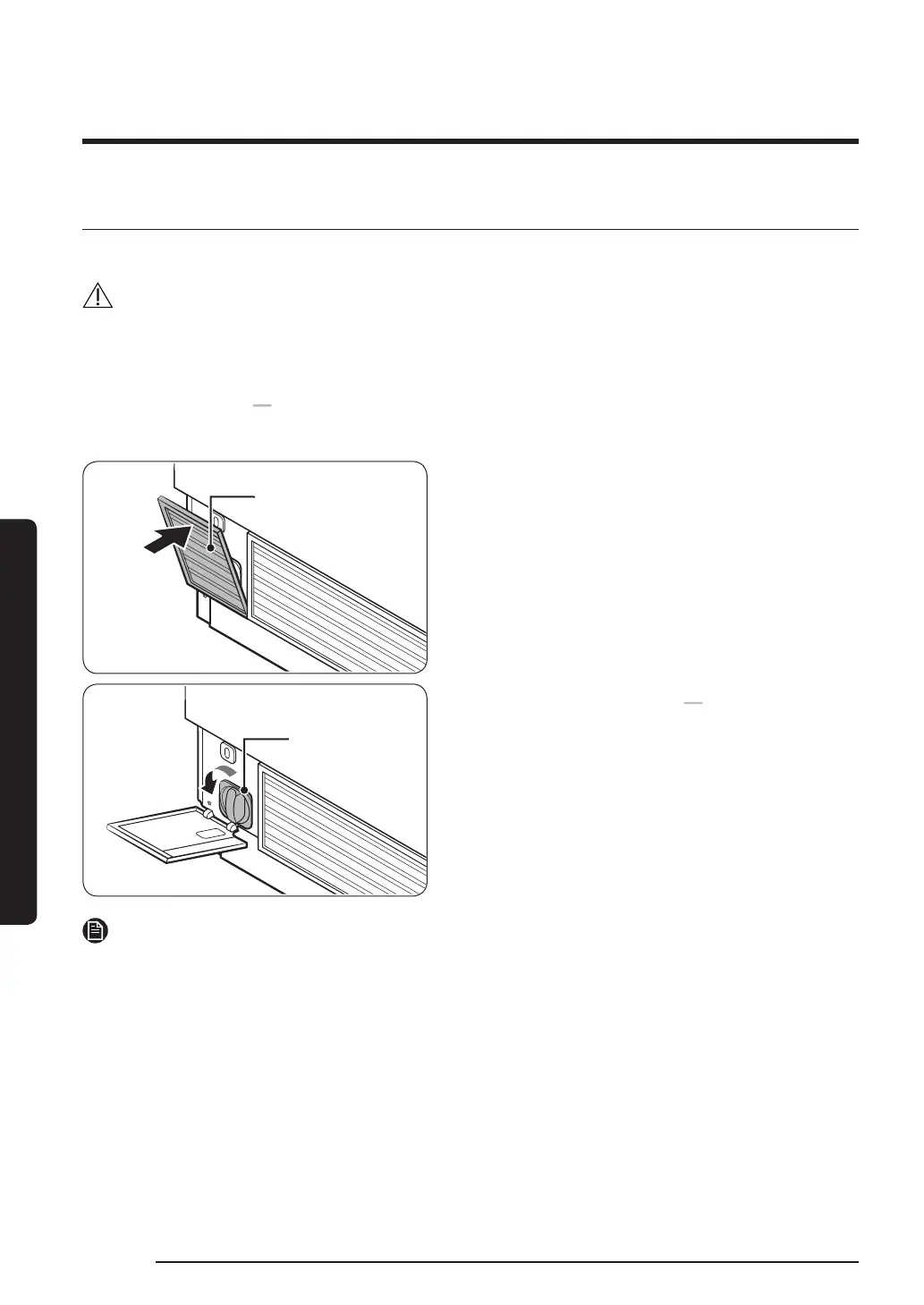
Water lter cover
Water Filter
1. Open up the Water Filter cover on the
left bottom of the freezer.
2. Turn the dispenser lter counter
clockwise to remove.
3. Replace with a new dispenser lter.
4. Close the Water Filter cover.
5. Press and hold Filter Reset on the
feature panel for 3 seconds to reset the
life cycle detector.
The lter indicator (
) turns off.
6. When you are done replacing the
lter, open the water valve and run
water through the dispenser for about
7 minutes. This is to remove impurities
and air from the water line.
NOTE
• A newly installed lter may cause the water dispenser to spurt water briey. This is
because air has entered the waterline.
• The replacement process may cause the water dispenser to drip for a short period of
time. If it drips, simply wipe up any water on the oor with a dry towel.
Ordering a new lter
To purchase a new water lter, contact a local service agent or Dacor Customer Service at
(800) 793-0093.
FDR_Dacor_BRF8000M_DA68-03574B-01_EN.indd 36 2017-03-31 12:53:40



 To Next Page