EasyManua.ls Logo

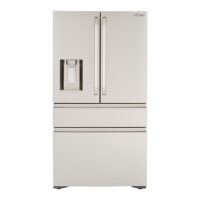
Dacor DRF36C - User Manual

Dacor DRF36C
252 pages
Print Icon
To Next Page IconTo Next Page
Loading...
User Manual
Refrigerator
DRF36C*
DACOR_RF8000MC_DA68-03563J-00_EN.indd 1 2017-03-09  11:32:23

Table of Contents

Questions and Answers

  • B
    Barbara FordSep 8, 2025
    Why is the water flow weaker than normal in my Dacor DRF36C?
    • M
      Matthew PayneSep 8, 2025
      If the water flow in your Dacor refrigerator is weaker than normal, it may be due to low water pressure. Ensure the water pressure is between 20 to 120 psi.
  • K
    Kristina PerezSep 10, 2025
    Why does the ice maker in my Dacor DRF36C Refrigerator make a buzzing sound?
    • B
      Brooke HernandezSep 10, 2025
      If the ice maker in your Dacor refrigerator is making a buzzing sound, it's likely that the ice maker function is activated, but the water supply to the refrigerator has not been connected. Turn off the ice maker.
  • N
    ngaySep 12, 2025
    How to connect the Dacor iQ Kitchen app to my Dacor DRF36C Refrigerator?
    • D
      Danielle CrawfordSep 12, 2025
      To connect the Dacor iQ Kitchen app to your refrigerator, you must log into your Samsung account. Also, ensure your router is operating normally. If the Wi-Fi icon on the refrigerator’s display is off, it indicates no network connection. Use the Dacor iQ Kitchen app to connect and register your refrigerator to your house's access point (AP).
  • K
    Kenneth ThompsonSep 13, 2025
    What to do if the Dacor iQ Kitchen app is connected to my Dacor DRF36C but does not run?
    • N
      Nicole ZunigaSep 14, 2025
      To solve the problem, exit and restart the Dacor iQ Kitchen app, or disconnect and reconnect the router. You can also power off the refrigerator, and then power it on again after 1 minute.
  • M
    Marcus BushSep 15, 2025
    Why can't I log into the Dacor iQ Kitchen app for my Dacor DRF36C Refrigerator?
    • S
      Sarah LaneSep 15, 2025
      To use the Dacor iQ Kitchen app, you must log into your Samsung account. If you don’t have a Samsung account, follow the app’s onscreen instructions to create one.
  • K
    Karla McgeeSep 18, 2025
    What does it mean if an error message appears when I try to register my Dacor Refrigerator?
    • K
      kingjenniferSep 18, 2025
      If an error message appears when registering your Dacor refrigerator, Easy Connection may have failed due to the distance from your access point (AP) or electrical interference. Wait a moment and try again.

Summary

Important Information

Before You Begin

Guidance on initial steps and necessary preparations before using the appliance.

Safety Information

Safety Symbols and Precautions

Explanation of warning symbols and general safety guidelines for safe operation.

California Proposition 65 Warning

Legal warning regarding chemicals known to cause cancer or reproductive harm.

Transportation and Site Warning Signs

Critical warnings related to transportation, site selection, and installation hazards.

Critical Installation Warnings

Essential precautions and potential hazards during refrigerator installation.

Installation Cautions

Specific advice and warnings for ensuring a safe and correct refrigerator installation.

Critical Usage Warnings

Key warnings and prohibitions for safe and proper day-to-day operation.

Usage Cautions

Advice and warnings for optimal and safe daily use of the refrigerator.

Cleaning Cautions

Guidelines and warnings to follow when cleaning the refrigerator.

Critical Disposal Warnings

Safety instructions for proper and environmentally friendly disposal of the appliance.

Installation

Refrigerator at a Glance

Overview of the refrigerator's main components and parts.

Step-by-Step Installation Guide

Detailed instructions for installing the refrigerator, covering site selection, assembly, and connections.

Operations

Main Control Panel Functions

Explanation of the refrigerator's main control panel buttons and indicators for operation.

Dacor iQ Kitchen App Integration

Guide to connecting and using the smart app for remote control and monitoring.

Dispenser Panel Features

Description of buttons and functions on the water and ice dispenser panel.

Special Features Operation

Details on unique features like the Auto Water Fill function for brewing tea.

Maintenance

Handling and Care Guidelines

Guidelines for proper handling and basic care of the refrigerator and its components.

Cleaning Procedures and Cautions

Instructions for cleaning the interior, exterior, and specific parts of the appliance.

Component Replacement Guide

Steps for replacing parts like the water filter and information on ordering new ones.

Troubleshooting

Temperature and Operation Issues

Solutions for problems related to the refrigerator or freezer temperature and operation.

Odor, Frost, and Condensation Issues

Tips for resolving issues like odors, frost buildup, and interior condensation.

Water and Ice Dispenser Troubleshooting

Guidance for issues with water flow, ice making, and dispenser functions.

Refrigerator Sound Diagnosis

Identifying and understanding normal and abnormal sounds from the refrigerator.

Dacor iQ Kitchen App Troubleshooting

Solutions for common issues encountered when using the smart app.

Warranty and Service

Customer Service and Support

How to contact Dacor for assistance, repairs, and service inquiries.

Warranty Coverage and Terms

Explanation of what is covered under the Dacor refrigerator warranty and its conditions.

Open Source Software Information

Regulatory Notice

FCC Compliance Information

Information regarding FCC rules, conditions for operation, and statements.

IC Compliance Information

Information regarding Industry Canada rules, conditions for operation, and statements.

Dacor DRF36C Specifications

General IconGeneral
TypeFrench Door
Total Capacity36 cu. ft.
Width35.75 inches
Height69.875 inches
Ice MakerYes
Water DispenserYes
FinishStainless Steel
Door AlarmYes
Adjustable ShelvesYes
Energy Star CertifiedYes
StyleFrench Door
Depth30 inches

Related product manuals