17
I
GB
DSX26
SETUP
XOVER MODE BOTH
-5- CROSSOVER - DELAY -
PROTEZIONE DI SICUREZZA
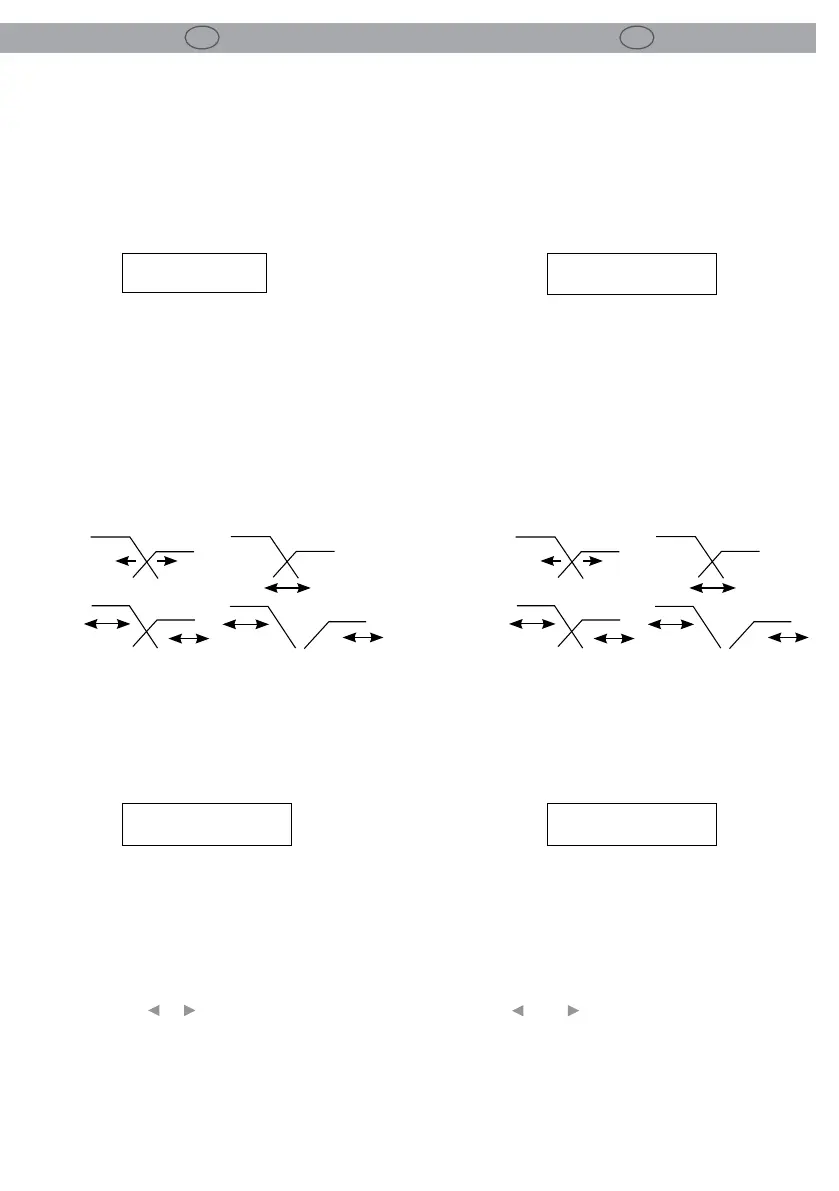
5.1 Modalità Crossover
Questa utilità permette di collegare tra loro le
pendenze di crossover delle bande poste in link
in modo da facilitare la regolazione.
Ad esempio, quando si trovano nella modalità
‘Both’, cambiando la frequenza della pendenza
passa-alto di un canale di uscita impostato, ad
es., come banda ‘Low’, varierà anche la frequenza
della pendenza passabasso nel canale adiacente
di uscita della banda ‘Mid’ (Media). Le bande non
devono necessariamente incrociarsi alla stessa
frequenza in quanto è possibile mantenere un of-
fset tra di esse (modalità Edge).
5.2 Unità di ritardo
Premere più volte il pulsante PREV, anché dalla
modalità setup, si selezioni la sezione relativa a:
unità di ritardo (Delay Units).
Le unità di ritardo possono essere modicate se-
condo l’applicazione specica ed espresse in:
• Millisecondi (ms)
• Frames al secondo (24, 25 & 40 fps)
• Piedi/pollici (ft ‘ins’)
• Metri (m)
Utilizzare I tasti___e___oppure l’encoder per se-
lezionare l’unità di misura desiderata. Il ritorno al
parametro di ritardo permetterà quindi la visua-
lizzazione del valore di ritardo e la relativa regola-
zione nell’unità selezionata.
-5- CROSSOVER - DELAY -
LOCK OUT
5.1 Crossover Mode
This Utility allows the crossover slopes of the as-
sociated bands to be linked together for ease of
setting.
For example, when in ‘Both’ mode changing the
frequency of the Hi slope of an output channel
set up as say ‘low’ band will also change the fre-
quency of the Lo slope in the adjacent ‘Mid’ band
output channel. The bands do not necessarily
need to actually crossover at the same frequency
as an oset can be maintained between them
(Edge mode).
5.2 Delay units
When you open the power supply, pressing the
PREV button, you will select the Delay Units
screen.
Delay units can be changed for the specic appli-
cation to display in:
• Milliseconds (ms)
• Frames per second (24, 25 & 40 fps)
• Feet/inches (ft ‘ins’)
• Meters (ms)
Use the___and___button or rotary encoder to se-
lect the preferred measurement units. Returning
to the delay parameter will then allow the delay
value to be viewed and adjusted in the selected
units.
SETUP
XOVER MODE BOTH
SETUP
DELAY UNITS MS
SETUP
DELAY UNITS MS
Both
Edge
Low
Mid
L
M
L
M
Low
Mid
Both
Edge
Low
Mid
L
M
L
M
Low
Mid


 To Next Page
 Loading...