16
ENIT IDEA Series
Caricare un file di setup sugli amplificatori
IDEA1402 - IDEA2804
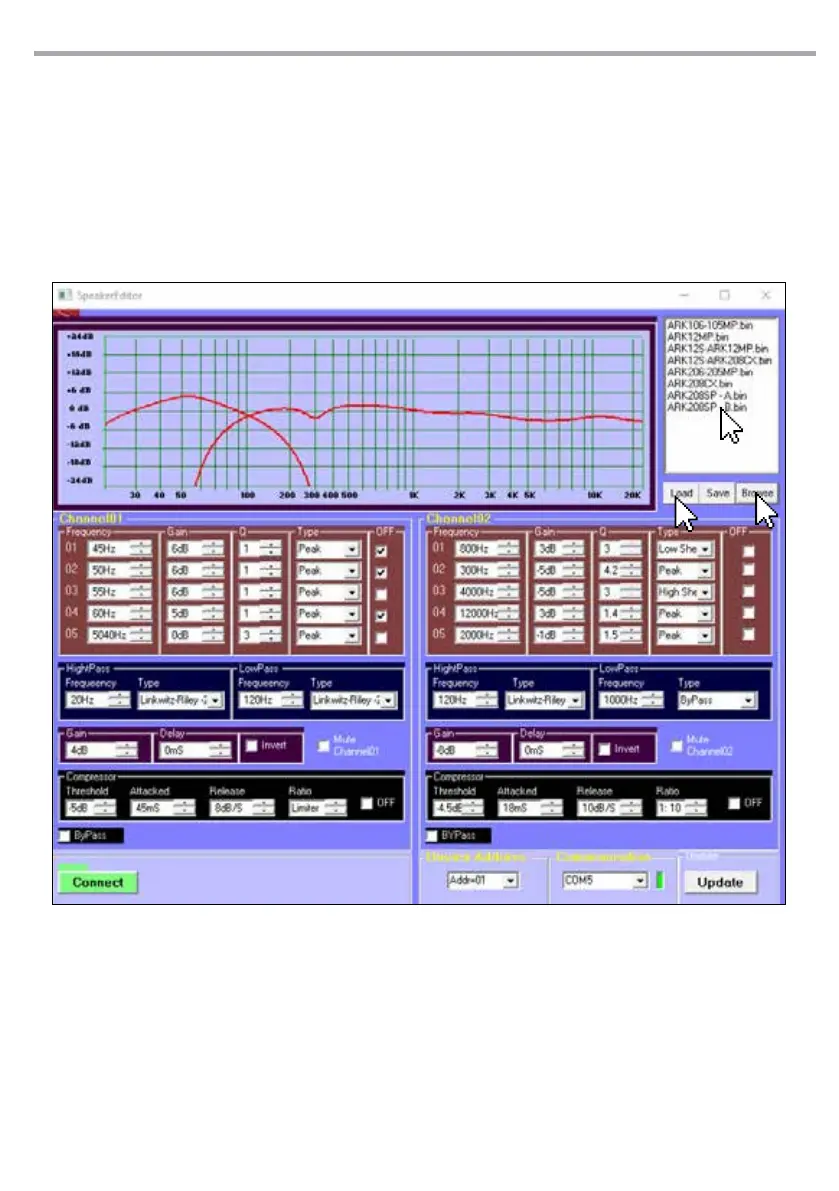
• Cliccare su “Browse” (1) e selezionare la car-
tella in cui sono memorizzati i le di setup
(Setup ARK Column), quindi premere su OK.
Nota: Nel pannello in alto a destra appariranno
tutti i le di setup salvati in quella cartella.
• Nel pannello in alto a destra selezionare un
le di setup salvato in precedenza (2), quin-
di cliccare su “Load” (3) per caricare le impo-
stazioni all’interno del IDEA1402 - 2804.
• In the top right panel (2), select a setup le
previously saved, then click on “Load” (3) to
load the settings in the IDEA1402 - 2804.
1
Load a setup file on the IDEA1402 - IDEA2804
amplifiers
• Click on the “Browse” (1) button and select
the storing folder (Setup ARK Column), then
click on OK.
Note: In the top right panel will appear all the
setup les saved in that folder.
2
3



 To Next Page