22
9
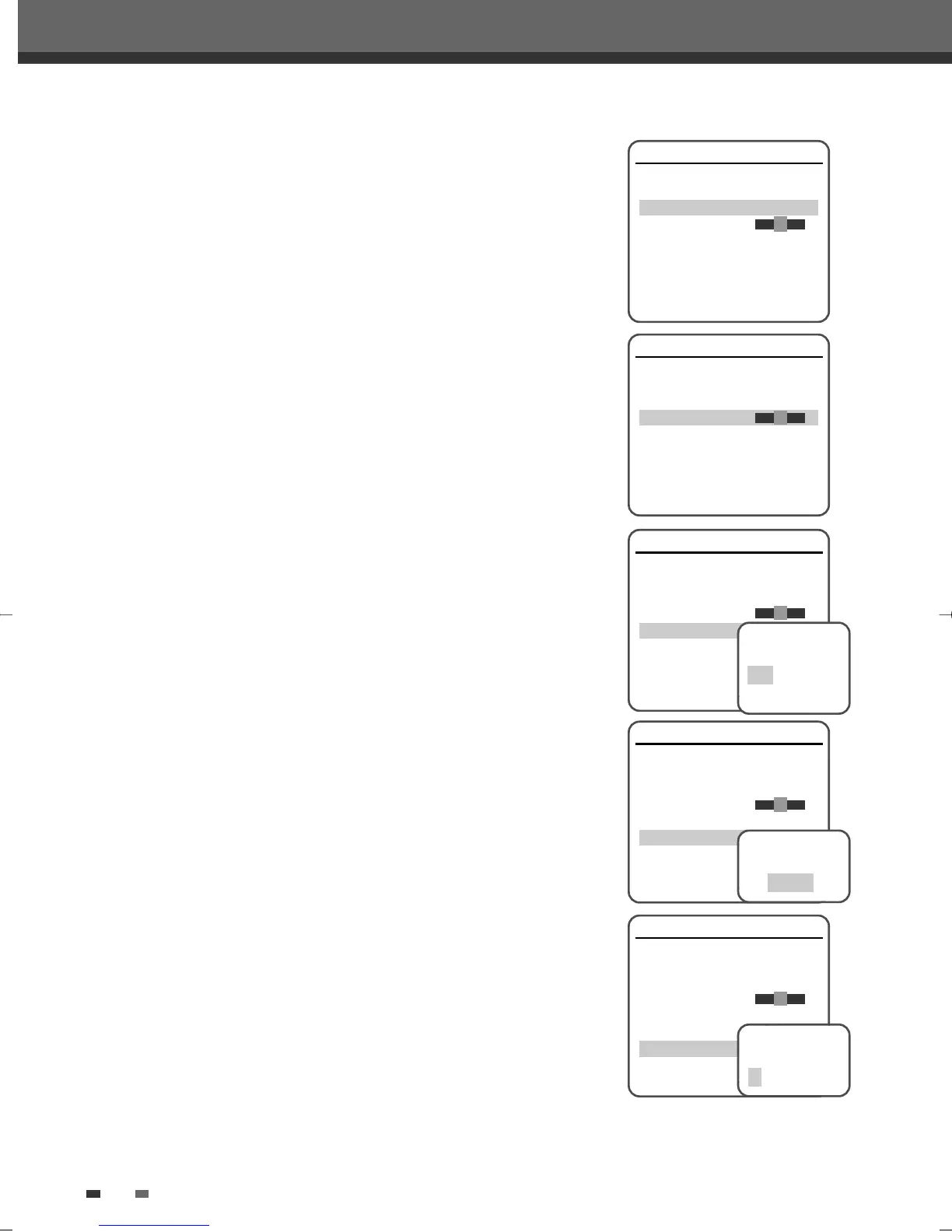
Use […/†] to select ‘Auto Search‘.
10
Search the real channel number by pressing [œ/√].
11
Select ‘Fine Tune’. You can adjust the fine tuning.
12
Use […/†] to select ‘Decoder‘. Press [ENTER] to move to the second
level.
13
When the program is encoded (and you have a decoder connected to
socket EURO AV2), press […/†] to select ‘On’ and press [ENTER] to
confirm.
14
Use […/†] to select ‘Store Channel‘. Press [ENTER] to move to the
second level.
15
Use […/†] to select program number to store and press [ENTER] to
confirm.
16
Use […/†] to select ‘Program Name‘. Press [√] to move to the second
level. If your DVD Recorder+VCR is showing no station name or is
showing a station name incorrectly, you can correct this.
17
Either select the name from the stored list or you create the station
name and enter a 4-digit name. Change the letters with the […/†],
move the next letter with the [œ/√].
Manual Setup
Standard PAL-BG
Reception Aerial
Auto Search CH02
Fine Tune
Decoder Off
Store Channel PR01
Program Name P-01
Instructions
Enter-Confirm Setup-Exit Move …†
Manual Setup
Standard PAL-BG
Reception Aerial
Auto Search CH02
Fine Tune
Decoder Off
Store Channel PR01
Program Name P-01
Instructions
Enter-Confirm Setup-Exit Move …†
Manual Setup
Standard PAL-BG
Reception Aerial
Auto Search CH02
Fine Tune
Decoder Off
Store Channel PR01
Program Name P-01
Instructions
Enter-Confirm Setup-Exit Move …†
Select Decoder
State
Off
On
Manual Setup
Standard PAL-BG
Reception Aerial
Auto Search CH02
Fine Tune
Decoder Off
Store Channel PR01
Program Name P-01
Instructions
Enter-Confirm Setup-Exit Move …†
Select Channel
To Store
PR99
Manual Setup
Standard PAL-BG
Reception Aerial
Auto Search CH02
Fine Tune
Decoder Off
Store Channel PR01
Program Name P-01
Instructions
Enter-Confirm Setup-Exit Move …†
Edit Channel
Name
P – 0 1
Initial Setup
DF-L71D1P-UA/TA 04.11.24 11:51 PM 페이지22



 To Next Page