EDITING
57
When you insert a DVD+R or DVD+RW disc already recorded by your DVD Recorder+VCR, you can edit the titles
and chapters in a variety of ways.
To edit a recorded title, select the title on the disc menu and press [EDIT].
The selected title will begin playing automatically.
Titles and Chapters
When you insert a DVD+R or DVD+RW disc already recorded by your DVD Recorder+VCR, all titles recorded on
the disc appear on your screen. If a selected title has chapters, you can skip to the next or previous chapter by
pressing [NEXT] or [PREV].
You can also see how many chapters are in a title by pressing [DISPLAY] during playback.
Title
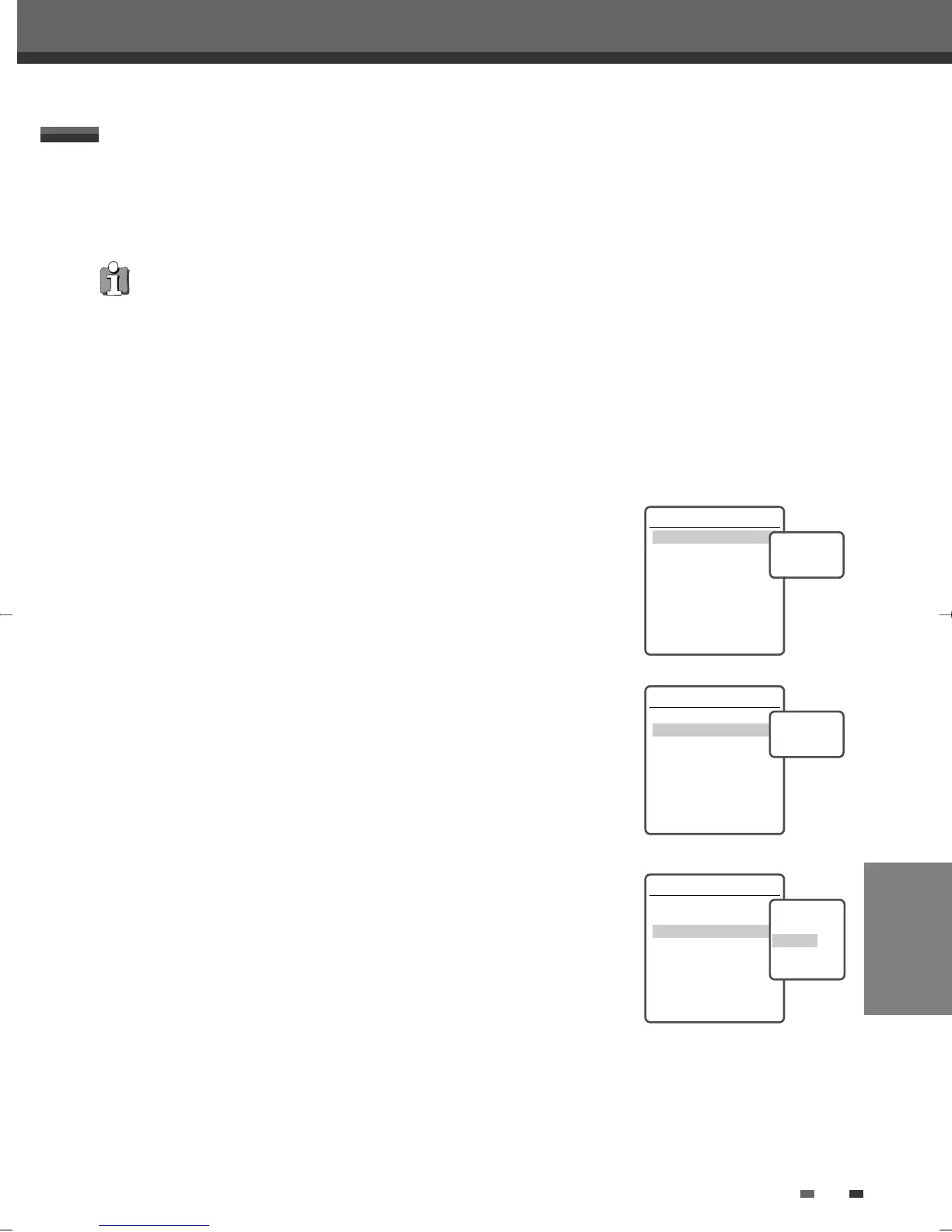
To select a specific title:
1
Use […†] to select ‘Title‘.
2
Press [ENTER] to display the submenu.
3
Use […†] to select the desired title number and then press [ENTER].
Chapter
To select a specific chapter:
1
Use […†] to select ‘Chapter‘.
2
Press [ENTER] to display the submenu.
3
Use […†] to select the desired chapter number and then press [ENTER].
Edit Chapters
You can add a chapter marker anywhere in a title during playback.
Once the chapter is marked, you can use the chapter search feature as
described above.
You can add/delete chapter markers or delete all chapter markers in a title.
1
Use […†] to select ‘Edit Chapters‘.
2
Press [ENTER] to display the submenu.
3
Use […†] to select one of the various chapter marker functions (Add,
Delete, or Delete All).
4
Press [ENTER] to confirm.
Editing
Editing
DVD Edit
Title 1 of 2
Chapter 1 of 11
Edit Chapters
Hide Chapter
Change Index Picture
Split Title
Instructions
Enter-Confirm Setup-Exit
Move …†
Select Title
1 of 2
…
†
DVD Edit
Title 1 of 2
Chapter 1 of 11
Edit Chapters
Hide Chapter
Change Index Picture
Split Title
Instructions
Enter-Confirm Setup-Exit
Move …†
Select Chapter
1 of 11
…
†
DVD Edit
Title 1 of 2
Chapter 1 of 11
Edit Chapters
Hide Chapter
Change Index Picture
Split Title
Instructions
Enter-Confirm Setup-Exit
Move …†
Choose the edit
Function
Add
Delete
Delete All
• After editing is complete, a DVD+RW disc will not be compatible with other DVD players until you make the disc
compatible; see page 53.
DF-L71D1P-UA/TA 04.11.24 11:52 PM 페이지57



 To Next Page