10
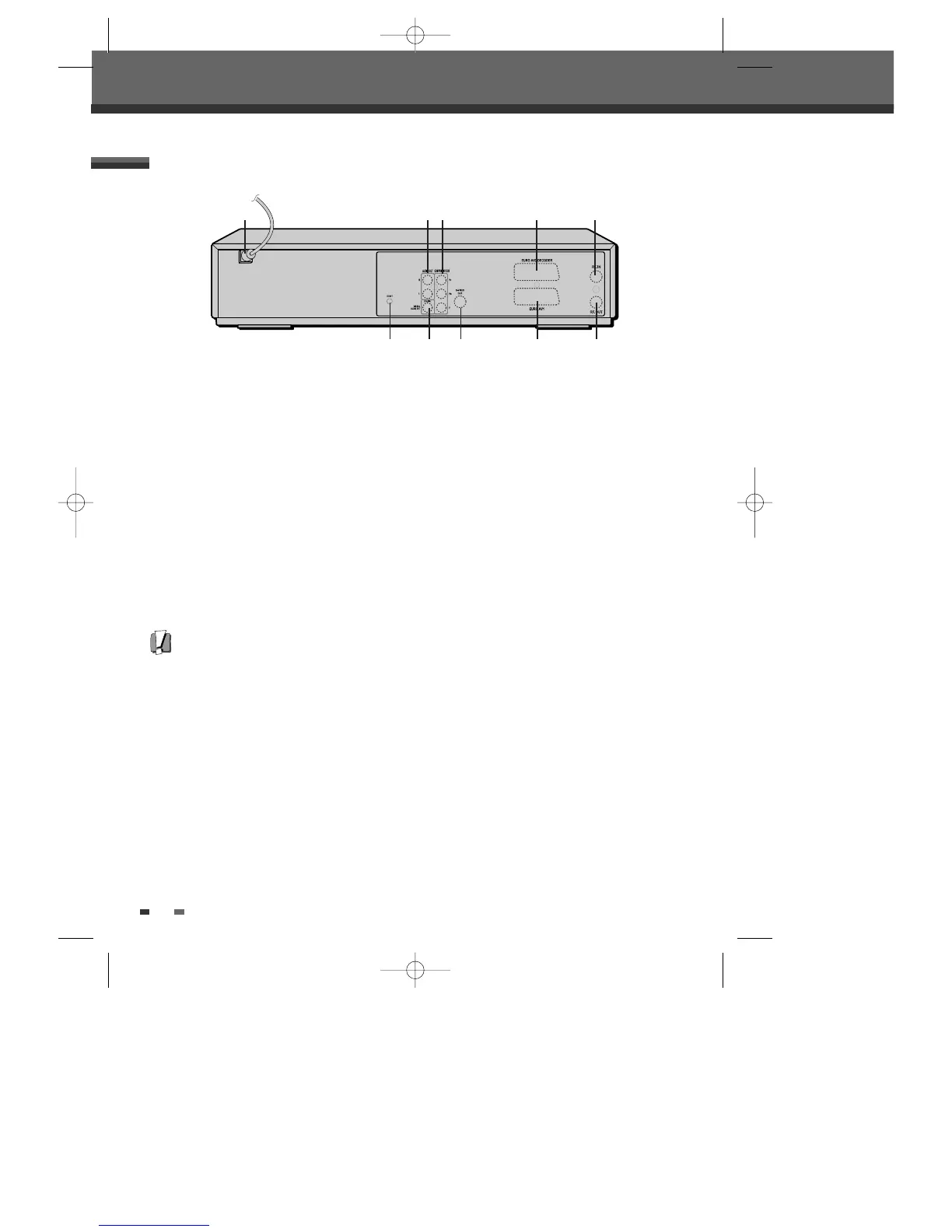
Rear panel
Identification of Controls
!
AC Power Cord
Plug into a power outlet.
@
AUDIO OUT (L, R)
Connect to a TV or other equipment with audio
inputs.
#
COMPONENT/PROGRESSIVE VIDEO OUT (Y Pb Pr)
Connect to a TV with Component Video (Y Pb Pr)
inputs.
$
Scart socket 2
Connection of an additional device (satellite
receiver, set-top box, video recorder, camcorder,
etc.)
%
Scart socket 1
Connection of a TV set. Composite-output and
RGB-output
^
RF IN (FROM ANT.)
Connect to your antenna or cable TV outlet.
&
RF OUT (TO TV)
Connect to a TV with an RF coaxial input.
*
COAXIAL (Digital Audio Out)
Connect to an amplifier with a coaxial digital
audio input.
(
S-VIDEO OUT
Connect to a TV with an S-Video Input.
)
RESET Button
Recover from system down.
Caution
• Do not touch the inner pins of the jacks on the rear panel. Electrostatic discharge may cause permanent damage
to the DVD Recorder+VCR.
! @# $ ^
* () % &
DF-T35-37D2P-WB 2006.8.24 4:57 PM ˘ ` 10 mac001 1200DPI 90LPI



 To Next Page