SETUP
19
Initial Setup
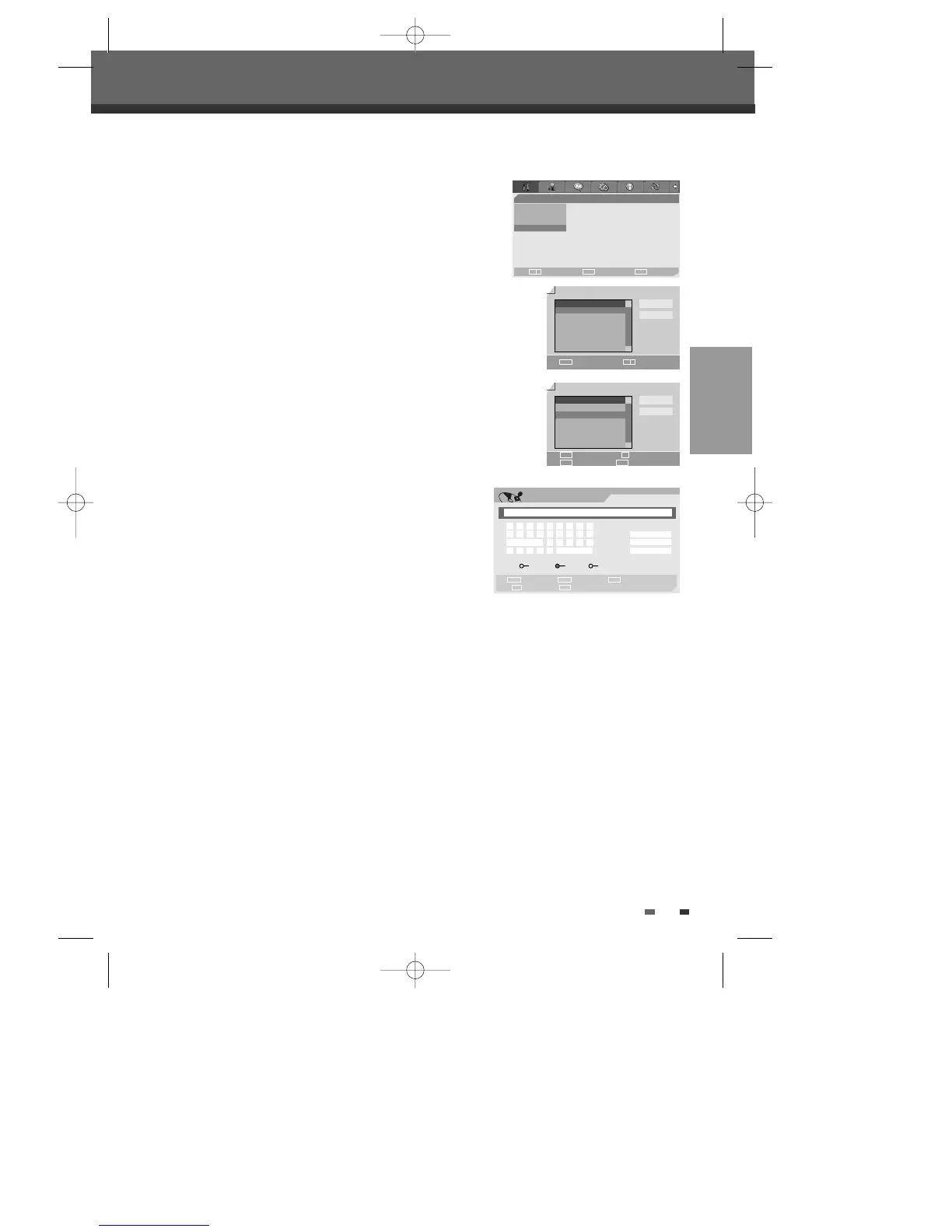
Adjust Channels
1
Follow steps 1-2 as shown under ‘Manual Set’.
2
Use […/†] to select ‘Adjust Channels‘.
3
Press [ENTER]. The ‘Adjust channels’ menu appears.
4
Use […/†] to select the PR number you want to adjust. Then press
[ENTER].
Delete
After tuning TV stations into your DVD Recorder+VCR, you may wish to delete a
station.
1
Select the PR number you want to delete using […/†].
2
Press [œ]. The selected PR will be deleted.
3
Select ‘OK’ to exit.
Edit
After tuning TV stations into your DVD Recorder+VCR, you may wish to
put a name into any channel you want to.
1
Select the PR number you want to edit using […/†].
2
Press [●]. You can put a name by pressing […/†] and [œ /√].
3
Select ‘OK’ to exit.
Sort channels
After tuning TV stations into your DVD Recorder+VCR, you may wish to change
the order of PR's you have in your set, to your preference.
1
Select the PR number you want to move using […/†].
2
Press […/†] to select the PR number you want to move to.
3
Press [ENTER]. The selected PR Will be moved to the new PR number.
4
Select ‘OK’ to exit.
Installation
Manual Set
Auto Scan
Clock Set
•Adjust channels
Choose OK Exit
ENTER SETUP
œ √
…
†
Adjust channels
Select Move
OK
Cancel
…
†
NO. NAME
PR1 BBC
PR2 P-02
PR3 P-03
PR3 P-03
PR3 P-03
PR3 P-03
œ √
…
†
ENTER
Adjust channels
OK
Cancel
…
†
NO. NAME
PR1 BBC
PR2 P-02
PR3 - -
PR3 - -
PR3 - -
PR3 - -
Delete Edit
Move Confirm
…†
ENTER
œ
●
Label
Input digits Backspace Select
Prev Page Next Page
§ ∞
œœ
0-9
Clear
OK
Cancel
œ √
…
†
- - - -
a b c d e f g h i
j k l m n o p q r
Space s t u v w
x y z _ - Backspace
A’ a Symbol
DF-T35-37D2P-WB 2006.8.24 4:57 PM ˘ ` 19 mac001 1200DPI 90LPI



 To Next Page