11
Preparation
AERIAL CONNECTION WITH VCR
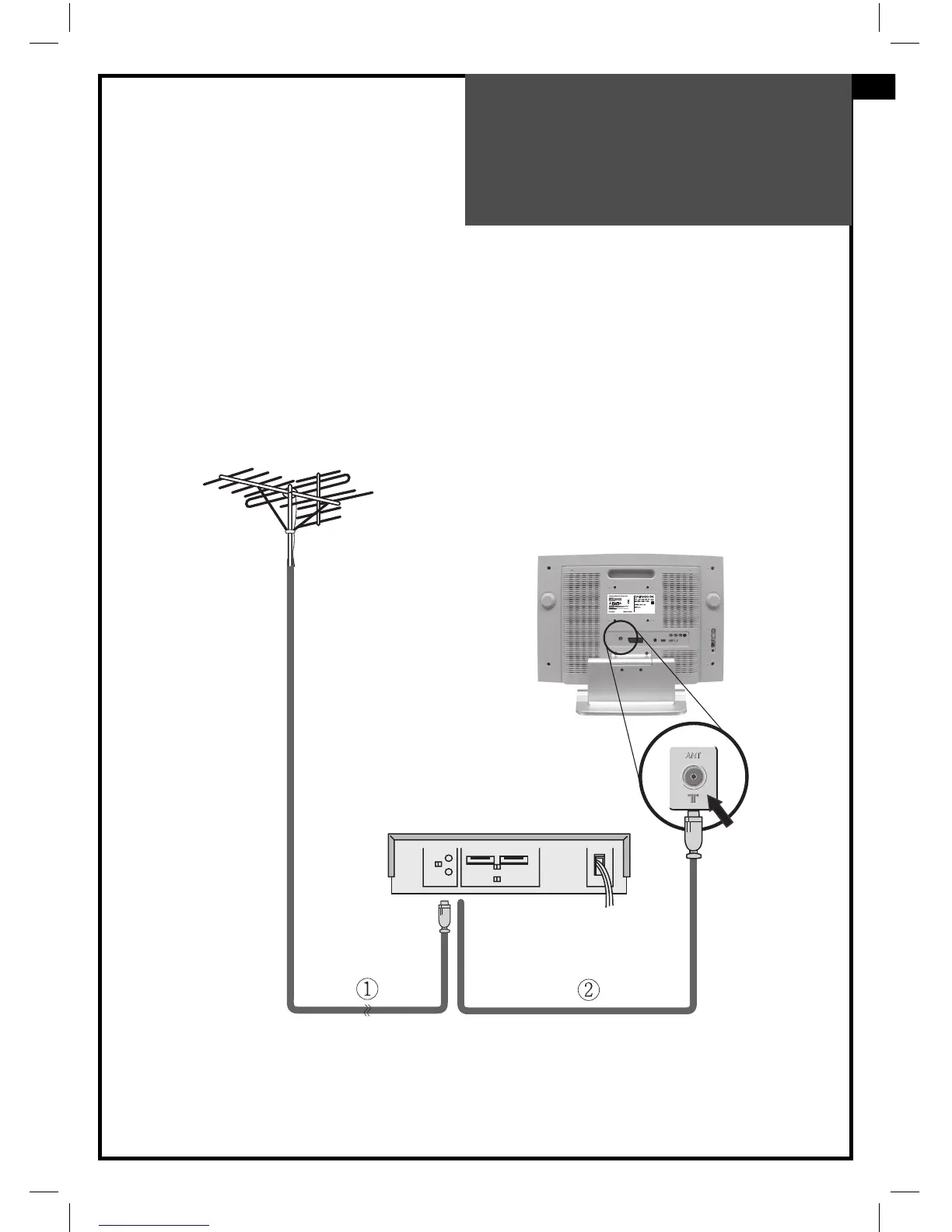
Connect your aerial cable to the RF(aerial) IN terminal on the VCR.
Connect the RF OUT terminal of the VCR to the Aerial terminal on the TV set with RF cable.
NOTE:
If you wish to use only the Aerial (RF) connection, then you should store the VCR
channel on programme number “ZERO”using the “Manual tuning” function (See
page 22).
Now you can watch the VCR in TV mode by selecting the programme number “PR00”.
VCR
RF IN RF OUT
GB



 To Next Page