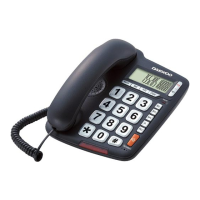
GETTING STARTED
Insert one end of the line cord to the line jack “LINE” in the phone base and the other end to the wall outlet
of exchanger. The time and date will be display on the liquid crystal screen after the line cord is inserted.
This phone does not need batteries for any of its functions as it is operated with the line power. If you want
to disconnect it from the cord line and you want to keep incoming and outgoing calls information, you can
insert 3×1.5AA batteries.
Connect the handset and the unit with the coiled line supplied.
This phone can show you the caller ID, you should have activated this service from your local telecom
office, this can have additional costs in your phone bill.
RECEIVING CALLS
The unit will ring when a call comes, if you have subscribed caller ID service to your local telecom, LCD will
display month, date, time, serial No. of the incoming call and NEW icon. If a missed call number comes twice
or more times, the REP icon will be displayed on the LCD.
From the handset
Pick up the handset and talk to the other end. After finished, return the handset to the base.
Switch to speakerphone
When talking by handset, press key and return the handset to the base.
After finished, press key again.
From the speakerphone
When the telephone rings, press key and talk to the caller.
After finished, press key again.
Note: Generally telecom transmits the incoming message between the first ring and the second ring. So
please answer the telephone after the second ring.
MAKING A CALL
From the handset
Pick up the handset.
When hearing the dialing tone, dial the desired number. The LCD will start to time the conversation.
After finished, return the handset to the base.
From the speakerphone
Press key.
When hearing the dialing tone, dial the desired number. The unit will start to time the conversation.
After finished, press key again.
Redialing function
1. Pick up the handset, or press key. Press REDIAL key, the last number dialed will be dialed out again.
Pre-dialing function
In on-hook state. Dial the desired number, if any mistake, use DEL key to delete.
Press REDIAL key, the number will be dialed out.
Auto-redial
Press key, dial a number, if you hear an engaged tone.
Press REDIAL key and the last dialed number will be redialed automatically at every 6 seconds until the
line is through.
While auto-redialing, pick up the handset or press key will end the dialing.


 To Next Page