To avoid danger of electric shock, unplug from outlet when
not in use and before cleaning. If the supply cord is
damaged, it must be replaced by the manufactory or it’s
service agent or a similarity qualified person in order to
avoid a hazard.
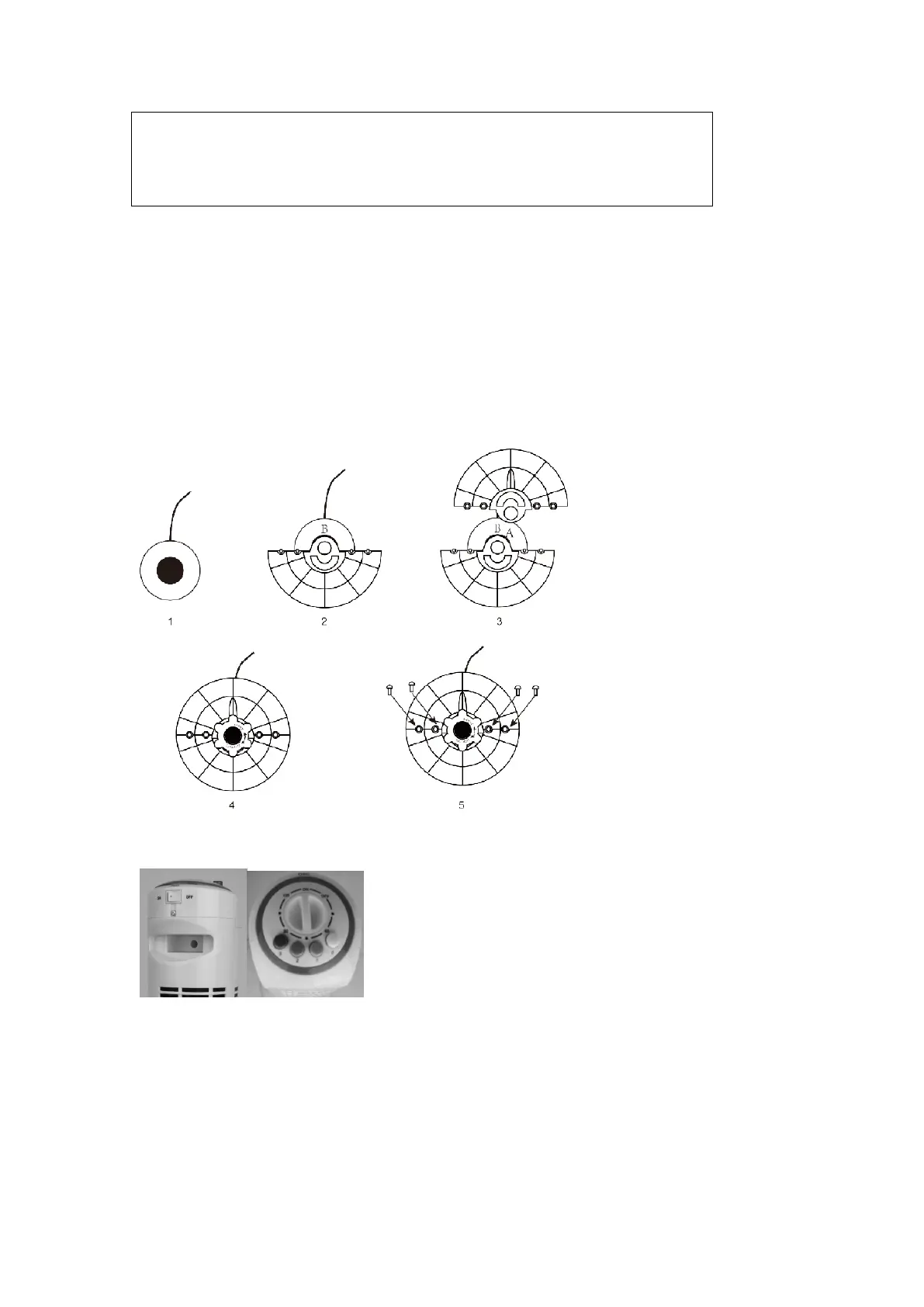
Fan assembly
1.Remove all contents from the box. Gently turn the fan upside down, loosen and remove the
screws from the bottom of the Fan Housing.
2.Place the base B onto the center
3.Place the base A on to base B
4.Tighten the plastic screw to fix the base A and base B
5.Tighten the 4 screws double fixed the Base
Operation
1.Place the fan on a dry and firm level surface.
2.Unwind the power cord and plug the cord into an electrical outlet.
3.Turn the fan ON by pressing the desired speed setting (1-Low,2 Medium and 3-High).
4.To start /stop oscillation, press the oscillation button.
5.To set timer, turn the timer knob to desired setting


 To Next Page