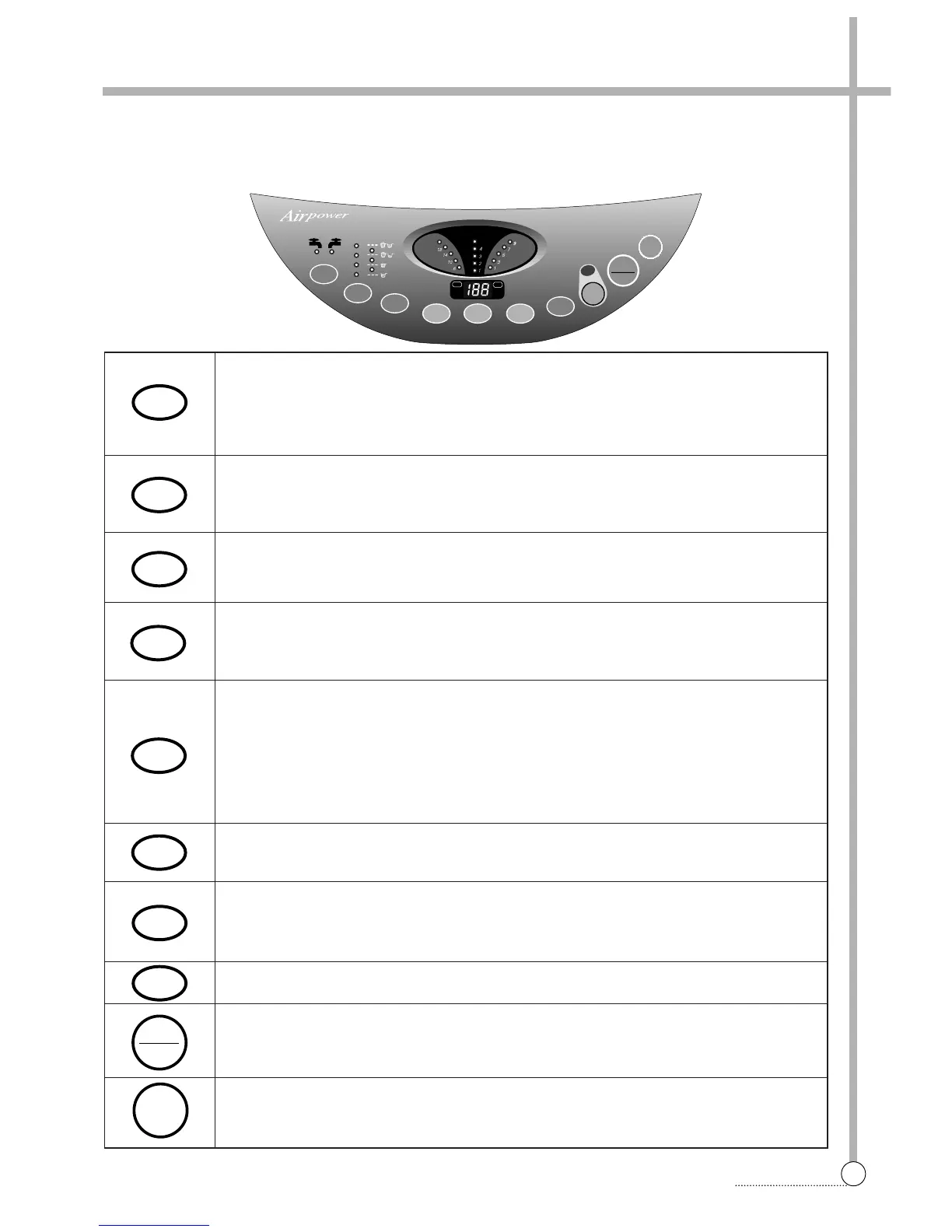
• It can be used to choose water temperature to be supplied.
• As the button is pressed, it will be repeated.
COLD ➔ COLD + HOT ➔ HOT
• In case of the single valve model, there is no wash temperature selector function.
• It can be used to adjust amount of water according to the size of the load to be washed.
• As the button is pressed, water level is selected by MEDIUM ➔ ● ➔ HIGH ➔ E.LOW ➔
● ➔ LOW ➔ ●
• It can be used to pre-engage time for wash.
• It can be used to adjust washing time.
• As the button is pressed, you will see the repeated.
6 ➔ 10 ➔ 14 ➔ 18 ➔ SOAK
• This button selects the number of times you want to rinse.
• As the button is pressed, it will repeat.
• 1 time rinse ➔ 1 time feed rinse ➔ 2 times rinse ➔ 2 times feed rinse ➔ 3 times rinse ➔
3 times feed rinse ➔ 4 times rinse ➔ 4 times feed rinse.
• In case of the no shower function model, there is no shower rinse.
• In case of the pump model, there is no feed rinse or spray rinse selector function.
• It can be used to change spin time.
• As the button is pressed, it will repeat. 1 ➔ 3 ➔ 5 ➔ 7 ➔ 9.
• It can be used to select the full-automatic course.
• As the button is pressed, it will selected by following order: FUZZY ➔ BLANKET ➔ LIGHT
➔ HEAVY ➔ SUIT ➔ ECONOMY
• It can be used to select the economic course.
• Operation and temporary stop are repeated as they are pressed.
• When you want to change course in operating; press the “START/HOLD” button ➔ Select
the course that you want to change ➔ press the “START/HOLD” button again.
• Press this switch to turn the power on or off.
After turning off the power, wait for more then 3seconds and then turn it on again.
■
Dwf-1068, 1048
Control panel has micom sensor.
As the buttons are pressed, the lamps indicating the selection of your desired washing program will light up.



 To Next Page