DIRECTIONS FOR INSTALLATION AND USE
6
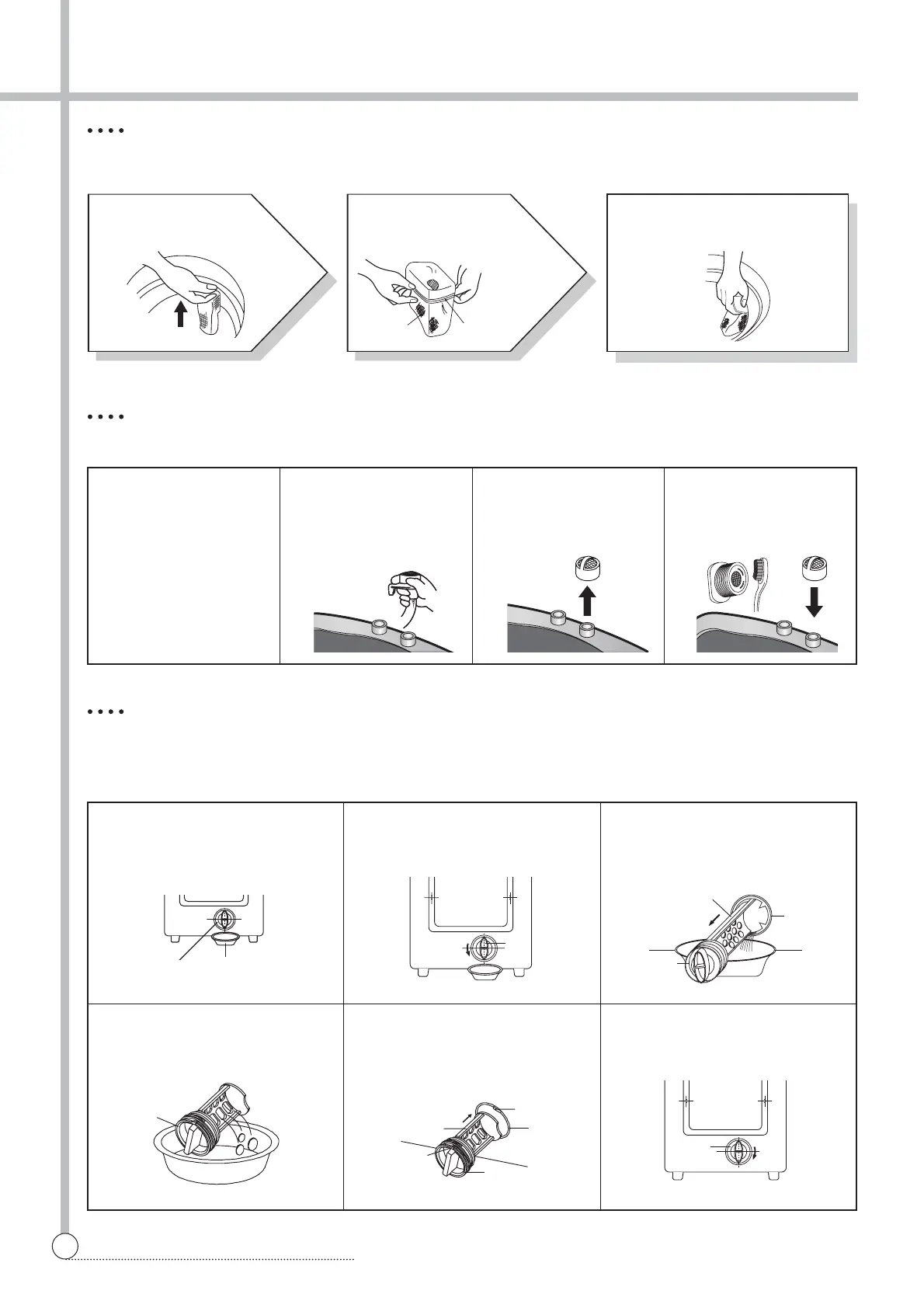
CLEANING THE LINT FILTER
• This washer has two Lint Filters in the top TUB in order to filter off lint and fuzz.
CLEANING THE WATER INLET FILTER
• Clean the filter when water leaks from the water inlet.
3
Return the filter as it was, and
insert the filter frame into the
slot.
1
Pull the Filter frame
upward.
2
Turn the lint filter
inside out, wash to
the lint off with water.
1 Pull the power plug out
before cleaning it.
2 Turn off the water sup-
ply to the washer and
separate the inlet hose.
3 Pull the inlet filter out. 4 Remove the dirt from
the inlet filter with a
brush.
CLEANING THE DRAIN FILTER
• In case “Pump-Model” drain hose, this filter’s equipped at the back side of washer.
• This drain filter is to screen the foreign stuffs such as threads, coins, pins, buttons, etc.
• If the drain filter is not cleaned at proper time (every 10 times of use), Drain problem could be caused.
1 Put down the remained water in
the hose. And put a container
under the filter to collect water.
2 Turn the cap counter clockwise. 3 Pull out the filter assembly off
the case.
4 Clean the drain filter removing
the foreign stuffs.
5 Put the filter into the case. And
turn the cap to adjust the promi-
nence of the filter to the hole of
the case.
6 Turn the cap clockwise tightly.
Lint Filter Filter Frame
FILTER
FILTER
CAP
CAP
CASE
CONTAINER
FILTER
CAP
CAP
CAP
CASE
STOPPER
STOPPER



 To Next Page