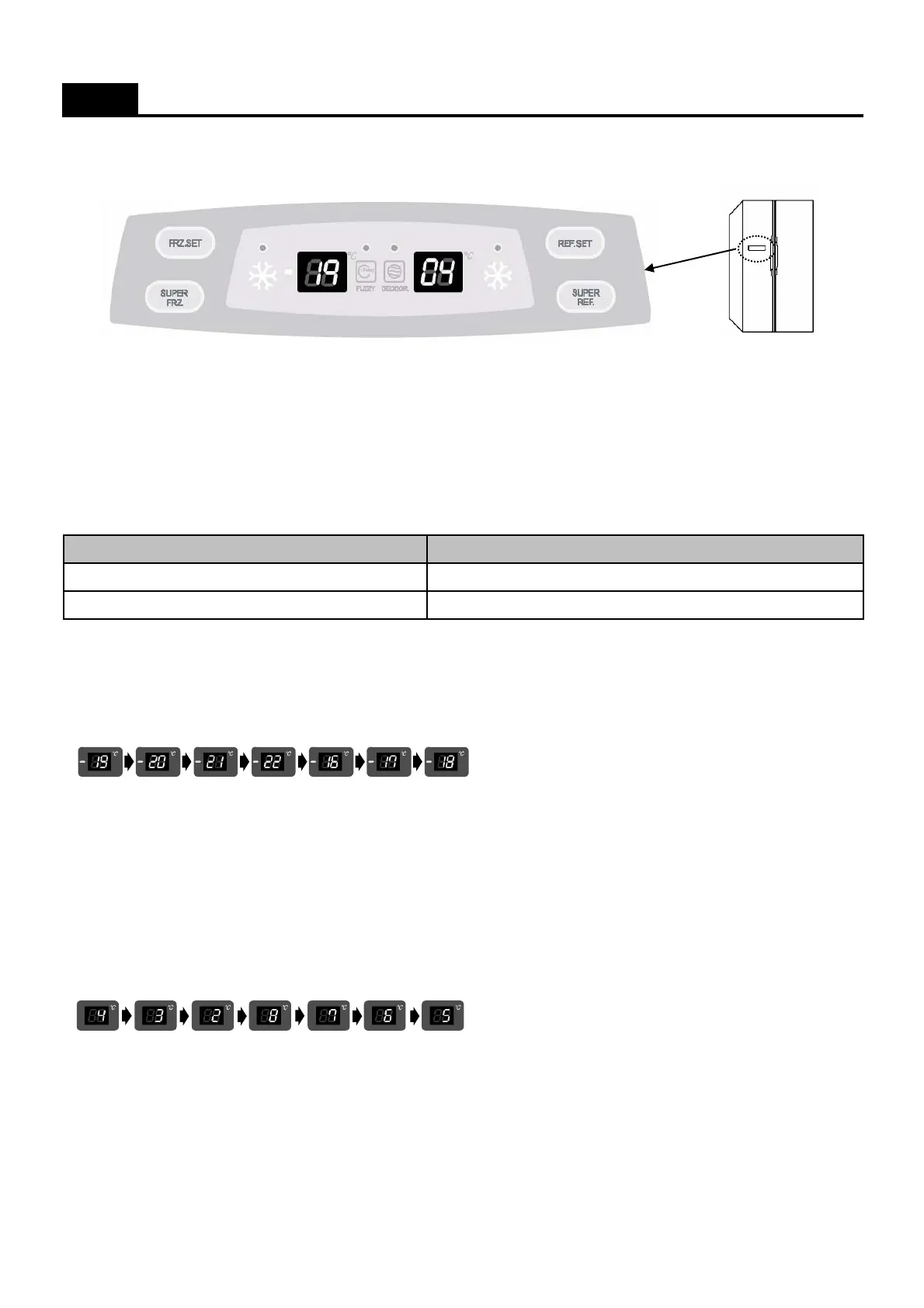
1. Display ( Basic Model )
a Temperature adjustment button for freezer compratment
b Super(Quick) freezer compartment button
c Super(Quick) refrigerator compartment button
d Temperature adjustment button for refrigerator compratment
2. Display Control
3. FRZ. SET button
1) Temperature control of freezer compartment
2) Initial power plug in : Medium ( -19C )
- Every time you press the FRZ. SET button, the setting temperature changes below order.
4. SUPER FRZ. Button
When this button press, the QUICK and Speed icon is flicker 6 times and keep ON.
( By pressing the SUPER FRZ. Button again you can stop this function. )
5. REF. SET button
1) Temperature control of refrigerator compartment
2) Initial power plug in : Medium ( 4C )
- Every time you press the REF. SET button, the setting temperature changes below order.
6. SUPER REF. Button
When this button press, the QUICK and Speed icon is flicker 6 times and keep ON.
( By pressing the SUPER REF. Button again you can stop this function. )
FUNCTIONS ( DISPLAY_Basic Model )
FCP Cotrol
Temp. Display (Set Temp.)
SUPER FRZ, SUPER REF. Icon
Initial Mode : Freezer / Refrigerator set medium ( -19C / 4C)
Button
a
b
c
d
6



 To Next Page