Assembling Your Carpet Cleaner
WARNING! Ensure that the carpet cleaner is
not connected to the mains supply before
assembly
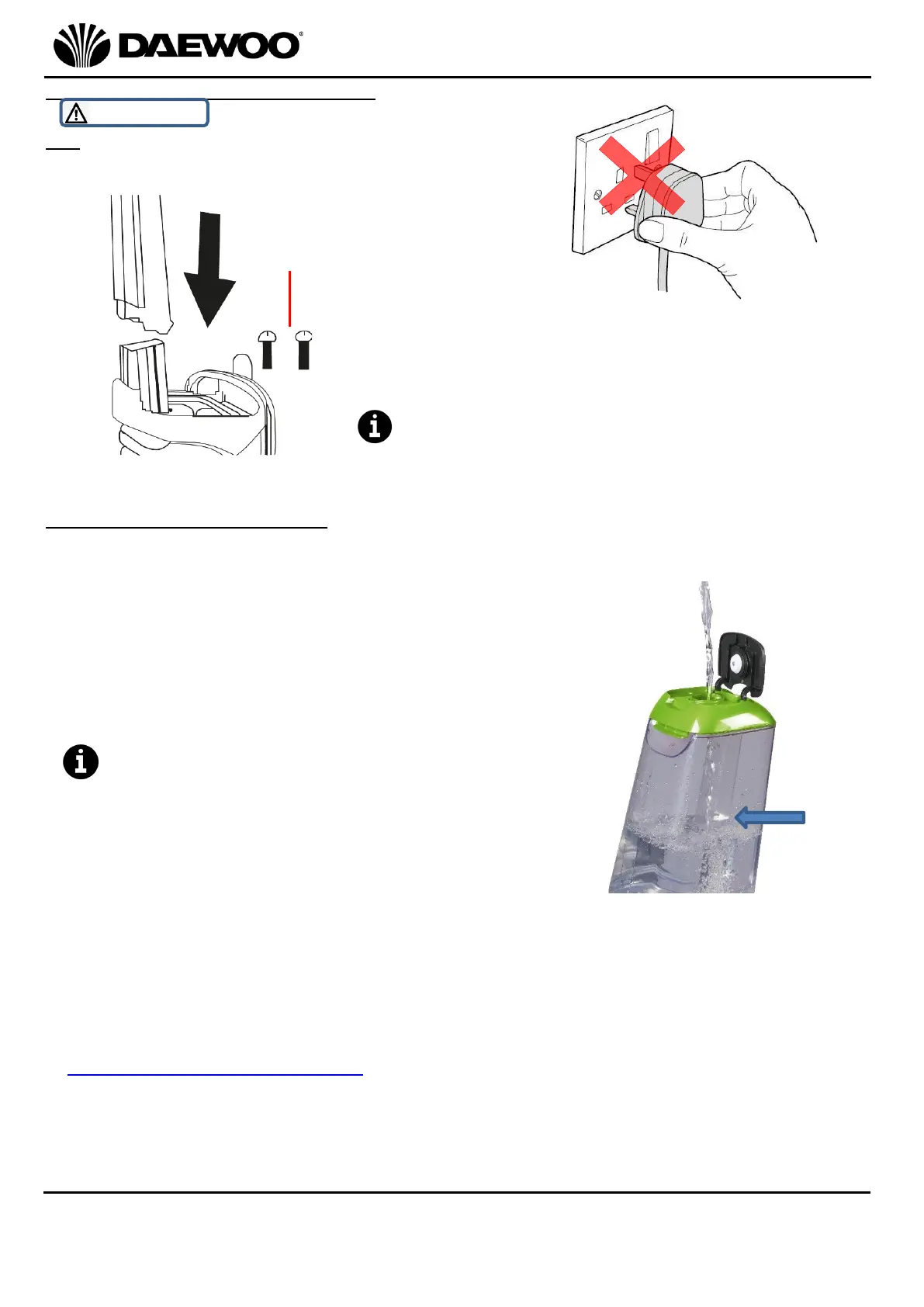
Attach the Handle (1) to the Carpet Cleaner
as shown left with the two Handle Fixing
Screws (14) provided using a Crosshead
screwdriver (Not Supplied).
Do not overtighten the screws as this may
permanently damage the threads.
Filling the Solution Tank (5)
1. Remove the Solution Tank (5) by lifting the Solution Tank Release Catch (4)
forwards and removing the tank towards you.
2. Lift the Clean Water Filling Cap (3) up and fill
the Solution Tank (5) with warm water (max.
40⁰C) as shown right, ensuring that the water
level is not above the ‘MAX’ mark (arrowed)
on the side of the tank:
In hard water areas it is strongly
recommended that demineralised water is
used to avoid calcium build up which may
damage the carpet cleaner.
3. Add carpet cleaning solution to the Solution Tank (5) carefully following the
manufacturer’s instructions.
4. Only use this appliance with an appropriate (Low-Foaming) commercial carpet
cleaning solution such as Daewoo Carpet & Upholstery Shampoo which is
available by contacting Daewoo Customer Services on 0161 831 7879 or email
help@daewooelectricals.com.
5. Using incorrect solutions will cause excessive foaming which may prevent the
appliance from performing correctly and may cause permanent damage to the
appliance.
6. DO NOT use solvents or cleaners with strong acidic or alkali formulas or any



 To Next Page