AUTO COOK MENU CHART
MENU
NUMBER
MENU ITEM
01 ROAST PORK
02 ROAST BEEF
03 ROAST CHICKEN
04 BAKED FISH
05 FRESH VEGETABLES
05 CHICKEN PIECES
MEMORYCOOK FACTORY PRESETS
NUMBER COOKING TIME MICROWAVE POWER LEVEL
1 0:40 P-HI (100%)
2 1:20 P-HI (100%)
3 2:00 P-HI (100%)
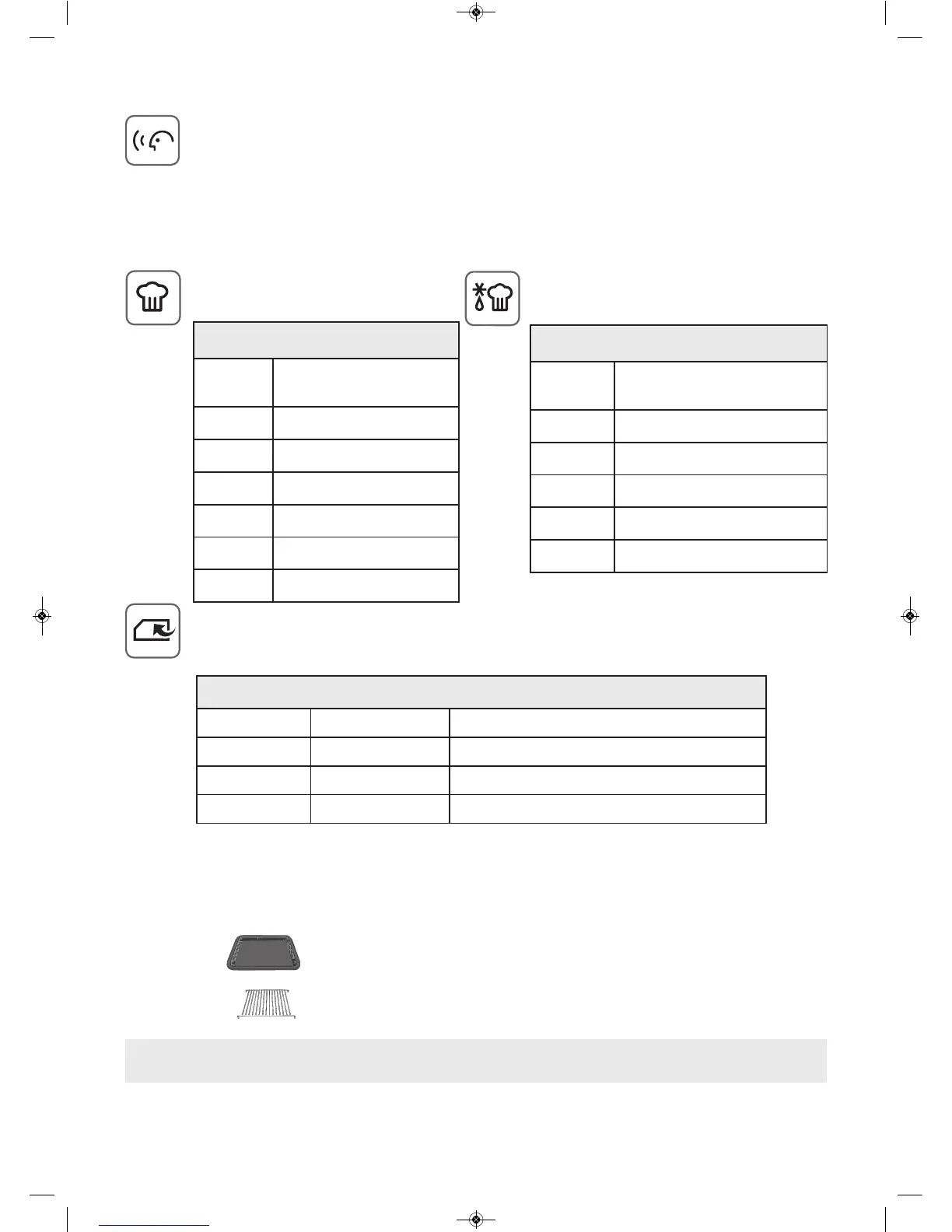
QUICKREFERENCE:PRESET COOKINGMODES
AUTOCOOK
MEMORYCOOK
ACCESSORIES
This is a commercial grade oven with rack holders on each side of the inside of the oven. With
the long side parallel to the door slide the metal tray into one of the rack positions. Be sure the
tray slides into the same position on each side of the oven so it is level.
METAL TRAY: Place food or cookware on tray and
slide into either lower, middle or upper shelf.
GRILL RACK: Place food or cookware on rack.
Always place on the metal tray.
See the Owners Manual to change the factory presets.
When Voice Guide is activated, the menu items will be announced as listed below. They will be
displayed as the corresponding menu item numbers.
For detailed cooking information, see the Owners Manual.
IMPORTANT: Placethemetaltrayinoneofthethreeshelfpositions when cooking. DoNOT
placeanything directlyonthebottomoftheoven during operation.
VOICEGUIDE is a feature which verbally directs you through each step of operation.
When muted, rely on the icons on the display screen as visual guides.
INSTANT COOK MENU CHART
MENU
NUMBER
MENU ITEM
01 FROZENHAMBURGER
02 SAUSAGE
03 BAKEDPOTATO
04 FROZENPIZZA
05 FROZENVEGETABLES
INSTANTCOOK
www.e-daewoo.com
© 2011 Daewoo Electronics America, Inc. All rights reserved.


 To Previous Page
 Loading...