FIRST SET UP
1
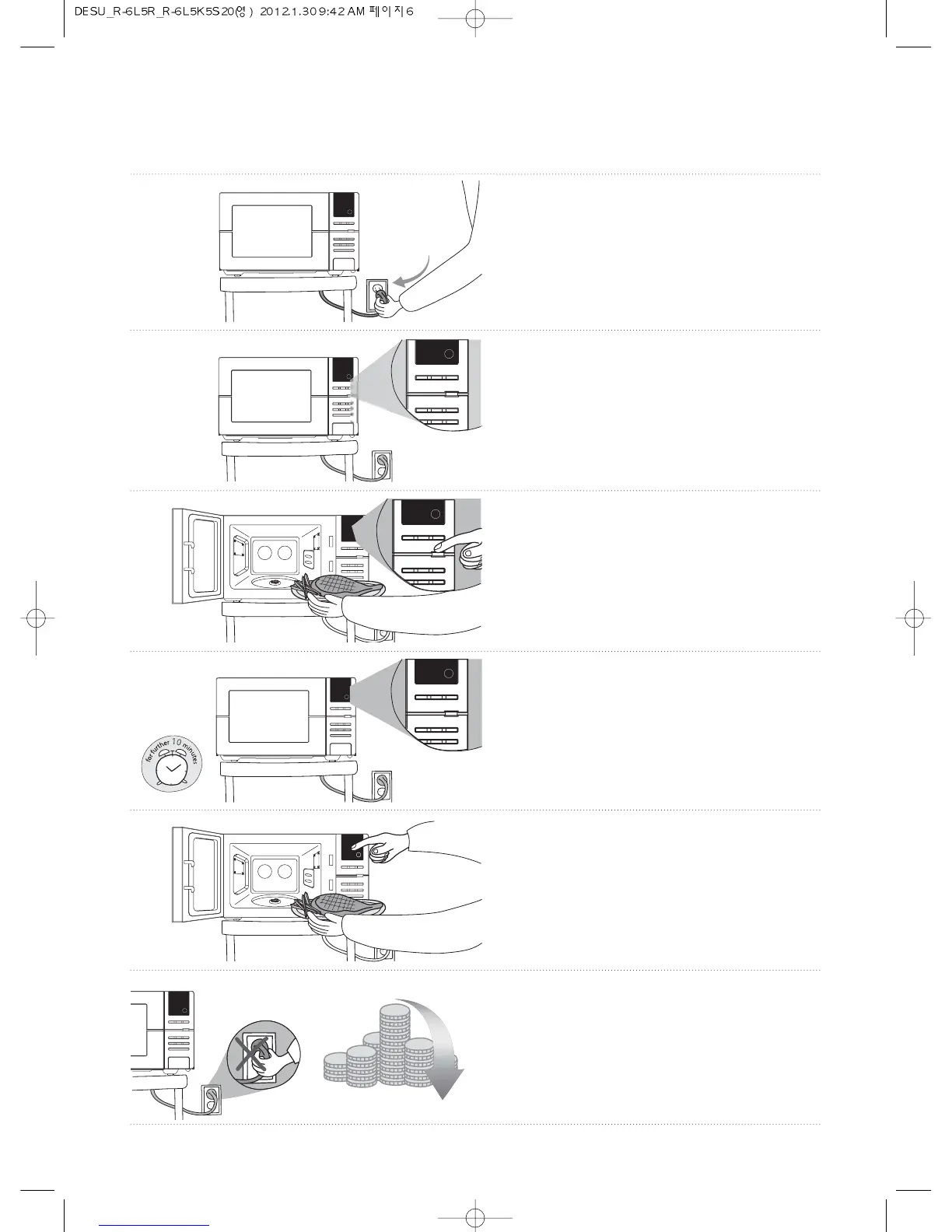
Connect the plug into the socket.
2
Zero Standby mode is selected
automatically.
(The display will be turned off.)
3
• Press and hold ECO button until LED
display is turned on and a beep sounds.
• The oven is now ready for use.
4
Ten minutes after cooking is finished the
oven will automatically go into Zero Standby
and use no power.
5
To use oven again repeat step 3.
6
Save energy and money without the hassle
of unplugging the appliance.


 To Next Page