3
CF65/75/85 series Removal and installation
AS TRONIC GEARBOX
4-15
4.6 REMOVAL AND INSTALLATION, GEARBOX FRONT COVER OIL SEAL
Removing the gearbox front cover oil seal
1. Remove the gearbox.
2. Remove the clutch lever from the clutch
housing.
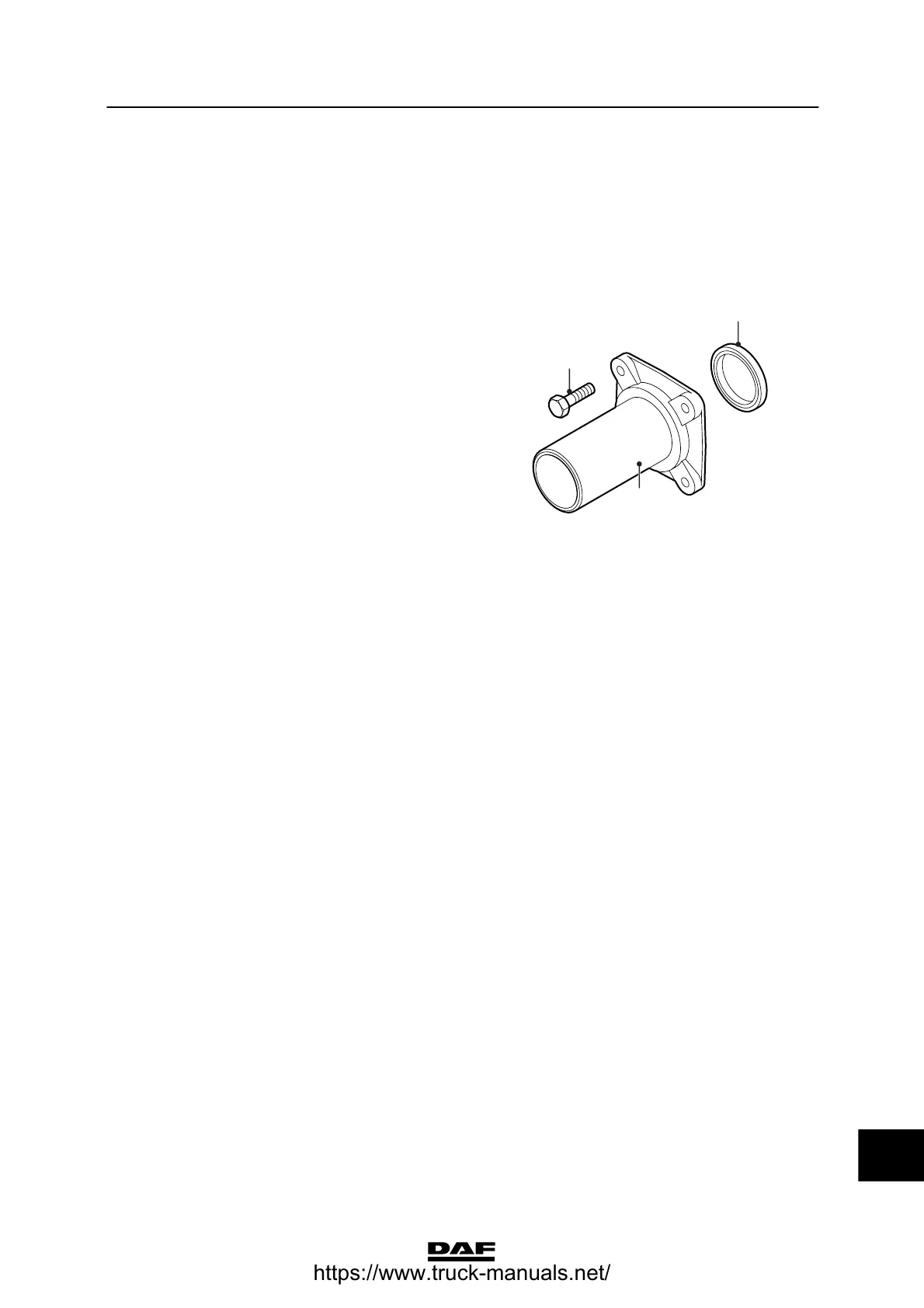
3. Unscrew the attachment bolts (2) from the
gearbox front cover (1) and remove it.
4. Remove the oil seal (3) from the gearbox
front cover.
5. Clean the sealing surfaces of the gearbox
front cover and the gearbox housing.
Installing the gearbox front cover oil seal
1. Apply methylated spirit to the outer
circumference of the oil seal and install the
seal in the gearbox front cover using the
special tool (DAF No. 14553145).
2. Install the gearbox front cover with liquid
gasket and tighten the attachment bolts to
the specified torque. See “Technical data”.
3. Fit the clutch lever in the clutch housing and
tighten the attachment bolt to the specified
torque. See “Technical data”.
4. Fit the gearbox.
V300705
2
3
1
14
ᓻ 200337
https://www.truck-manuals.net/



 To Next Page