12
4 Control Board Settings
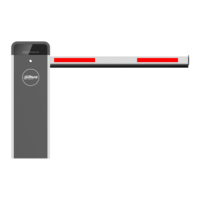
There are three buttons (SET, +, -) on the control board. During normal operation, + is manual
rising button; - is manual falling button; the LED displays the position state value of the barrier
arm (vertical 0 and horizontal 95) or error code in real time.
When configuring the parameters, they are recorded after the barrier arm rises and the LED
displays 0.
Press SET (first) and + at the same time to enter the programming mode. At the Step 1
beginning, the LED displays F1 by default.
Press SET to select function. Every time when you press SET, the function number is Step 2
increased by 1 until 9 and then returns to 1 and repeat.
Table 4-1 Function number description
Function
number
Description
F1
Rising deceleration point.
Incorrect value might cause the barrier arm to rise too slowly or violently shake.
Factory default: 35.
F2
Falling deceleration point.
Incorrect value might cause the barrier arm to fall too slowly or violently shake.
Factory default: 60.
F3
Rebound threshold: 12–99. The larger the value, the slower the speed. Set it to
99 to disable this function.
Factory default: 50.
F4
Address: 1–99.
Factory default: 99.
F5
Auto closing delay: 1 s–99 s. Set it to 91–99 to disable this function.
Factory default: 99.
F6
Rising speed: 0–80. The smaller the value, the faster the speed.
Factory default: 10 for a reduction ratio of 50 and 20 for a reduction ratio of
100.
F7
Falling speed: 0–80. The smaller the value, the faster the speed.
Factory default: 10 for a reduction ratio of 50 and 20 for a reduction ratio of 100.
F9
Loop filtering time: 0 s–6 s. The larger the value, the longer the filtering time. Set
it to 0 to disable this function.
Factory default: 0.
C0
Left and right settings:
indicates left. Factory
default: As required by the
user.
The C function menu is



 To Next Page
 Loading...