User’s Manual
DHI-LM27-E331A
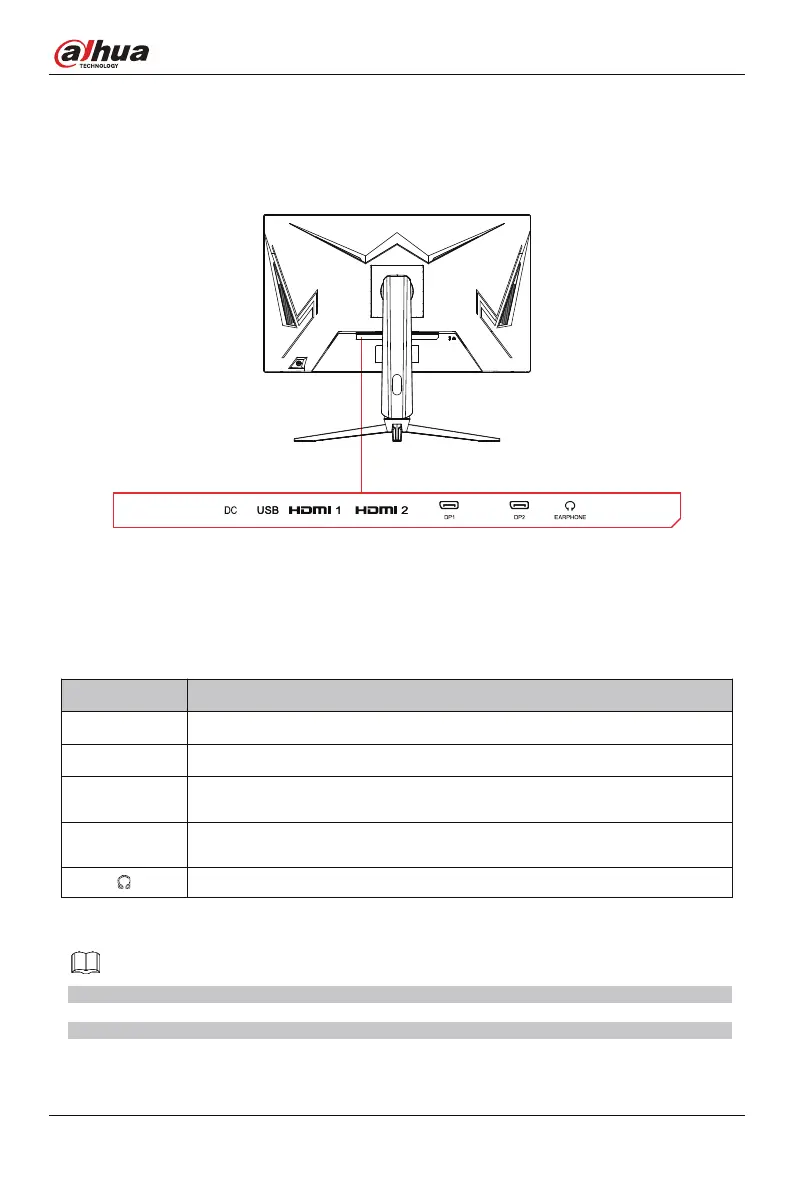
Figure 4-2 Input and output interface
Table 4-2 Input and output ports
NOTE
The above ports are for reference only, the actual ports of different types of monitors may be slightly different
from the ports in the figure, and everything is subject to the ports and functions of the actual product.
Port Function
HDMI
x2/ Use the HDMI cable to connect the HDMI IN interface of the product to the HDMI OUT
interface of a PC.
x2/ Use the DP cable to connect the DP IN interface of the product to the DP OUT interface
of a PC.
DP
DC
x1/ Use to connect with external sound output devices such as headphones or earphones.
x1/ Power interface.
x1/ Upgrade only.
USB


 To Next Page
 Loading...