The Dahua EAS Acousto-Magnetic Antenna is an advanced, software-driven Electronic Article Surveillance (EAS) system designed for shopping malls and supermarkets. It effectively detects 58 KHz labels and tags, offering strong stability and high detection distance. The system primarily consists of a primary antenna and can include up to two replica antennas, eliminating the need for additional controllers and simplifying installation in large or multi-export venues.
Function Description
The core function of the EAS Acousto-Magnetic Antenna is to detect 58 KHz acousto-magnetic labels and tags, preventing unauthorized removal of merchandise. It features self-diagnosis, automatically identifying system issues after power-on and mitigating external interference. The system's integrated transceiver mode allows the primary and replica antennas to operate as a cohesive unit, enhancing detection effects.
Important Technical Specifications
Detection Distance:
- Soft labels: 0.6 m – 0.9 m
- Hard labels: 1.0 m – 1.4 m
- The maximum detection distance for labels is 800 mm – 900 mm, and for tags, it's 900 mm – 1400 mm.
Channel Widths (Deployment Guidance):
- One primary and one replica antenna: About 2 m – 4 m
- One primary and two replica antennas: About 4 m – 6 m
- Two primary and two replica antennas: About 6 m – 8 m
- Two primary and three replica antennas: About 8 m – 10 m
- The system is flexible, allowing a single primary antenna to operate alone or with multiple replica antennas to meet various channel width requirements.
Operating Environment:
- Temperature: -5 °C to 50 °C
- Humidity: Allowed humidity conditions
- Installation: Indoor use only. Recommended shutdown during non-business hours.
- Power Supply: SELV (Safety Extra Low Voltage) compliant, rated voltage according to IEC60065 or IEC60950-1 (Limited Power Source). Connect to grid power output socket with protective ground. Strictly grounded and powered independently.
Physical Dimensions (Unit: mm [inch]):
- Height: 348.5 [13.72]
- Width: 225.0 [8.56]
- Depth: 20.0 [0.79] (top), 104.0 [4.09] (base)
- Pedestal height: 64.5 [2.54]
Connectivity:
- TX Board Ports:
- CH1/CH2/CH3: 9-Pin cable for connecting RX board (CH1) and replica antennas (CH2, CH3). Cold/hot plugging can damage the board.
- Power Port: 5-Pin power cord input. Cold/hot plugging can damage the board.
- USB Port: For software configuration (dedicated blue configuration line).
- CCTV Port: Optional, not required.
- J201/J301/J401: Channel signal ports for noise reduction.
- RESET: Physical button for system reset.
- RX Board Ports:
- J1: 9-Pin cable for connecting to CH1/CH2/CH3 of the TX board.
- J10: Sensitivity setting (Low, Medium, High). Default is Medium.
- RX: Receiving coil connection.
- LIGHT: Alarm indicator connection.
- BEEP: Buzzer port.
- R166: Potentiometer for adjusting alarm volume.
- J7: Power indicator port.
- JUMPER: Spare jumper.
Usage Features
Self-Diagnosis and Stability:
- Automatic diagnosis of issues and effective suppression of external interference.
- Invention patent: Digital receiving technology, ensuring high stability without temperature drift.
- High integration: Small size, short cable, excellent ability to resist high-frequency interference.
Installation and Configuration:
- Site Survey: Equipment should be installed at least 2 meters away from large electrical appliances, escalators, and metal panels.
- Grounding: Strictly grounded and powered independently.
- Ventilation: Install in a well-ventilated place, ensuring vents are not blocked.
- Protection: Pay attention to sun, waterproof, and moisture-proof measures.
- Cable Management: Cables are protected by fine sand in cut grooves, covered by scuff-plates.
- Software Configuration: The system is software-driven, allowing for detailed parameter adjustments via a dedicated debug tool.
Alarm Threshold Settings:
- Hardware (J107 on TX board, J10 on RX board):
- Low (L): Low alarm threshold, high sensitivity, long detection distance.
- Medium (M): Balanced setting.
- High (H): High alarm threshold, low sensitivity, short detection distance.
- Software: Each channel's alarm threshold can be individually set via software. This allows for remote troubleshooting of false alarms, reducing on-site maintenance. Hardware threshold settings (J107) must be disabled when configuring via software.
Transmission Control:
- J108-1&2 (TX board): Turns off the transmission of the entire system, useful for synchronization with ambient equipment.
Channel Locking Display (J108-5&6 on TX board):
- The signal indicator can lock and display the signal strength of the current channel, rather than cycling through channels.
Tag Nearby Detection:
- Detects 58 KHz labels or tags near the antenna that may affect normal operation. The antenna indicator flashes to prompt clerks to check.
- Selectable options for small, medium, or large labels based on store usage.
Phase Synchronization:
- The system debug tool provides a graphical interface to display ambient environment, surrounding phase, channel signal, and debug phase.
- Allows installers to set the single board phase and eliminate interference.
- The "Refresh" function collects ambient data and uploads it for synchronization.
- The "Display" function uploads channel signal and background noise.
- "Left-Right" buttons allow fine-tuning of the phase.
Maintenance Features
Firmware and Software Updates:
- Regular firmware updates are recommended to ensure the system has the latest security patches and fixes.
- Enabling "auto-check for updates" is advised for devices connected to the public network.
- Using the latest version of client software is recommended.
System Reset:
- A physical reset button on the TX board (RESET) allows for system reset, especially when the fault indicator is red. This involves installing a jumper on J108-3&4, pressing RESET, waiting 10 seconds, removing the jumper, and pressing RESET again. An alarm sound confirms successful reset.
Alarm Records:
- The system records alarm events, including record type, time, and data.
- "Hour Tick" records are automatically generated every hour when the system is powered on.
- "System Power On" records indicate system power status.
- "Settled New Parameter" records changes in relevant parameters.
- Records can be cleared, queried (up to 255 most recent), and saved to a file.
Cybersecurity Recommendations:
- Strong Passwords: Minimum 8 characters, including at least two types (uppercase, lowercase, numbers, symbols). Avoid account names, continuous characters (e.g., 123), or overlapped characters (e.g., 111).
- Physical Protection: Secure devices in computer rooms/cabinets with access control to prevent unauthorized physical contact or connection of removable devices.
- Regular Password Changes: Change passwords frequently to reduce guessing/cracking risks.
- Password Reset Information: Set up and timely update password reset information (email, security questions). Avoid easily guessed questions.
- Account Lock: Keep the account lock feature enabled to prevent brute-force attacks.
- Change Default Ports: Modify default HTTP and other service ports to reduce vulnerability.
- Enable HTTPS: Use HTTPS for secure communication.
- MAC Address Binding: Bind IP and MAC addresses to the gateway to prevent ARP spoofing.
- Assign Accounts and Privileges Reasonably: Grant minimum necessary permissions to users and administrators.
- Disable Unnecessary Services and Choose Secure Modes: Disable services like SNMP, SMTP, UPnP if not needed. If necessary, use secure modes (e.g., SNMP v3, SMTP with TLS, FTP with SFTP, Wi-Fi with WPA2-PSK).
- Audio and Video Encrypted Transmission: Use encrypted transmission for audio and video data to prevent theft.
- Secure Auditing: Regularly check online users and device logs for unauthorized activity.
- Network Log: Enable network log function to ensure critical logs are synchronized to the network log server for tracing.
- Construct a Safe Network Environment:
- Disable port mapping function of the router.
- Partition the network, using VLAN, network GAP, or other technologies.
- Establish 802.1x access authentication.
- Enable IP/MAC address filtering.

 Need help?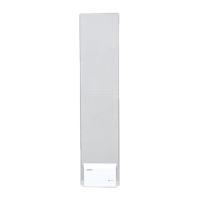

 To Next Page
 General