EasyManua.ls Logo

Daikin 910193126 - User Manual

Daikin 910193126
32 pages
Print Icon
To Next Page IconTo Next Page
Loading...
Auto
Changeover
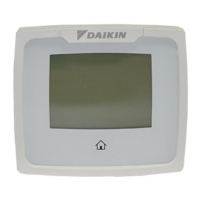
Programmable Thermostat
AUTO
SCHEDULE
COOL
FAN
COOL
MODE
PM
OFF
Wed
7-Day, 5-2-Day, or 5-1-1- Day Programmable
Configurable for Multiple Systems
Large Display with Backlight
Selectable Fahrenheit or Celsius
Icon Indicator Lights
Relay Outputs – Minimum Voltage Drop in
Thermostat
WSHP Alarm Indicator
Remote Sensor Compatible
Ideally Suited for:
– Residential (New Construction/Replacement)
– Light Commercial
Works with two-transformer systems
Installation, Operation
and Application Guide
www.daikinapplied.com 800-432-1342

Questions and Answers

  • C
    Courtney FinleyAug 17, 2025
    Why doesn't my Daikin 910193126 Programmable thermostat follow the program?
    • J
      Jared BakerAug 17, 2025
      If the Daikin Programmable thermostat doesn't follow the set program, verify that the schedule is on, check the time (AM/PM), and check if it is in program override.
  • Y
    Yvonne SmithAug 20, 2025
    How to fix incorrect room temperature on Daikin 910193126 Programmable thermostat?
    • M
      Mr. Peter WilliamsAug 20, 2025
      If the room temperature is not correct on your Daikin Programmable thermostat, you can calibrate the thermostat. Also, if a remote sensor is used, check the S1 and SC terminal connections.
  • M
    Mr. Chad EvansAug 23, 2025
    Why does my Daikin 910193126 turn on and off too frequently?
    • S
      Shannon LynchAug 23, 2025
      If the Daikin Programmable thermostat turns on and off too frequently, you should adjust the temperature differential.
  • A
    Andrew BryanAug 26, 2025
    How to stop the fan from running continuously on Daikin Programmable thermostat?
    • J
      James MooreAug 26, 2025
      If the fan runs continuously on your Daikin Programmable thermostat, press the button and set it to auto; otherwise, it will run continuously.
  • A
    Adrian HernandezAug 28, 2025
    What does it mean when 'LOCK' displays on Daikin Programmable thermostat?
    • B
      Brian MaynardAug 28, 2025
      If 'LOCK' displays when any button is pressed on your Daikin Programmable thermostat, it means that the button lockout function is activated.
  • C
    Corey MarshallAug 31, 2025
    Why does Daikin 910193126 Programmable thermostat program schedule activate at wrong time?
    • J
      Jesus StephensAug 31, 2025
      If the Daikin Programmable thermostat's program schedule activates at the wrong time, check the time (AM/PM) set on the thermostat.
  • S
    Sarah BennettSep 2, 2025
    What to do if heat or cool is not coming on with Daikin 910193126 Programmable thermostat?
    • R
      Richard SwansonSep 2, 2025
      If the heat or cool is not coming on with your Daikin Programmable thermostat, verify the wiring is correct. Gently pull on each wire to verify there is a good connection at the terminal block.
  • F
    fletchermichaelSep 5, 2025
    How to fix no display on Daikin 910193126 Programmable thermostat?
    • E
      Erin Doyle MDSep 5, 2025
      If there is no display on your Daikin Programmable thermostat, check for 24 VAC at the thermostat. The display is blank when 24 VAC is not present.
  • W
    William ClaytonSep 8, 2025
    What to do if system fan does not come on properly on Daikin 910193126?
    • M
      Megan MooreSep 8, 2025
      If the system fan does not come on properly with your Daikin Programmable thermostat, verify the wiring is correct, and check the heat source (Gas/Electric) in Configuration.
  • R
    Robert RaySep 12, 2025
    Why Daikin 910193126 has no response with first button press?
    • C
      cameronhayesSep 12, 2025
      If you experience no response with the first button press on your Daikin Programmable thermostat, press the button to activate the touch icons.

Summary

Thermostat Controls Overview

Icon Functions and Navigation

Important Safety Information

Removing the Existing Thermostat

Installing the New Thermostat

Thermostat Installation Steps

Wiring Diagrams Overview

Wiring Diagrams Continued

Remote Sensor Installation Guide

Configuration and Thermostat Lock

Locking and Unlocking the Thermostat

Changing the Thermostat Lock Code

Entering Configuration Mode

Configuration Mode Settings Part 1

Temperature Scale Setting

Choose between Fahrenheit (F) or Celsius (C) for temperature display.

1 st Stage Temperature Differential

Set the degree difference between setpoint and turn-on temperature for the first stage.

2 nd Stage Temperature Differential

Set the degree difference for when the second stage turns on.

3 rd Stage Temperature Differential

Set the degree difference for when the third stage turns on.

Configuration Mode Settings Part 2

Heat Source Configuration

Configure the primary heat source for the system, crucial for proper operation.

Configuration Mode Settings Part 3

Setpoint Range Configuration

Configure maximum heat and minimum cool setpoints.

Configuration Mode Settings Part 4

Room Temperature Calibration

Calibrate displayed room temperature to match actual room temperature.

Configuration Mode Settings Part 5

Humidification;Dehumidification Setup

Configure system for humidifier or dehumidifier operation.

Humidity Differential Setting

Set the percent difference for humidifier/dehumidifier system activation.

Condition to Turn On Humidification;Dehumidification

Define conditions (e.g., HEAT, COOL-FAN) for humidifier/dehumidifier activation.

Configuration Mode Settings Part 6

Filter Timer Settings

Thermostat Operating Modes

Setting Fan Speed (Model 910193093)

Fan Speed and Operation Display

Home Screen Operation Display

Testing the Thermostat

Heat Test Procedure

Steps to test heating function, including setpoint adjustments and checks.

Cool Test Procedure

Steps to test cooling function, including setpoint adjustments and checks.

Setting the Program Schedule

Alarm Reset Procedure

Daikin 910193126 Specifications

General IconGeneral
Model Number910193126
BacklightYes
Hold FunctionYes
Filter Change IndicatorYes
TypeProgrammable
CategoryProgrammable thermostat
DisplayDigital
ProgrammableYes
Power SourceBattery and/or Hardwired
System ModeHeat, Cool, Auto, Off
Fan ModeAuto, On

Related product manuals