ENGLISH
1
1.
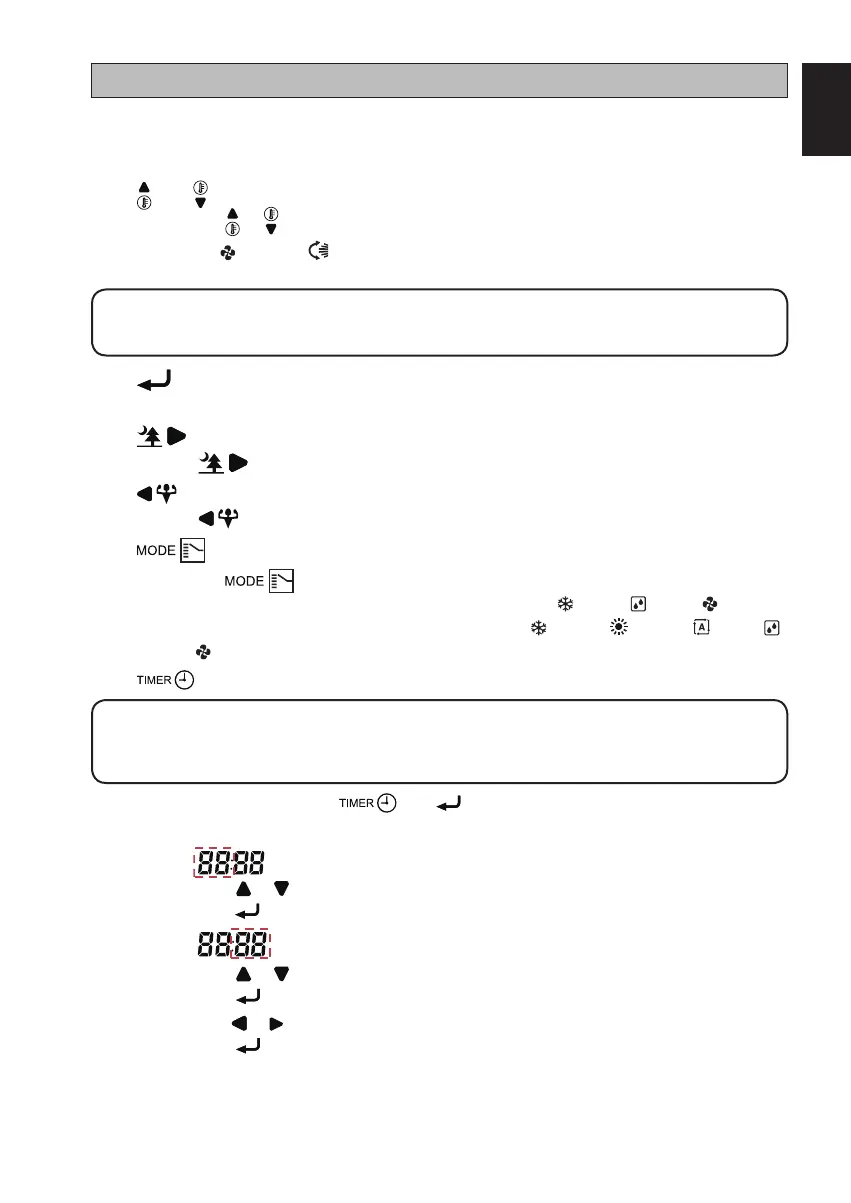
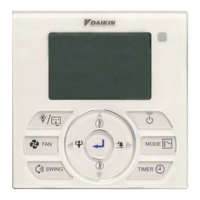
f Button
Press once to start the air conditioner unit.
Press again to stop the unit.
2. and Button
Press the or button to increase or decrease the set temperature.
Pressing FAN and
SWING
or VIEW button simultaneously to toggle the temperature
setting between °C and °F.
! NOTE
Room Temperature Display is available for selected models only.–
3. Button
Continuously press for 3 seconds to turn ON/OFF the LED display on wall mounted unit.
4. Button (Model dependent)
Press button to turn ON/OFF Quiet operation.
5. Button (Model dependent)
Press button to turn ON/OFF Powerful operation.
6. Button
Press the button to select the type of operating mode.
For cooling only model, the available modes are: COOL ( ), DRY ( ), FAN ( ).
For heat pump model, the available modes are: COOL ( ), HEAT ( ), AUTO ( ), DRY ( ),
FAN ( ).
7. Button
! NOTE
Idle 10 seconds to exit the clock setting.
The clock setting is in 24-hour clock.
–
–
A) To set the clock – Press and button simultaneously for 3 seconds.
a. Hour will blink.
b. Press or button to change the Hour.
c. Press
button to confirm the Hour, then Minute will blink.
d. Press or button to change the Minute.
e. Press
button to confirm the Minute, then “MON” will blink.
f. Press
or button to change the Day.
g. Press
button to confirm the Day.
–
–
–
–
–
–
–
–
–
–
OPERATING INSTRUCTION
Original Instruction
1-OM-BRC51D-0616(2)-DAIKIN-EN.in1 11-OM-BRC51D-0616(2)-DAIKIN-EN.in1 1 8/12/20 3:41:41 PM8/12/20 3:41:41 PM



 To Next Page